
Interests are the broad themes a visitor finds appealing — wider than a single product or category. Personyze matches a visitor’s interests against the interests your products and articles carry to recommend items, and any campaign can target on them. They apply to every kind of site: stores, content and news sites, education portals.
What an interest is
An interest is not as narrow as a product. If a visitor looks at a tuxedo, the interest is not “Tuxedos” but “Events” — so you can offer the ties, wallets and shoes for an evening out, not just more tuxedos.
- E-commerce: a visitor searching for an iPhone gets the interest “Smart Devices”, and sees tablets and accessories too.
- Content & news: a reader of Manchester United stories gets “British Sports”, and sees related stories from other sections.
- Targeting: interests work outside recommendations — show different home-page banners to visitors with different interests, with targeting rules.
- Off-site: a bank visitor interested in credit cards can be emailed credit-related articles.
Interests or categories? Categories are the taxonomy paths visitors browse on your site (Apparel > Tops > T-Shirts). Interests are themes a product can belong to — fitness, vintage, gothic. Use them when category isn’t enough.
How items get their interests
- From your feed — map a column to Interests when you import the catalog: a comma-separated list per item, in a quoted cell. Format and a sample file: Uploading Feeds & Data Files.
- By hand — Settings → Recommendation setup → Product Catalog → View interests (Add interests when there are none yet) lists them and adds new ones by name.
- Automatically — Scan the site for interests, in the same list, reads the title and description of every product and proposes themes from the words that recur. Nothing is written until you pick from its list. The same tool is under ⋯ More options → Grab interests from site.
How visitors get interests
- From what they view — a product or article view adds that item’s interests to the visitor, where the catalog link is set to update visitor interests (the default for new imports).
- From your code — send the interests yourself:
<script>
(self.personyze=self.personyze||[]).push(["Interests", "Books", "Sports inventory"]);
</script>
where “Books” and “Sports inventory” are two interests. You can send up to 15 per call; older records are overridden.
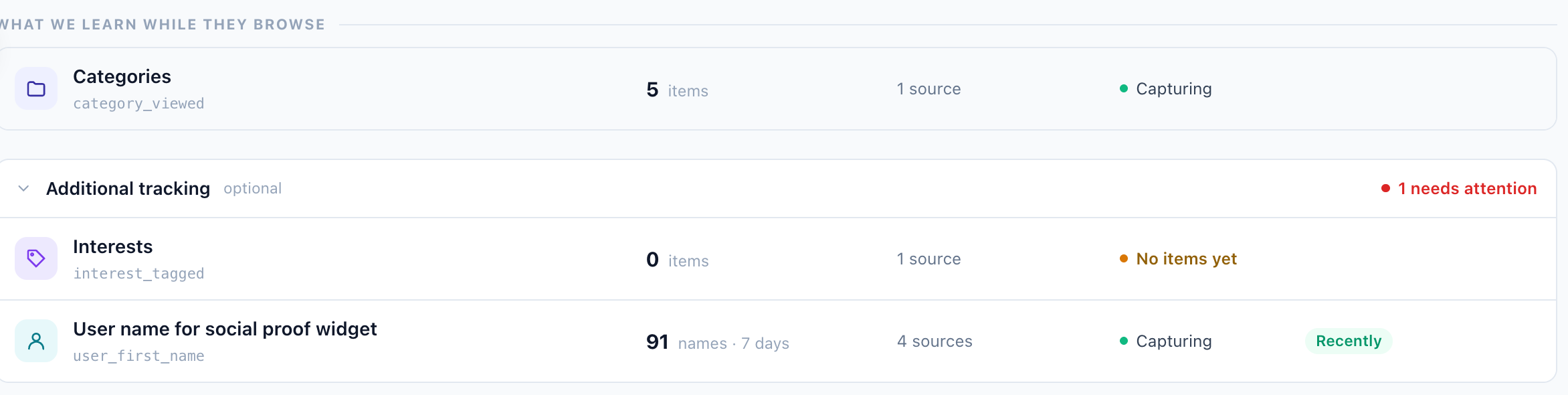
- From the page — a site source on the Interests row captures interest engagement on pages that aren’t products: articles, landing pages, category-specific content.
All three live on the Interests row: Settings → Recommendation setup → Product Tracking → Additional tracking → Interests. Categories are captured the same way — see Categories & interests on Product Interaction Tracking.
The interest score
Two things are recorded about every interest, and both exist because a bare interest name is a poor signal on its own:
- Breadth — how many catalog items carry the interest. An interest spread across a hundred products says very little about a visitor; one carried by three says a great deal. Without this, the broadest interest in a catalog wins every comparison it enters.
- Weight — how central the interest is to that particular item, from 0 to 1. An interest mapped from your feed counts as a full 1; one derived by the contextual engine carries the strength the extractor gave it.
Together with how often the visitor engaged with the interest, and a 30-day half-life so that a year-old interest stops outweighing this week’s, these make up an interest score: one number for how well an item matches everything a visitor is interested in, rather than one arbitrary matched interest speaking for all of them.
Interests can also be recommended in their own right — see Category & interest recommenders. And they are one of the data groups Audience Discovery mines, which is how a rule like “no interest in <topic>” can turn up as an audience worth excluding.