
The Content Recommendation Widget renders personalized article, post or video suggestions — “Most popular”, “Others who read this also read”, “Published since your last visit”, and more — matched to each visitor’s interests and reading history. This guide covers the action; the Content Recommendations wizard walks the full campaign.
Prerequisites
- An article catalog — from your sitemap, RSS/Atom, or the WordPress integration.
- Article-view tracking, so the interest model has something to learn from; see interests for recommendations.
Adding the action
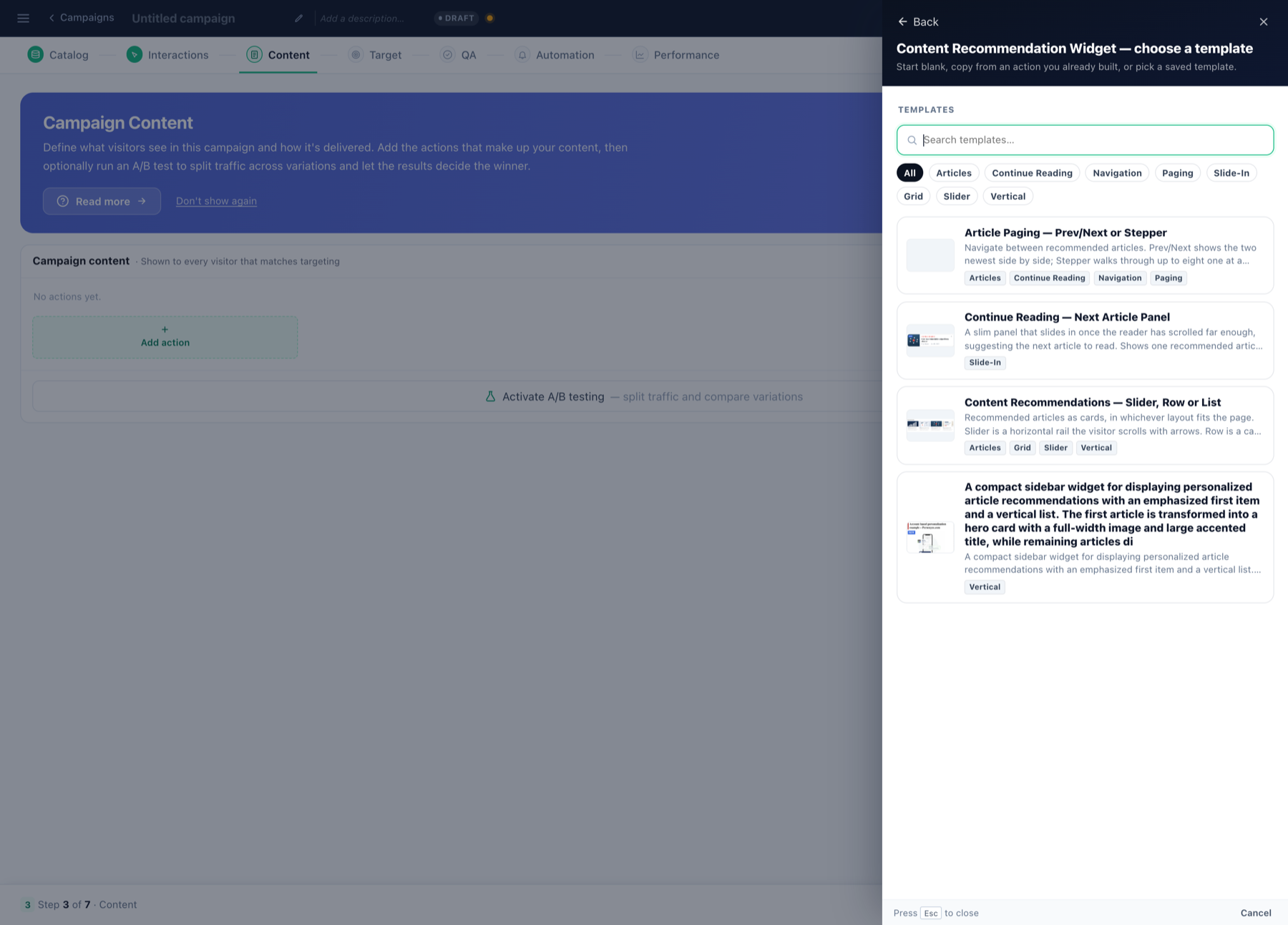
Open the campaign’s Content step → Add action → Content Recommendation Widget, then pick a template — cards, sliders, “continue reading” strips; each family is documented under content recommendation templates.
Choosing the algorithm
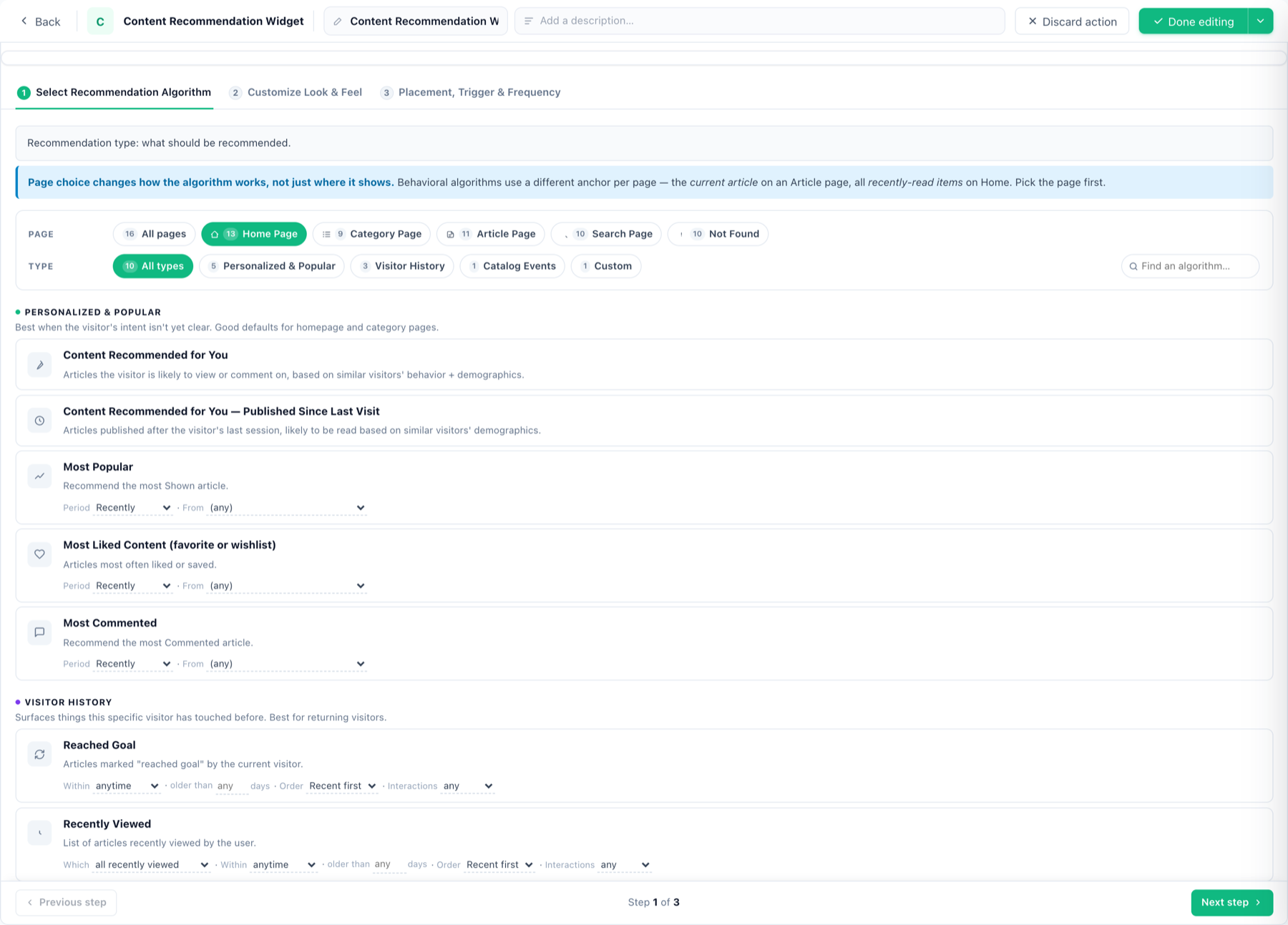
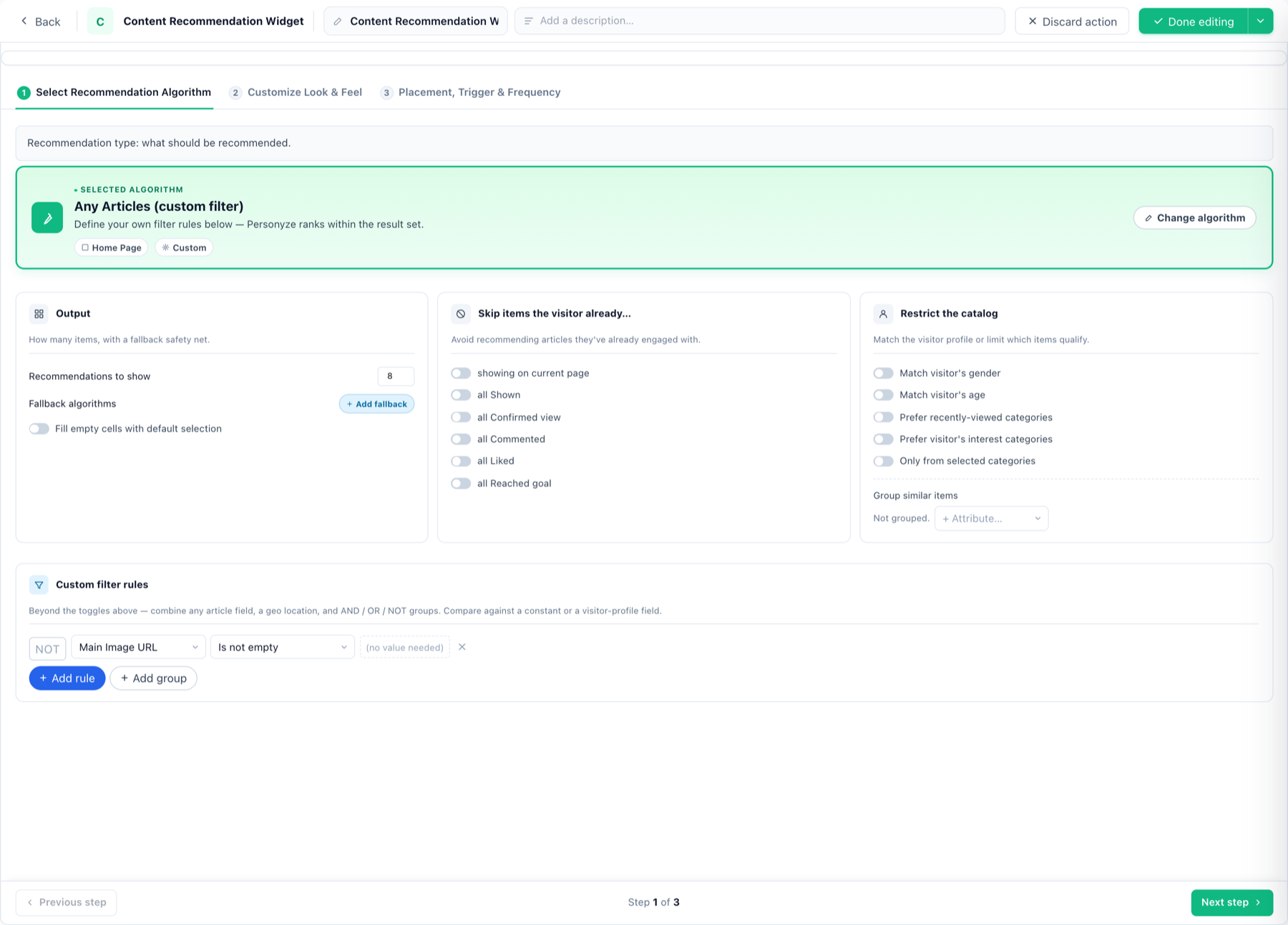
The full catalogue with when-to-use guidance is on Content Recommendation Algorithm Types. As with products, add filters (category, tag, freshness) and fallbacks.
Anchored algorithms gate themselves
Some algorithms are anchored to an event: similar to the viewed item needs a product to have been viewed,
goes with the cart items needs something in the cart. On a page where that never happened they have nothing to
work from, and the widget came up empty.
The editor now handles that for you. Pick an anchored algorithm for an on-site widget and the widget is bound to a
shared, automatically created page group — “Product viewed on this
page” or “Product added to cart on this page” — and a note appears
beside the page-group setting saying so.
- The binding follows the algorithm. Switch between a viewed-anchored and a cart-anchored algorithm
and the group switches with it; choose an un-anchored algorithm and it clears. - It never overrides a group you chose. If you already assigned your own page group, the editor
leaves it alone and shows guidance instead. - Purchase-anchored algorithms are not gated this way, deliberately — a purchase often
completes off the page it was driven from. - Email and feed widgets get the note only, since they do not run on a page at all.
Look & feel, placement, measuring
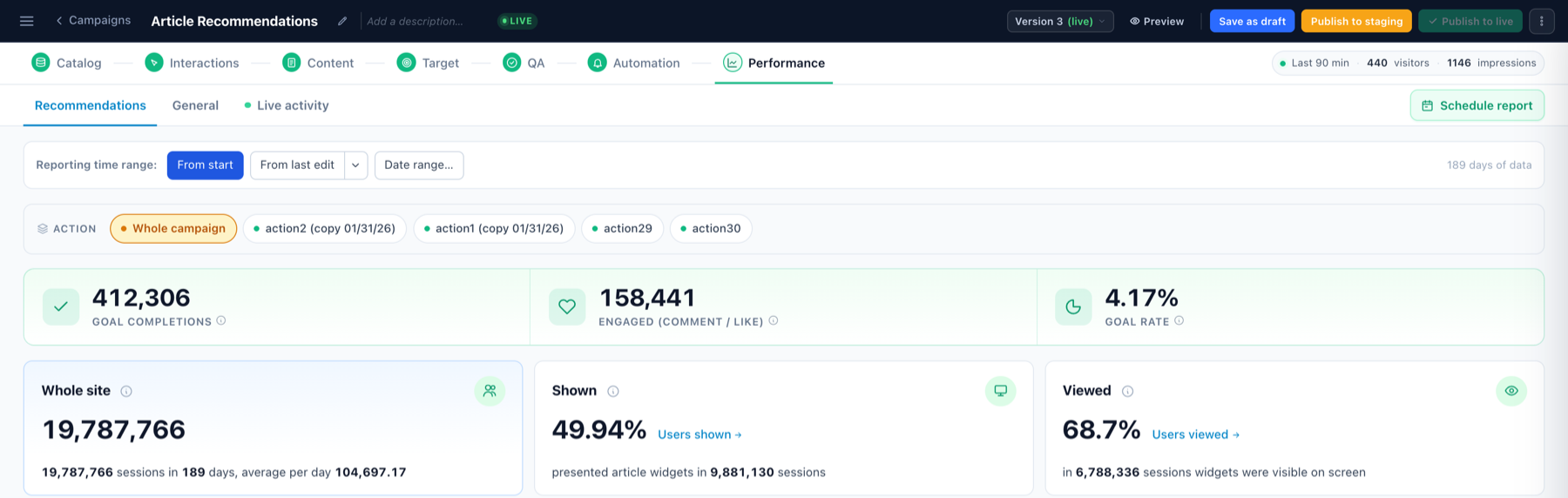
Identical machinery to every widget action: live preview editing with per-setting CSS and ⚡ Variations, Edit action with AI, inline-or-floating placement with triggers and frequency caps, and reporting into the campaign’s Performance step — with A/B testing available on the Content step.
Related
- Content Recommendations wizard — the full campaign, step by step.
- JSON feed variant — same algorithms, rendered by your own code.
- Content recommendations in third-party emails.