
One snippet makes Personyze operational: it recognizes visitors, tracks engagement, and delivers every campaign. This page covers getting the code, the install route for each platform, and verifying it fires.
Watch the 1:40 walkthrough: Get tracking code — copying the snippet or its anti-flicker version, adding it through Google Tag Manager or a platform guide, and the first visits arriving.
Get your tracking code
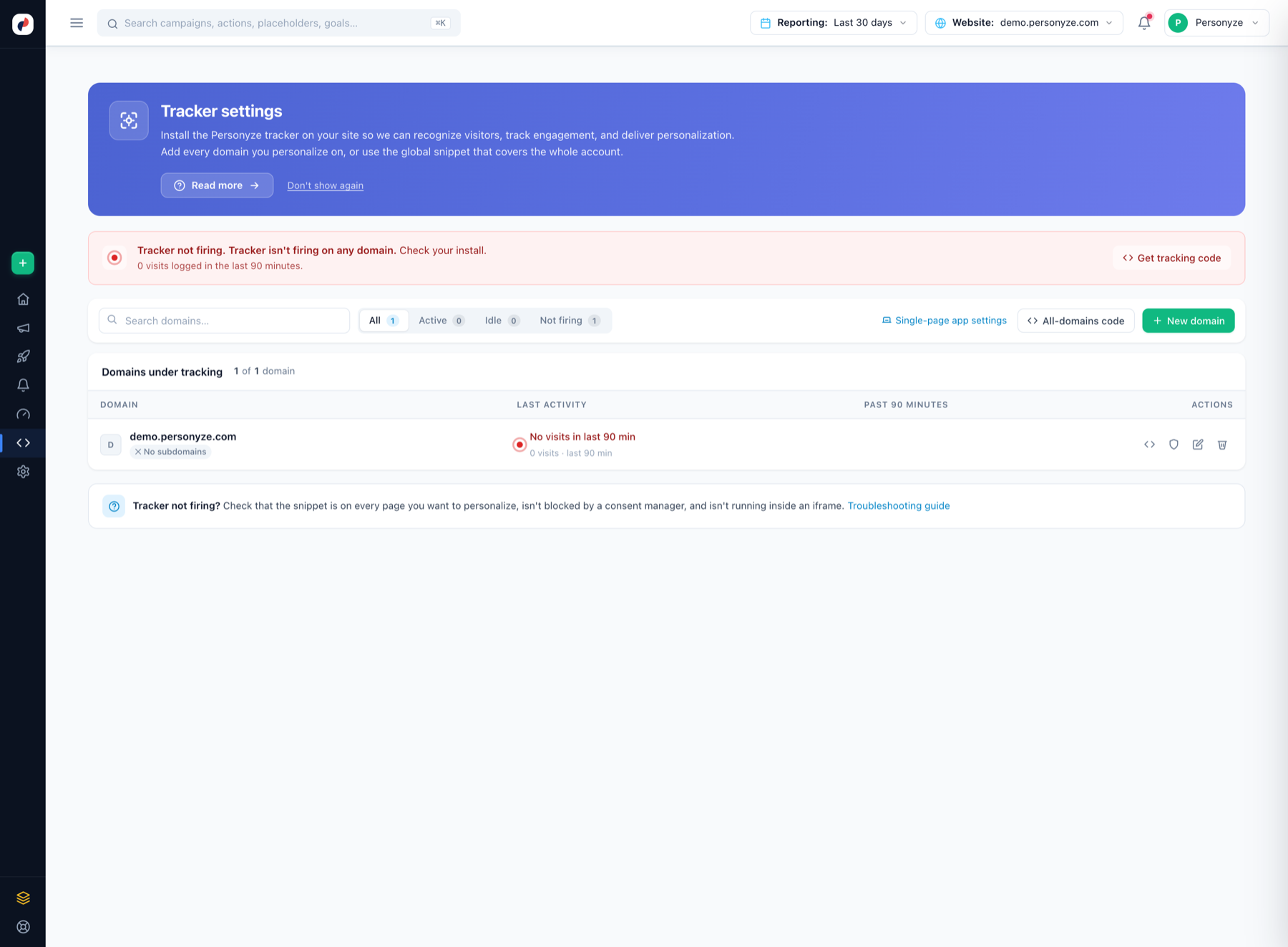
In the panel, open Tracking Code (Tracker settings). Add every domain you personalize on — or use the all-domains code that covers the whole account — then click Get tracking code.
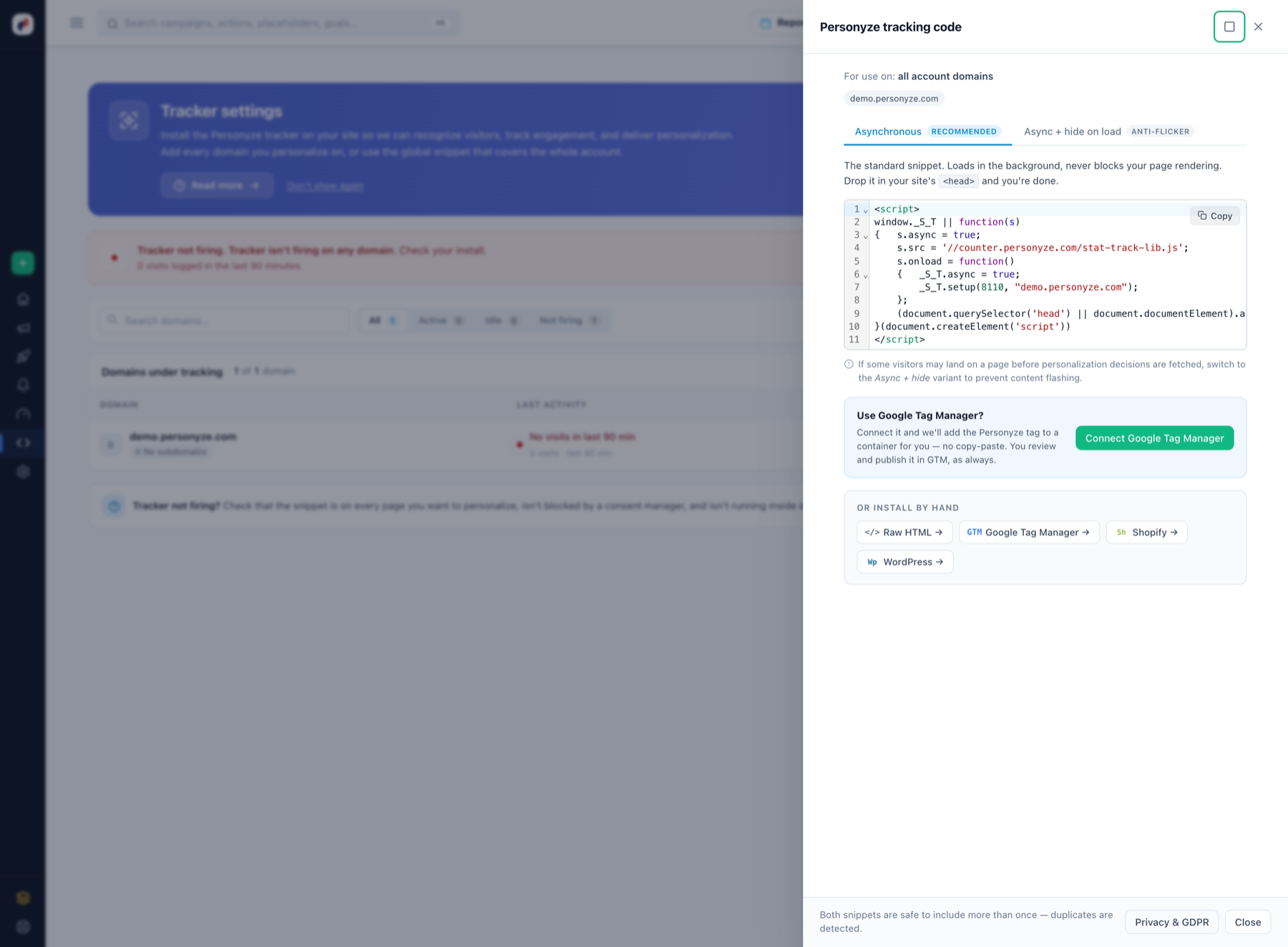
The dialog offers two variants:
- Asynchronous (recommended) — loads in the background, never blocks rendering. Drop it in your site’s
<head>and you’re done. - Async + hide on load (anti-flicker) — if visitors may land before personalization decisions are fetched, this variant prevents the flash of original content.
The code you paste also holds back, from the very first moment, the parts of your pages an AI Personalization campaign changes — those that were live when you copied it. After a new part goes live, or a part is pointed at a new place, copy the code again so it is covered from the first moment too; until then Personyze still holds it as soon as its script loads.
Both snippets are safe to include more than once — duplicates are detected.
Install routes
| Platform | How |
|---|---|
| Raw HTML (any site) | Paste the snippet into the <head> of your template — every page you want to personalize. |
| Google Tag Manager | Either click Connect Google Tag Manager in the dialog and Personyze adds the tag to a container for you (you review and publish in GTM as always), or add the Personyze Tracking template from the gallery yourself — which also brings ecommerce dataLayer tracking and Consent Mode. |
| Shopify | Follow the Shopify guide — includes catalog sync and e-commerce events. |
| WordPress / WooCommerce | The plugin installs the tag with one click and can sync content and products. |
| Magento, BigCommerce, Wix, Squarespace… | Every platform with a “custom scripts” or theme-HTML setting takes the raw snippet: paste it into the site-wide <head> include. |
Installing the tag is one half. To sync a store’s products, orders and customers into Personyze as well, connect it by API: Shopify, Magento, WooCommerce, BigCommerce.
Single-page applications
The tracker detects SPA route changes automatically; the Single-page app settings on the Tracker settings page tune that behaviour. Details: one-page applications.
Verify it fires
- The domain’s row on Tracker settings flips to Active, with visits counted over the past 90 minutes.
- Open Live visits and browse your site in another tab — your session appears within seconds.
- Not firing? Check the snippet is on every page, isn’t blocked by a consent manager, and isn’t running inside an iframe. For consent-gated loading, use the GTM template’s Consent Mode option.
Next steps
- Product interaction tracking for recommendations.
- Conversion goals.
- Setup by site type — the full checklist for e-commerce, B2B/SaaS and content sites.