
Make (formerly Integromat) is a no-code automation platform. Connecting it to Personyze lets you wire your account into 2,000+ other apps — push a new CRM contact into Personyze, add a purchaser to a segment, or drop captured leads into a spreadsheet, without writing code.
Personyze does not ship a dedicated Make app — you connect using Make’s generic HTTP request module and a Personyze API key. That sounds like more work than it is: every Personyze endpoint is a plain HTTPS call with Basic authentication, so one configured connection gives you the whole API.
In the panel: Settings › Integrations › Make.
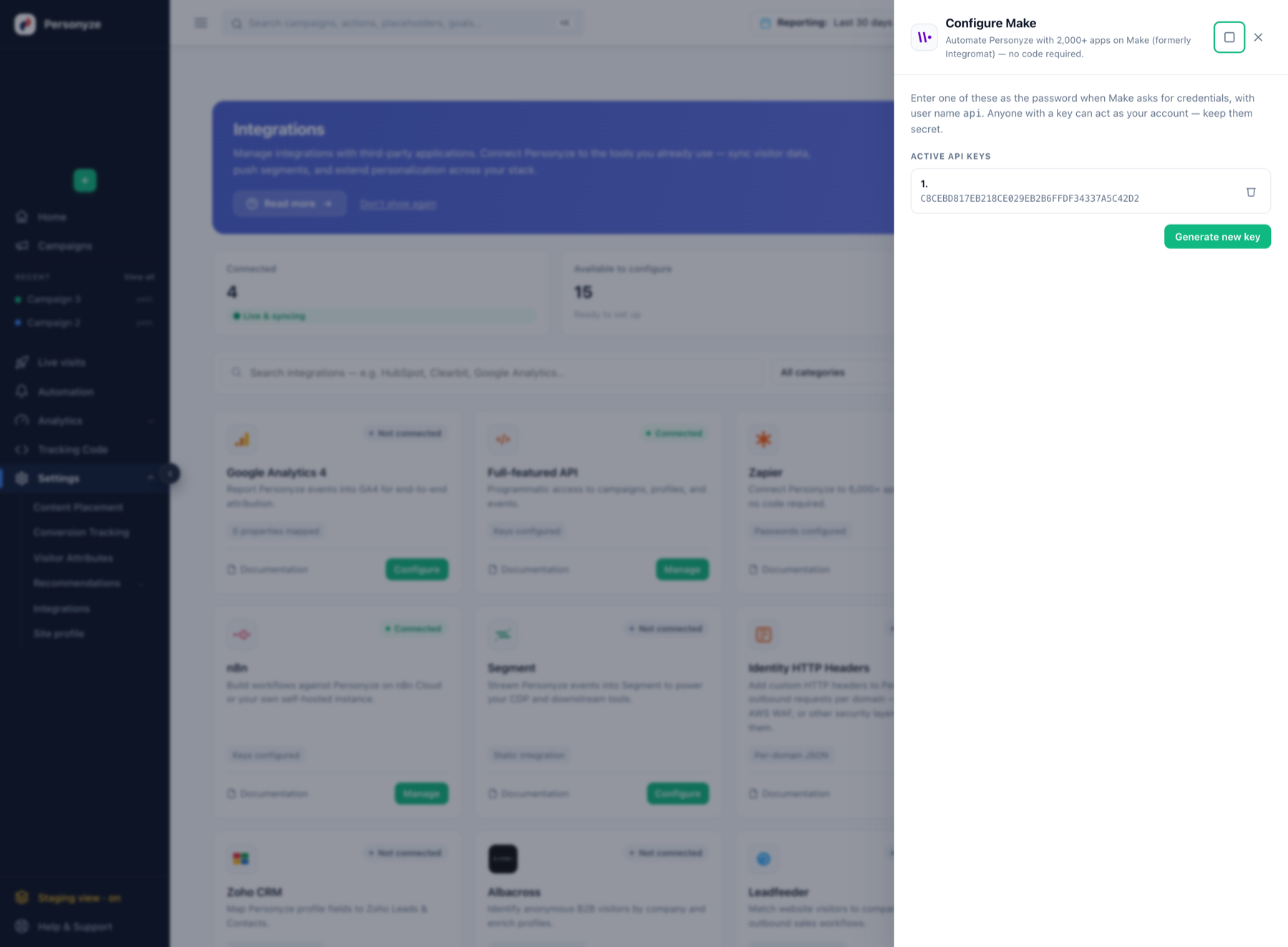
Getting a key
- Open Settings › Integrations and click Configure on the Make card.
- Click Generate new key and keep the value at hand.
- Keep it safe — anyone holding a key can act as your account. Revoking a key here immediately stops anything still using it.
These are the same keys as the Full-featured API and Zapier. A key generated on any of those cards appears on all of them and authenticates any endpoint. Generating a separate key per automation is still worth doing, so you can revoke one without breaking the others.
Connecting in Make
Add an HTTP › Make a request module to your scenario and configure it like this:
- Authentication: Basic auth
- Username:
api - Password: the key you generated
- Base URL:
https://app.personyze.com/rest/
Some tools prefer credentials embedded in the URL, which works too:
https://api:YOUR_API_KEY@app.personyze.com/rest/users/where/email=john@example.comSave the credentials once and Make will offer that connection to every HTTP module in the scenario.
What you can call
Anything in the REST API. The common automation shapes:
- Push a contact into Personyze —
POST /rest/userswith anemail. Re-sending the same email merges rather than duplicating, so a workflow that runs repeatedly stays safe. - Add someone to a segment —
POST /rest/user_list_userswithuser_list_idanduser_email. - Report a purchase —
POST /rest/products_interactions. - Pull captured leads out —
GET /rest/forms, paging ontime. - Pull campaign results —
GET /rest/summary_actions. - Delete a person — the Delete a Visitor module (
POST /rest/privacy-delete): the full deletion of Data & privacy → Visitor requests, logged there, with the address added to your suppression list. A run that ran out of time fails and names what is left: run it again.
Full reference: REST API overview, path parameters, and errors, limits and retries. The integration guide covers the behaviours worth knowing before you build a sync loop.
Two things that will bite you otherwise
- Key your users on
email. It is the identifier that matches an existing profile. A workflow keyed on your owninternal_idcreates a new user on every run. - Error responses are plain text, not JSON. A module set to parse every response as JSON will throw on the error and hide the actual message. Check the status code:
400means the request is wrong and retrying will not help,503is worth retrying with backoff.
Related
- Zapier Integration — the same idea with a dedicated Personyze app.
- n8n Integration
- Full-featured API