
The Redirect to URL action sends matching visitors somewhere else — or keeps them on the page and rewrites part of its address. Typical uses: route visitors from a country to their language folder, send an ABM segment to a dedicated landing page, append campaign parameters, strip stale ones.
Adding it
In the campaign’s Content step, click Add action and pick Redirect to URL.
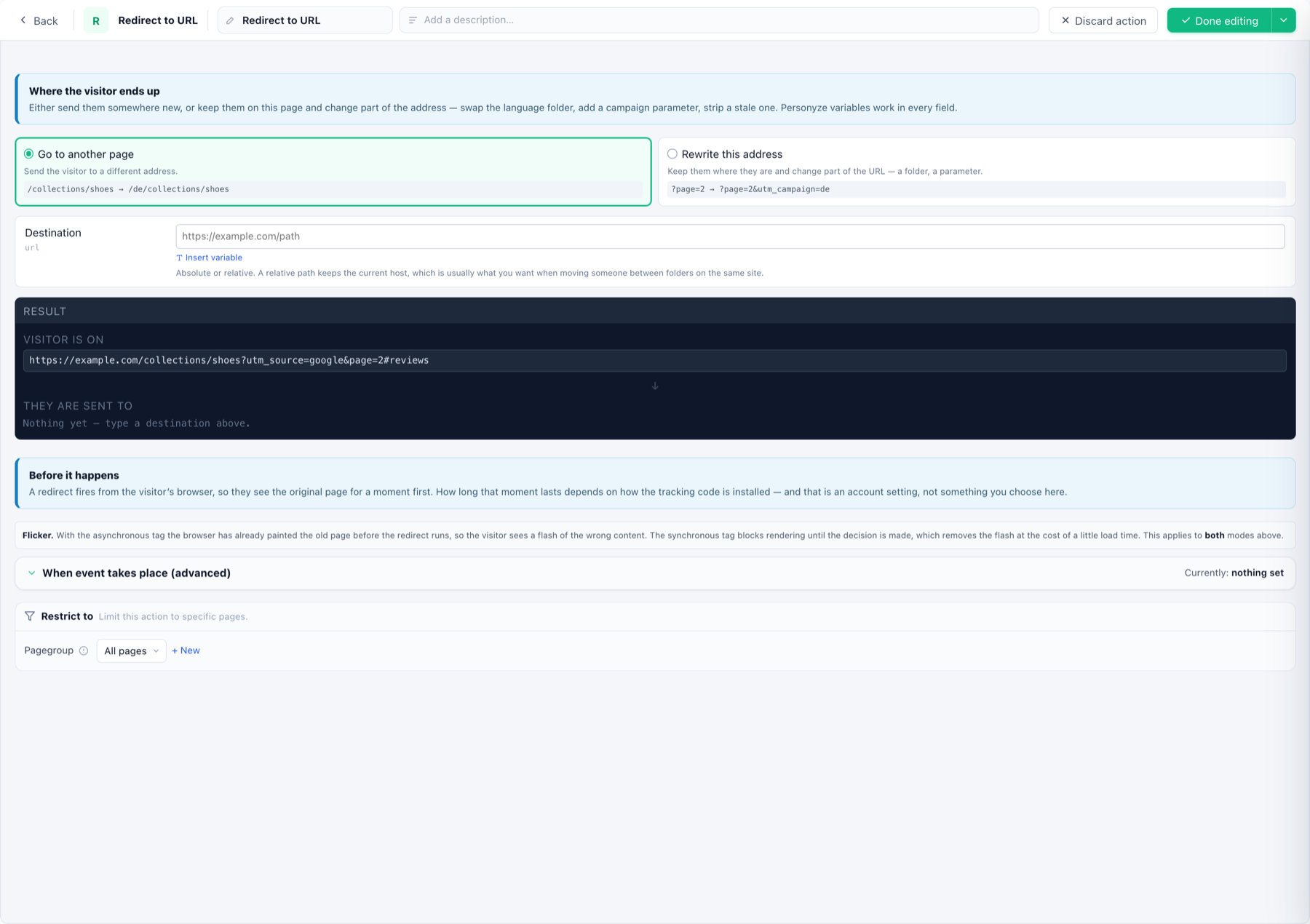
Where the visitor ends up
- Go to another page — send them to a different address:
/collections/shoes → /de/collections/shoes. Absolute or relative; a relative path keeps the current host, which is usually what you want when moving someone between folders of the same site. - Rewrite this address — keep them where they are and change part of the URL, a folder or a parameter:
?page=2 → ?page=2&utm_campaign=de.
Personyze variables work in every field (Insert variable) — so the destination can include the visitor’s language, country, or any profile field. The Result panel shows live what the visitor’s current URL becomes.
About the flicker
A redirect fires from the visitor’s browser, so they see the original page for a moment first. How long depends on how the tracking code is installed — an account-level choice, not a setting here:
- Asynchronous tag — the browser has already painted the old page before the redirect runs; the visitor sees a flash of the wrong content.
- Synchronous tag — blocks rendering until the decision is made, which removes the flash at the cost of a little load time.
When and where
- When event takes place (advanced) — trigger the redirect on an on-page event instead of on match.
- Restrict to — limit to specific pages via page groups.
- Who gets redirected is the campaign’s Target step — e.g. country is Germany AND URL does not start with /de/. Make the rule exclude the destination, or the visitor loops.