
Your pricing page is the same for a 20-person startup and a 5,000-person enterprise — but their questions aren’t. This recipe reshapes the pricing page per visitor using firmographic data, so a small team sees self-serve tiers and a large one sees an enterprise conversation — same URL, same page.
Video: Account-based marketing: one campaign, the accounts you want (4:40) — it plays at the top of Use Case: Target Visitors from Specific Companies (ABM).
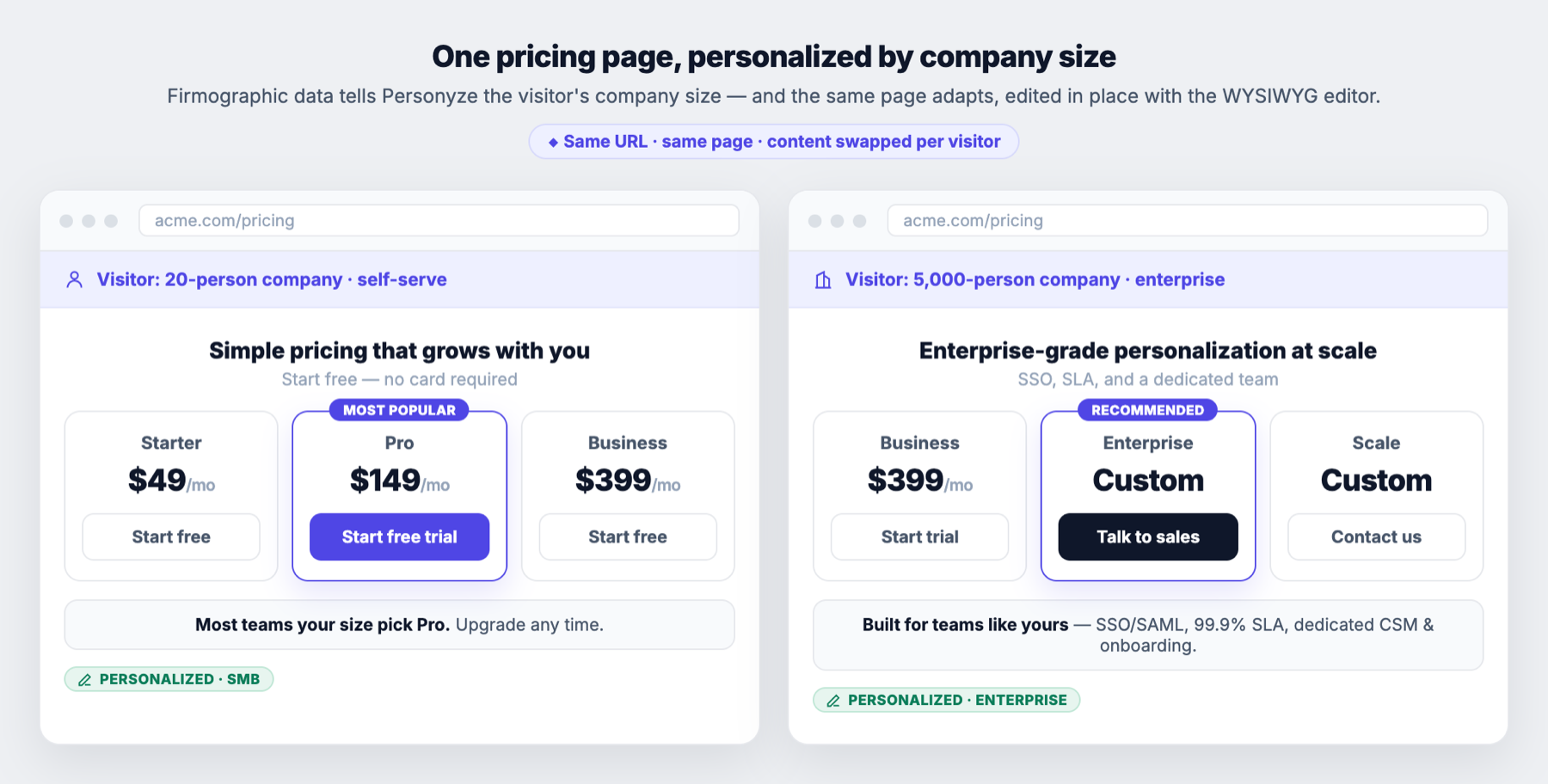
The path at a glance
- Detect the visitor’s company size.
- Edit the pricing page per size with the WYSIWYG editor.
- Target each version.
- Measure which converts.
1. Detect company size
Connect a firmographic source — Clearbit or another ABM provider — so Personyze knows the visitor’s company and headcount, stored as visitor attributes. See targeting companies (ABM).
2. Reshape the page with the WYSIWYG editor
Open your live pricing page in the WYSIWYG editor and edit it in place — highlight the right tier, change the primary button (“Start free trial” vs “Talk to sales”), swap the headline, add an enterprise trust row (SSO, SLA, dedicated CSM). No developer, no separate page. For elements that vary by segment, use content variations so one action carries both the SMB and enterprise versions. Prefer inline changes over popups here — the personalization should feel like the page, and a placeholder lets you drop enterprise-only blocks exactly where they belong.
3. Target each version
In targeting, show the enterprise version to visitors whose company size is above your threshold (and/or from named accounts), and the self-serve version to everyone else.
4. Measure
Track “Talk to sales” clicks and trial starts as conversion goals, and run an A/B test of personalized vs. standard to prove the lift.
Variations
- By industry — swap proof points and logos to the visitor’s vertical.
- By named account — a VIP banner for target accounts: “Your account team is ready.”
- By region — localize currency and tax terms (see localize by country).