
Every other recommendation widget answers “which item should this visitor see”. These answer a different question: which part of the site should they go to next — a product category, an article topic, or an article category.
Watch the 1:36 walkthrough: picking a template, choosing the page, and dropping a shop-by-category block into a slot you already have.
It is a small difference with a large consequence. A visitor who does not yet know what they want cannot be sold a specific jacket; they can be shown that Outerwear is where their kind of visitor ends up.
The three actions
| Action | Recommends | Draws on | Add it in |
|---|---|---|---|
| Category Recommender for Products | Product categories | The product catalog and product behaviour — views, carts, purchases | A Product Recommendations campaign |
| Recommend interests | Article topics — your interests | The content catalog and reading behaviour — reads, goals reached, comments, likes | A Content Recommendations campaign |
| Category Recommender for Content | The categories your articles are filed under | The same reading behaviour, one level up from articles | A Content Recommendations campaign |
Adding one: New campaign → Product Recommendations (or Content Recommendations) → the Content step → Add action → the action above. Each is built in the same three steps as any other recommendation: Select Recommendation Algorithm, Customize Look & Feel, Placement, Trigger & Frequency.
When to reach for one
- The homepage of a first-time visitor. There is no browsing history to recommend products from, but there is always a most-popular category — and it is a better first question than a carousel of arbitrary items.
- After a purchase. The thank-you page is the wrong place for another of the thing they just bought, and the right place for the aisle next door.
- A dead end — an empty search, an error page, an out-of-stock product. A category is something to offer when there is no item to offer.
- Publishing. On a content site, “more like this” at the topic level often beats another single article, because it commits the reader to a direction rather than one more page. A reader who does not yet know which article they want can still be shown the topic their kind of reader goes to next.
What it can show
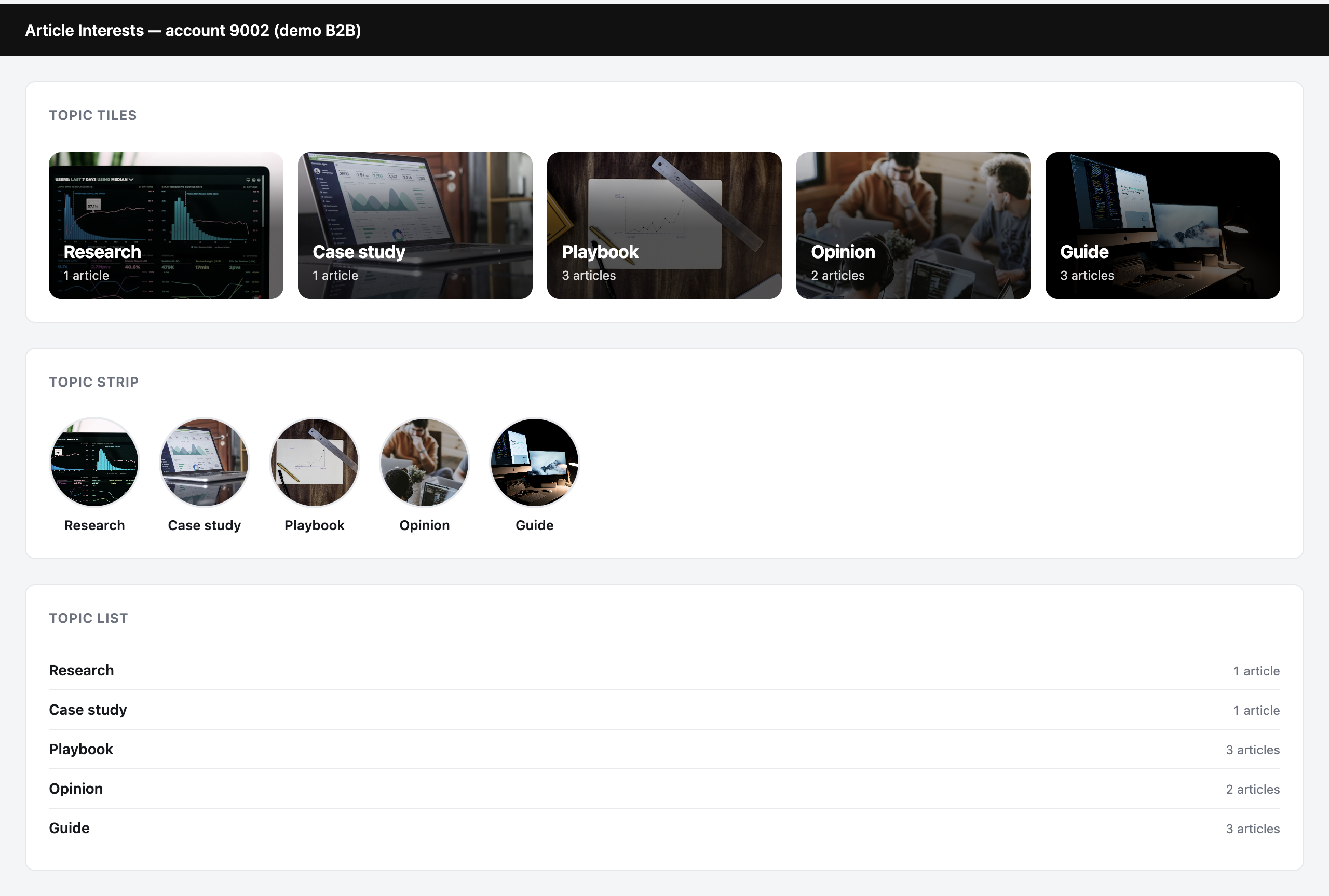
Each recommended category or topic can carry its name, an image, and a count of what is inside it — “6 items”, “3 articles”. The count is worth showing: it is the difference between a label and a promise of something behind it.
The designs
The same recommendation, three ways. Which one you pick is a layout decision, not an algorithm one — every design works with every algorithm below.
| Design | Looks like | Best for |
|---|---|---|
| Category Tiles (Topic Tiles for interests) | A photo grid with the name set on the picture. | A homepage section in its own right — the most prominent. |
| Category Strip (Topic Strip) | Round pictures in a scrolling row — the pattern shoppers know from category navigation. | Sitting quietly under a header. |
| Category List (Topic List) | Names and counts, no images. | Sidebars, narrow columns, and categories with no artwork worth showing. |
Category Recommender for Products also offers two text-only designs: Text Links, No Thumbnails and Title on the Left, Categories Beside It.
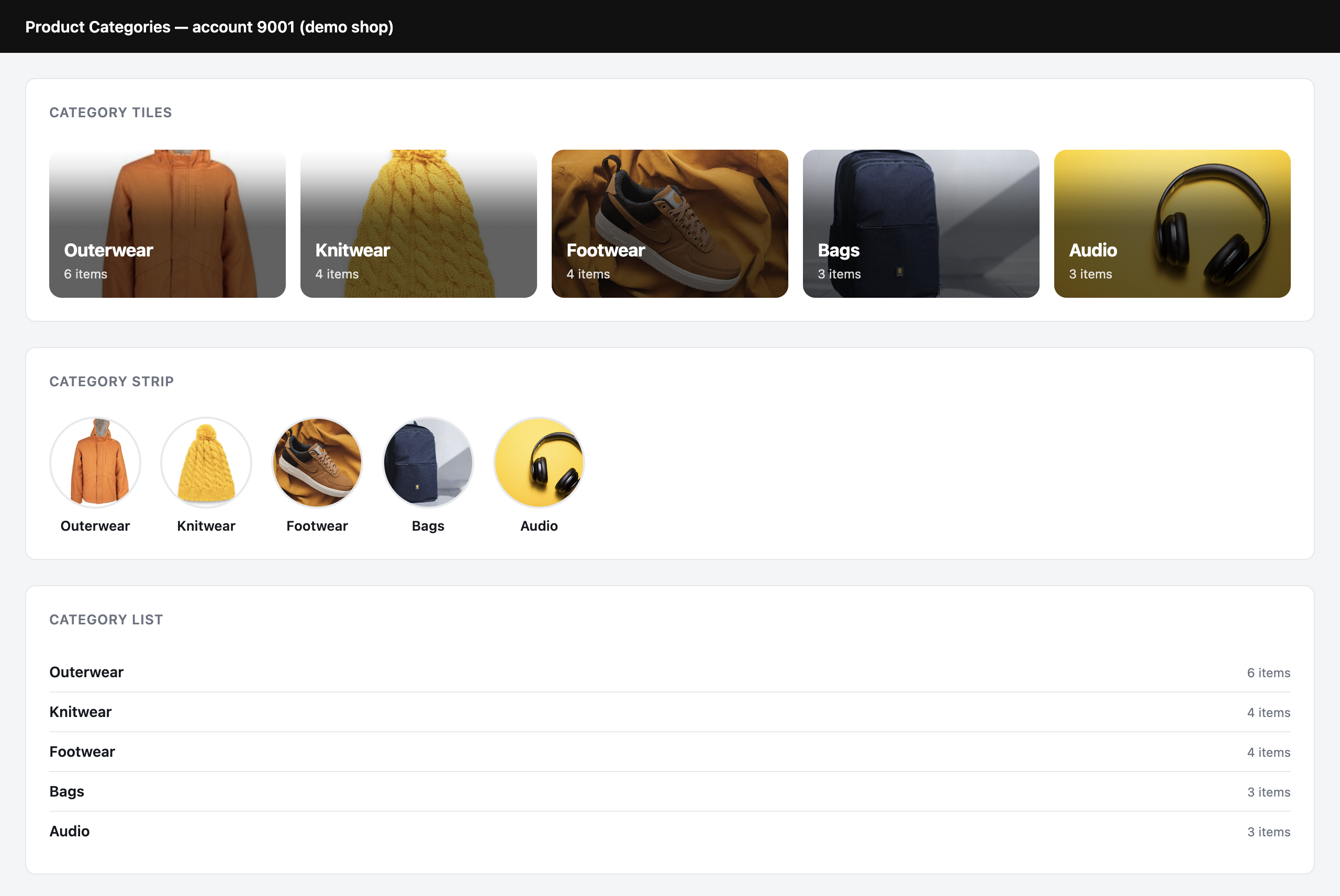
Recommend interests uses the same three, in the content vocabulary:
The algorithms
Each of the three has thirteen, and they pair across the actions — the same engine, named for what it reads. Pick the row, then the column for the action you are building. The picker offers three pages: General (the whole visit), the Category Page, and the Product Page or Article Page.
| Product categories | Article topics (interests) | Article categories | What it picks | Pages |
|---|---|---|---|---|
| Personalized Recommendations | Personalized Recommendations | Personalized Recommendations | What visitors with similar demographics engage with. The best homepage default. | All three |
| Most Popular Category | Most Popular Interest | Most Popular Category | Site-wide, by views or reads, over the period you choose. | General, Category |
| Most Bought Category | Most Converting Interest | Most Converting Category | Site-wide, by purchases — or by goals reached. | General, Category |
| Trending Categories | Trending Interests | Trending Categories | Whatever is getting far more activity today than its own weekly average. Trending by picks the signal. | General, Category |
| Others Who Viewed Also Viewed | Others Who Read Also Read | Others Who Read Also Read | A co-view collaborative filter, one level up from items. On a Category page, anchored to the category being viewed. | All three |
| What others Bought, who Viewed this | What Converting Readers Were Interested In | What Converting Readers Read | A view→buy, or read→goal, collaborative filter. | All three |
| You May Like | You May Like | You May Like | Personalized, but anchored to the product or article on the page. | Item page |
| Currently Viewing | Currently Reading | Currently Reading | The category or topic of the item on this page, when the page reports one. | Item page |
| Categories in the Cart or Wishlist | Interests Commented On or Liked | Categories Commented On or Liked | Read from the live session: what is in the cart or wishlist right now, or what the reader commented on or liked. On-site only. | All three |
| Recently or Most Viewed Category | Recently or Most Read Interest | Recently or Most Read Category | This visitor’s own history: where they have actually been. Order: most recent, oldest, most often, or strongest. | General, Category |
| Category of Recently Viewed Product | Interest of Recently Read Article | Category of Recently Read Article | Inferred upward from the individual items they looked at. | General, Category |
| Past Orders Recommendations | Past Goals Recommendations | Past Goals Recommendations | Related to what this visitor bought, or the goals they reached. | Item page |
| Buy it Again | Reached Goal Again | Reached Goal Again | Categories they bought from, or topics they converted on, before. | Item page |
What it needs before it can return anything
- For product categories: a product catalog whose items carry categories, and category tracking on your pages so the engine knows which category a visitor is in — Settings → Recommendation setup → Product Tracking → Categories. See product interaction tracking.
- For topics: interests set on your articles — from the feed, from the contextual engine, or by hand.
- For article categories: a content catalog whose articles carry categories, and article tracking.
- Reading or browsing history for the personal algorithms. For a first-time visitor, a popular or trending category is the better first question.
- An image per category, if you want the tiles or strip design. The list design needs none.
Related
- Recommendation algorithms — the item-level engines, and how the page anchor works.
- Product interaction tracking — including categories and interests.
- Interests for recommendations
- Setting the product / content feed
- Content recommendations — recommending single articles.