
A search phrase is the most explicit thing a visitor ever tells you. Personyze keeps the last thing each visitor searched for on their profile — what they typed into your site’s own search, or the phrase a search engine sent them with — so you can:
- target visitors by what they searched (“searched for shoes in the last 7 days”);
- recommend the products or articles that match their search, on any page, with Matches Their Search;
- see it in Live visits and in each visitor’s profile.
In the panel’s words: “What this person LAST searched for — typed into your site’s search box or search page, or the phrase a search engine sent them with. One phrase, overwritten by each search, kept on their profile across visits.”
Watch the 0:48 walkthrough: a visitor searches for “parka”, the phrase in Live Visits, the Last search rule, and the home page that remembers it.
What counts as a search
There is nothing to switch on. The tracker reads the phrase from the address of your search results page:
| Where | Parameters |
|---|---|
| On any page | keyword, kw |
| On a search page | q, query, search, s, keywords |
A search page is one whose path has a segment that starts with search — or suche, recherche, buscar, busca, zoeken, ricerca, szukaj, arama, sok — or catalogsearch. For example:
/search?q=running+shoes/en/search-results?query=…/catalogsearch/result?q=…/search?keywords=houses
A path such as /site-search or /research does not count, because its segment does not start with the word. The path rule exists because the same parameter names mean other things elsewhere — query= on an author listing, for instance.
Other ways a phrase arrives
- From a search engine. The keyword of a search-ad click:
utm_term(orutm_keyword,termand theirad.variants), for example Google Ads withutm_term={keyword}. It counts only when the click came from a search engine — or carries a search-ad click id such asgclidormsclkid— so email and social campaign labels are ignored. Organic Google traffic does not pass the phrase, so most “search engine” phrases come from search ads. - From your search box. A text input search container reads your site’s search box as the visitor types, without waiting for a results page — useful where results appear without the address changing. See Grab data from your site.
A phrase of six or more digits alone (an order number, an ad id) is not kept.
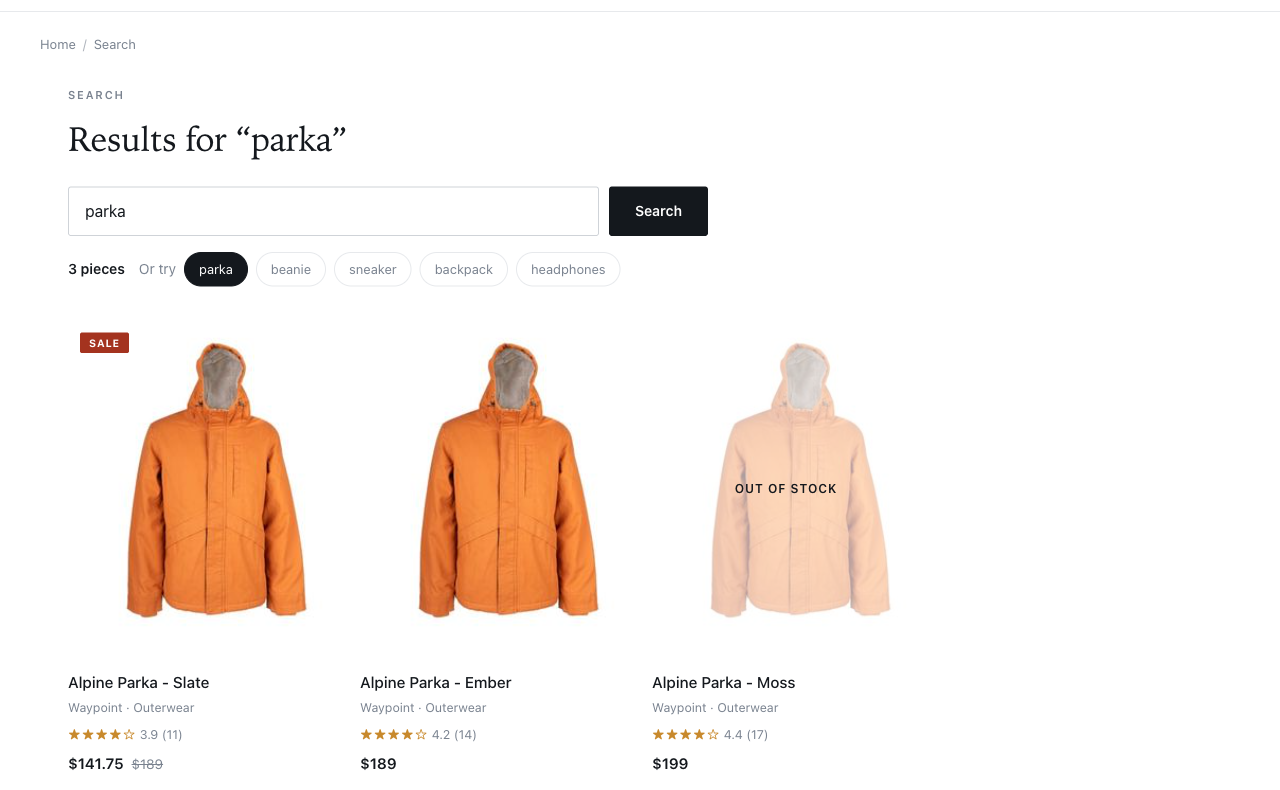
/search/?q=parka. That page view sets the visitor’s last search to “parka”, source site. Click to enlarge.How it behaves
- One phrase only. Each new search replaces it; there is no history. A page view with no phrase leaves it alone, so browsing after a search does not erase what they searched for.
- Its source is kept — site (your own search) or engine (a search engine) — and its time, which is what “within the last N days” uses.
- Returning visitors. The phrase is kept on the profile across visits. From the panel: “Returning visitors: this needs a reason to look up their history — the account identifies visitors by internal ID, or tracks purchases or conversions. Without one of those it only holds during the first visit.”
- Last search is not Keywords. The Keywords rule reads the search phrase of this session’s arrival. Last search is a profile field: the most recent phrase from anywhere, kept across sessions. Use Keywords for “how did this visit start”, and Last search for “what is this person looking for”.
Where you see it
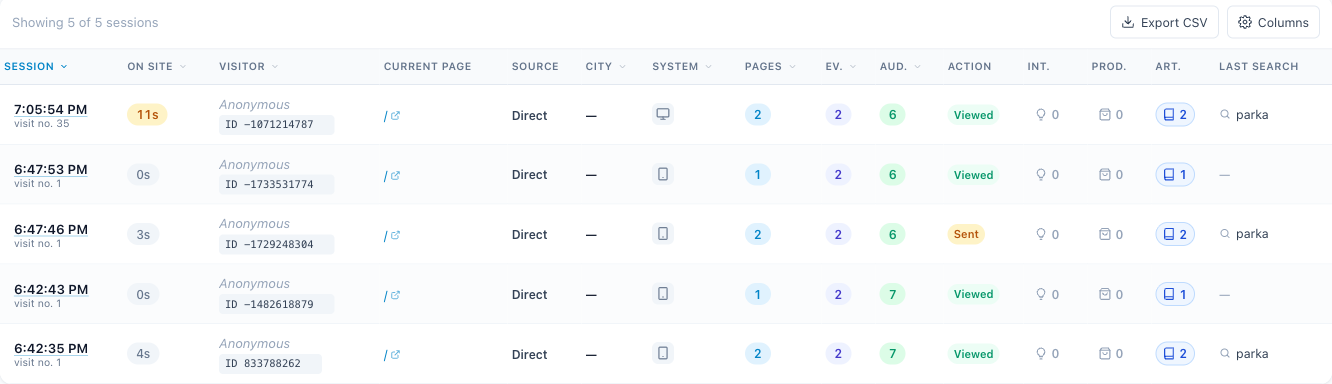
- Live visits — the Last search column, “The last thing this visitor searched for on your site.” See Live visits.
- A visitor’s session drawer — open a row in Live visits: Last search is in the profile.
- Top searches — in Analytics → Website traffic, and as a card you can add to a dashboard: what visitors searched for and what those visits did next, On your site or from Search engines & ads. Each phrase has its Searches, Visits, a rate and Revenue; Rising and Searched a lot, converts poorly call out the phrases worth a promotion or a Matches Their Search widget. On an account that sells, the rate is Purchase rate — the visits that bought something after searching the phrase — rather than Conversion rate, because a goal can be reached by the search itself.
Targeting by last search
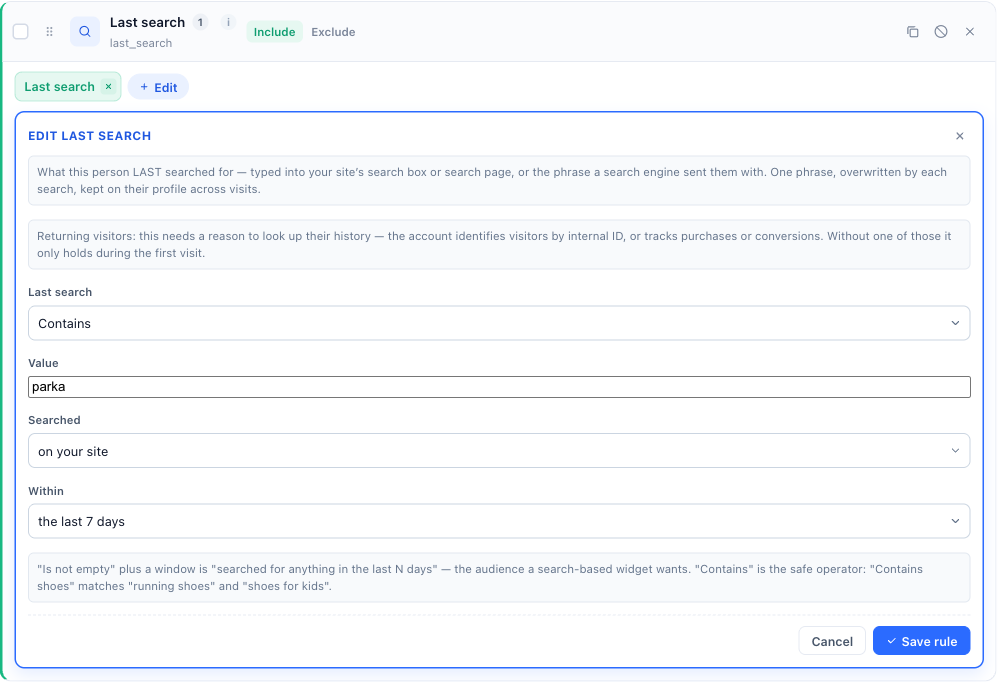
In a campaign’s Target step, click Add audience rule, open the Behavior tab and pick Last search. It has three parts:
- Last search and a Value — the operator and the phrase: Contains, Doesn’t contain, Exactly matches, Does not exactly match, Starts with, Ends with, Matches regexp, Is not empty, Is empty. Contains is the safe choice: “Contains shoes” matches “running shoes” and “shoes for kids”.
- Searched — anywhere, on your site, or in a search engine.
- Within — any time, the last hour, the last 24 hours, the last 7 days, the last 30 days, or the last 90 days.
Is empty means “never searched at all”; it ignores the other two parts, so they are hidden under it. The other operators do not match a visitor who has never searched.
Recipes
- Visitors who searched for anything this week: Last search Is not empty, within the last 7 days. This is the audience a search-based widget wants.
- Visitors interested in a theme: Last search Contains “shoes” (or “mortgage”, “grievance”…), searched on your site.
- Paid-search keyword landing: Last search Contains the keyword, searched in a search engine, within the last hour.
Recommending what they searched for: Matches Their Search
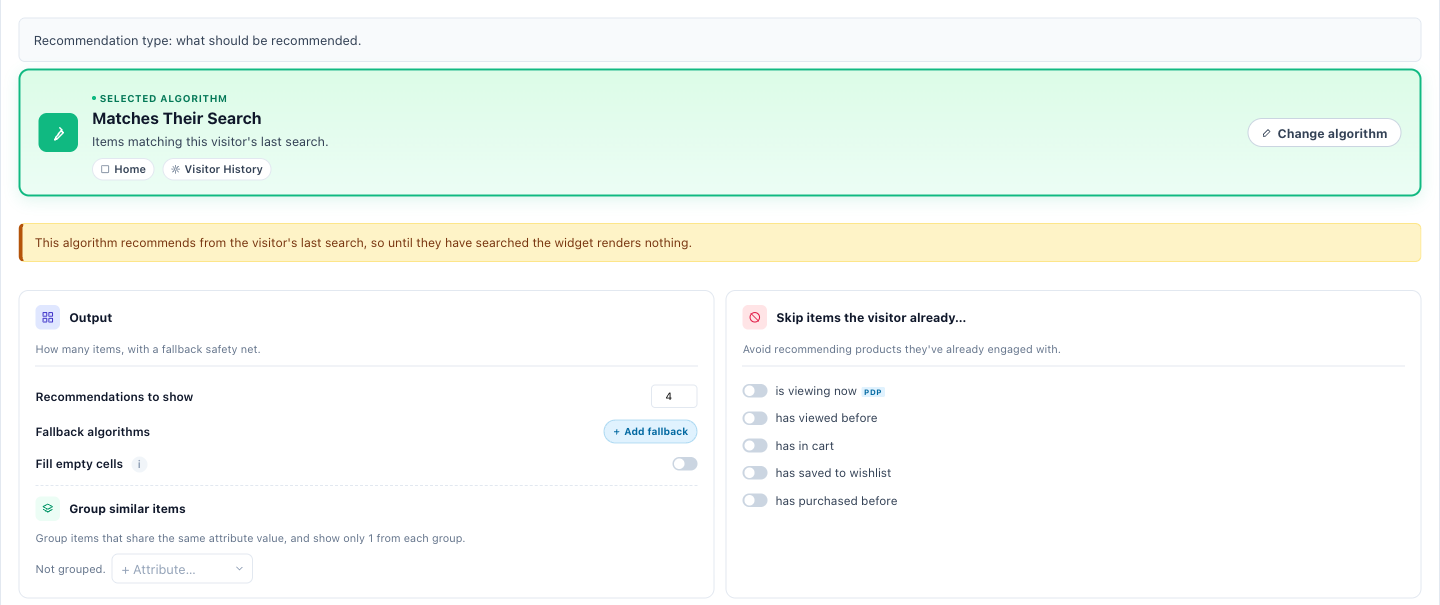
In a Product or Content Recommendations widget, the algorithm is Matches Their Search — “Items matching this visitor’s last search.” for products, “Articles matching this visitor’s last search.” for articles. It leads the list on the search page tab of the algorithm picker, and it is offered on home, category and product pages too. Every other algorithm recommends from behaviour; this is the one that can answer a phrase.
How it matches
- Products: the phrase is matched against your catalog’s own words — title, brand and short description. Relevance decides which items qualify; among equally relevant ones, the visitor’s own signals decide the order.
- Articles: matched against title, topic and description; the newest come first among equals.
- It is natural-language matching, not a query syntax: a stray quote or asterisk cannot break it. It works the first time a phrase is typed — there is no nightly job and no phrase list to build.
It only shows to a visitor who has searched
The editor adds a page-group gate, Searched on this site, so the widget renders only for visitors with a last search — and says so on the widget: “This algorithm recommends from the visitor’s last search, so until they have searched the widget renders nothing.” Add a Last search, within N days rule on the Target step to limit it to recent searches.
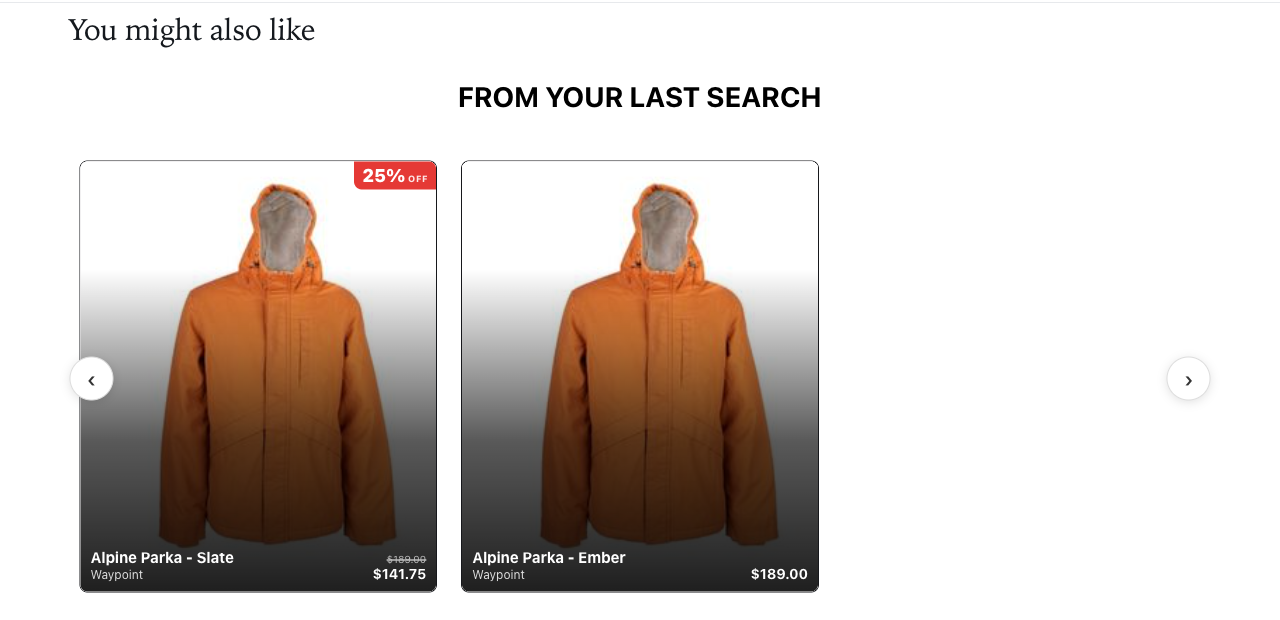
Limits
- Very short terms (one or two characters, such as a model number “17”) are ignored by the search index.
- A phrase that matches nothing shows nothing. It does not fall back to unrelated items unless the widget has a fallback algorithm.
Troubleshooting
- The Last search column stays empty after I search. Check the address of your search results page against What counts as a search; if it does not match, ask support to set your search parameter. Also check that the Personyze tag loads on the search page — the page view should appear in Live visits.
- A phrase that is not a search appears (an ad id, an email label). That can only come from a search-engine click now. Report it with the page address.
- Returning visitors lose their last search. See Returning visitors.
- The widget shows nothing. The visitor has not searched, or the phrase matches nothing in your catalog. Test with a phrase you know matches, as a visitor who has just searched.
Related
- Targeting rules in Personyze — every rule, including Keywords.
- Recommendation algorithms — what each one picks.
- Live visits — the Last search column.
- Grab data from your site — wiring a search box up as a container.