
Each campaign with a review widget or form, a Feedback question or a Survey gets its own tab on its Performance step. This article is how those numbers are counted, and when they arrive.
The Reviews & Surveys add-on
Reviews, feedback and surveys are one add-on, Reviews & Surveys. It is included on the Power and Enterprise plans. On any other plan, activate it on the Add-ons page, where it starts with a free trial; it has no usage limits.
It covers Show Reviews, the Review Form, Ask for a Platform Review, Feedback, Feedback Results, the Survey, Survey Results, and survey and review emails. Customer Logos is not part of it. On an account without it:
- those widgets are not shown on your site, and survey and review emails are not sent;
- reviews are no longer read from your connected review platforms each day;
- the panel offers the add-on where these action and campaign types would be, and the Reviews page, under Settings → Reviews, shows a note on how to activate it.
The Reviews & Surveys section
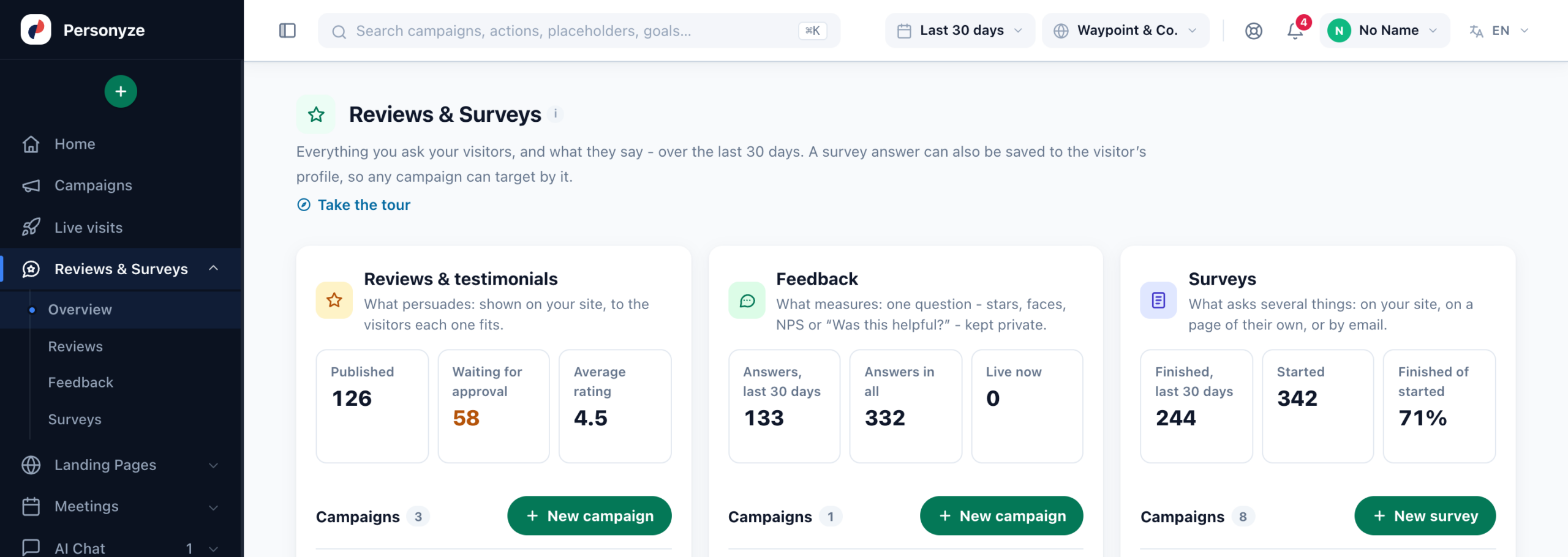
With the add-on, the left menu has a Reviews & Surveys section, just before Landing Pages:
| Page | What it shows |
|---|---|
| Overview | What came in over the last 30 days — reviews, feedback answers and survey answers — your campaigns of each kind, with New campaign, and the way into each screen. |
| Reviews | The Reviews page. |
| Feedback | Every answer to your Feedback questions, from every campaign — the Reviews page’s Feedback tab. |
| Surveys | Every survey in one report, over the range in the top bar: Shown (visits), Started, Finished, Finished of shown, Finished of started and the Last answer. Pick one for its full report — the same one its campaign’s Performance step shows. Also under Analytics → On-site campaigns → Surveys. |
Performance → Reviews
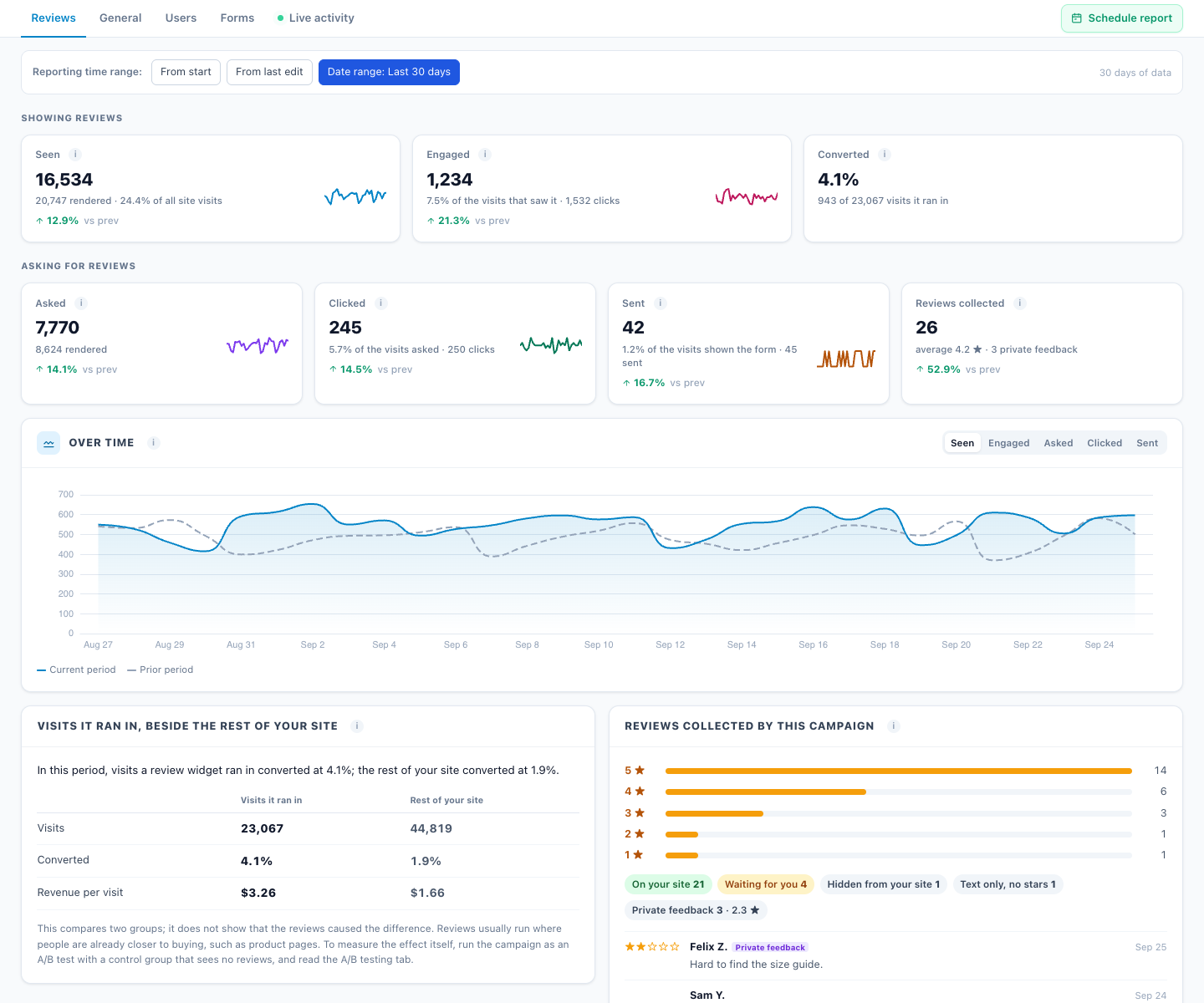
On any campaign with a review widget or form — and first on a Reviews & Testimonials campaign.
| Tile | What it counts |
|---|---|
| Seen | Visits in which a review widget was confirmed on screen — not just loaded. |
| Engaged | Visits with a click in it. |
| Converted | Visits it ran in that reached a goal. |
| Asked / Clicked | Ask for a Platform Review buttons shown, and clicked. |
| Sent | Review Form submissions. |
| Reviews collected | How many, the average, stars 5→1, how many are published, waiting or hidden, and the latest reviews. |
- Visits it ran in, beside the rest of your site compares conversion and revenue per visit. It is a comparison, not proof: reviews usually run where people are already closer to buying. To measure the effect itself, run the campaign as an A/B test with a control group.
- New reviews on your review platforms in the same period are shown for context. They are not credited to the campaign.
- A review email counts the reviews its stars brought on its own Performance step — see Ask for a review by email.
Performance → Feedback
The NPS and scores, answers and response rate, and the latest comments — see Feedback & NPS. A question that asks for a reason adds Reason answers and Why they said so: each reason’s share against the period before, and the products they named — see Reason answers.
Performance → Surveys
Respondents, response rate, NPS and the average rating; from shown to started to finished, where visitors stop and where the survey was answered (your site, its own page, a QR code, an email); every question’s results and by segment; the latest written answers with an AI summary; and a CSV export. Every tile and card is explained in Survey Reports and the AI Summary. A survey that keeps a score adds Survey score and How the scores spread. Every survey of the account side by side is Reviews & Surveys → Surveys.
The campaigns list
Campaigns → Reviews & surveys shows the three campaign types together, with Shown, the response rate (and how many were collected) and a score: the average stars, the NPS, or the respondents.
When the numbers arrive
- At once: reviews, feedback answers and survey totals.
- An hour or three later: views, clicks, response rate and conversions are added when the account’s statistics are next processed, which runs every one to three hours. The screens say “usually within one to three hours”.
Reading the numbers: Reviews, Feedback and Surveys on the Performance Metrics page explains every figure on this screen and how to read it.
Related
- Show Reviews
- Feedback & NPS
- Surveys
- Survey reports and the AI summary
- Troubleshooting — numbers that look low