
Promotion by email is an email of an Email & SMS Personalization campaign. It sends each recipient their best promotion — or their best three — from your Promotions list, with a coupon code of their own. When no promotion fits someone, they are sent nothing.
Adding it
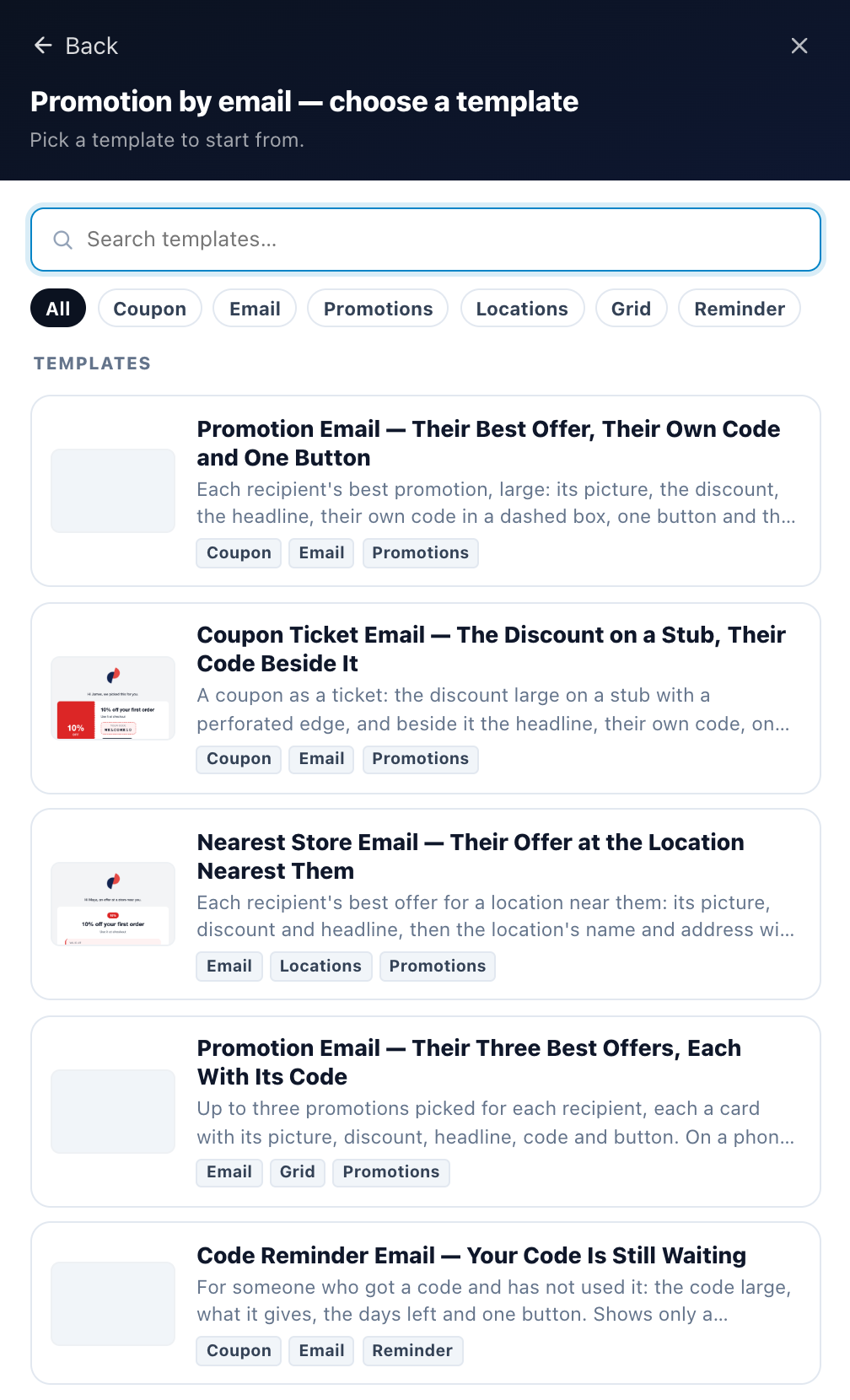
On the campaign’s Content step, add an email and pick A promotion by email — “Each recipient’s best offer from your Promotions, with their own code – sent only when one fits them.” Then a design:
| Design | What it sends |
|---|---|
| Promotion Email — Their Best Offer | One promotion, their own code and one button. |
| Promotion Email — Their Three Best Offers | Three promotions, each with its code. Side by side on a computer, one under another on a phone. |
| Code Reminder Email | “Your code is still waiting”: the code they hold, for the reminder below. |
| Nearest Store Email | Their offer at the location nearest them: its name, its address and a Directions link. For the Nearest location’s offer algorithm; see Coupon Near You. |
| Coupon Ticket Email | The discount on a stub, their code on the ticket beside it. |
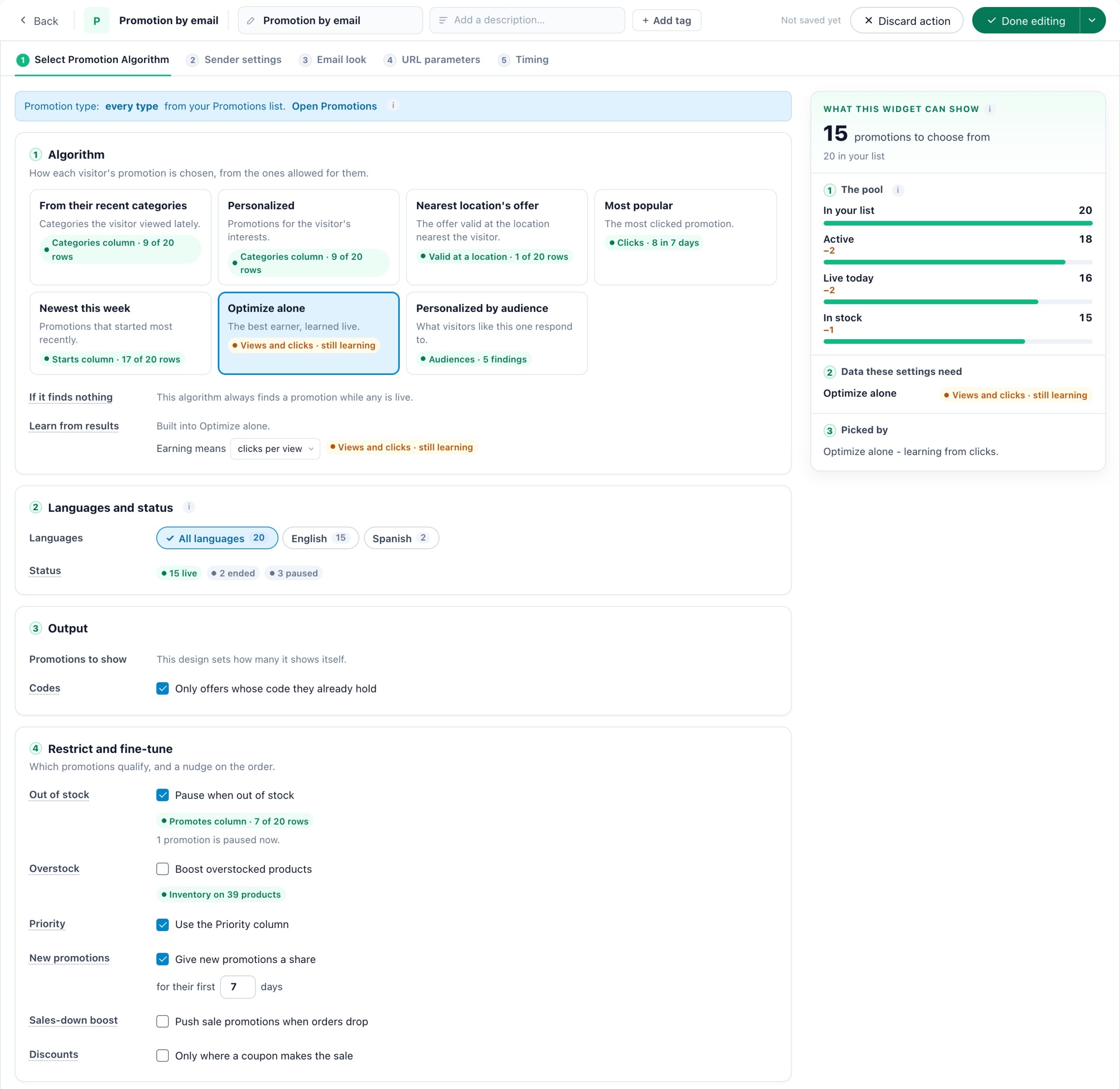
The email has five steps: Select Promotion Algorithm, then Sender settings, Email look, URL parameters and Timing, as every email has — see Writing the Email and When an Email Sends. Unsubscribe, consent and how often one person may be emailed work as for every email.
Which promotion each recipient gets
Select Promotion Algorithm is the step the site’s promotion widgets have — the same list, dates, stock and Who sees it rules — worked out when the email is sent. It offers the algorithms that need no page: From their recent categories, Personalized, Nearest location’s offer, Most popular, Newest this week, Optimize alone and Personalized by audience. What each does: How a visitor is matched to a promotion. Rules that need a page or a cart never let a promotion into an email — see Codes and targeting in email.
The design decides how many promotions it shows: one, or three.
Each recipient’s own code
| The promotion’s coupon | What the recipient gets |
|---|---|
| A shared code | That code. |
| A code of their own — a code pool, generated codes or a coupon engine | The unused code they already hold. Holding none, they are given a new one when the email is sent, within the coupon’s limits — so a promotion whose coupon cannot give a code now is not offered to them. Never a code they already used. |
| A protected code | Never sent by email: its key works on your site only. |
A preview or a test send shows a sample code, never a real one. Coupons and their limits: Coupon Codes.
When nothing qualifies
A recipient no promotion qualifies for is sent nothing. It is not a failure, and it does not use up how often they may be emailed; they are checked again about six hours later. Previewing the email as that person says so: “No promotion qualifies for this person, so they would not be sent this email”.
A code reminder
Under Output on Select Promotion Algorithm, Codes has Only offers whose code they already hold: “For a reminder: only a promotion whose coupon code the recipient got – on your site, in a chat or a popup – and has not used yet. Anyone holding none is not sent anything.”
Pair it with the Timing tile Got a code, hasn’t used it, which picks one coupon that gives each person a code of their own and waits 3 days by default; once they use the code, the email does not go. See When an Email Sends.
Promotion by email, or the block for your own email platform?
| Promotion by email | The email block | |
|---|---|---|
| Who sends it | Personyze, from an Email & SMS campaign. | Your email platform (Mailchimp, Klaviyo…), with a block of HTML you paste in. |
| The offer is picked | When the email is sent. | When the email is opened. |
| Codes | A new one for a recipient who holds none. | Only codes the recipient already holds. |
| When nothing fits | Nothing is sent. | A default banner, or nothing. |
Related
- Promotions — One List for Every Offer — the promotions it picks from
- Coupon Codes — where the codes come from, and their limits
- Promotions Campaign — the same promotions on your site, and the email block
- Email Campaigns — the campaign it is part of
- Writing the Email — sender, subject and the spam check
- When an Email Sends — triggers, waits and limits