
The Webhook action POSTs a message to any URL when a visitor matches your campaign — with values drawn live from their profile, their session, or containers on the page. Use it to update a contact in Salesforce or Zapier, post a Slack alert when a target account arrives, or call any internal API.
Setting it up
- In the campaign’s Content step: Add action → Webhook.
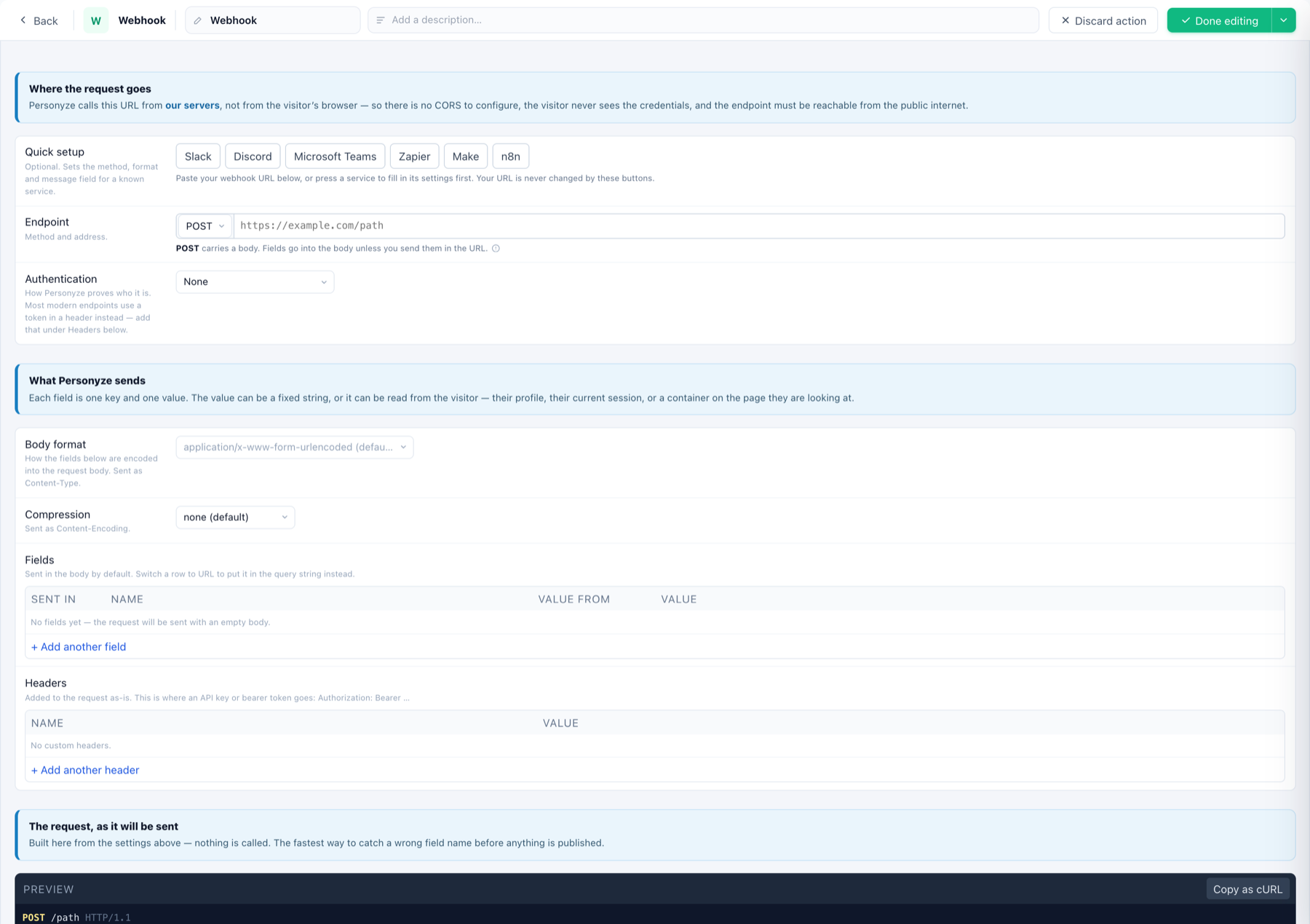
- Quick setup (optional) — press Slack, Discord, Microsoft Teams, Zapier, Make or n8n and the method, format and message field are pre-set for that service. Your URL is never changed by these buttons.
- Endpoint — method and address. POST carries a body; fields go into the body unless you switch them to the URL.
- Authentication — classic HTTP auth if the endpoint uses it; most modern APIs take a token in a header instead — add
Authorization: Bearer …under Headers. - Fields — one key + one value per row. A value is a fixed string, or read from the visitor: profile field, session property, or a page container. Switch a row to URL to send it as a query parameter.
- Body format —
application/x-www-form-urlencoded(default), JSON, etc., with optional compression.
The request preview
The editor renders the request exactly as it will be sent — and offers Copy as cURL, the fastest way to test your endpoint and catch a wrong field name before anything is published. Visitor-read values appear as ‹…› placeholders; they resolve per visitor when the action fires.
Doing something with the answer
Most webhooks are fire-and-forget. If the endpoint returns something useful — a score, a segment, an ID — enable Store result to user profile and pick the profile field: the response value lands on the visitor’s profile, ready to target on later. Runs once per visitor per firing.
When and where
Fires when the campaign’s targeting matches; Restrict to narrows it to specific page groups. For posting form submissions specifically, prefer the form’s own Where the data goes destinations.