
A Feedback & NPS campaign asks your visitors one question — how likely they are to recommend you, whether a page helped, stars or faces — and shows you the score. Every answer is private: it is saved as feedback and never shown on your site as a quote. Only a Feedback Results widget shows the score itself, once enough visitors have answered.
On personyze.com: On-site surveys and NPS →
Watch the 2:16 walkthrough: an NPS question at the top of the page, the score under the hero once it has enough answers, and what Your feedback and the campaign dashboard show a month later.
The campaign
New campaign → Feedback & NPS. The steps: Your feedback, Content, Target, QA, Automation and Performance. A new campaign opens on Content while the account has no answers yet. Feedback is part of the Reviews & Surveys add-on.
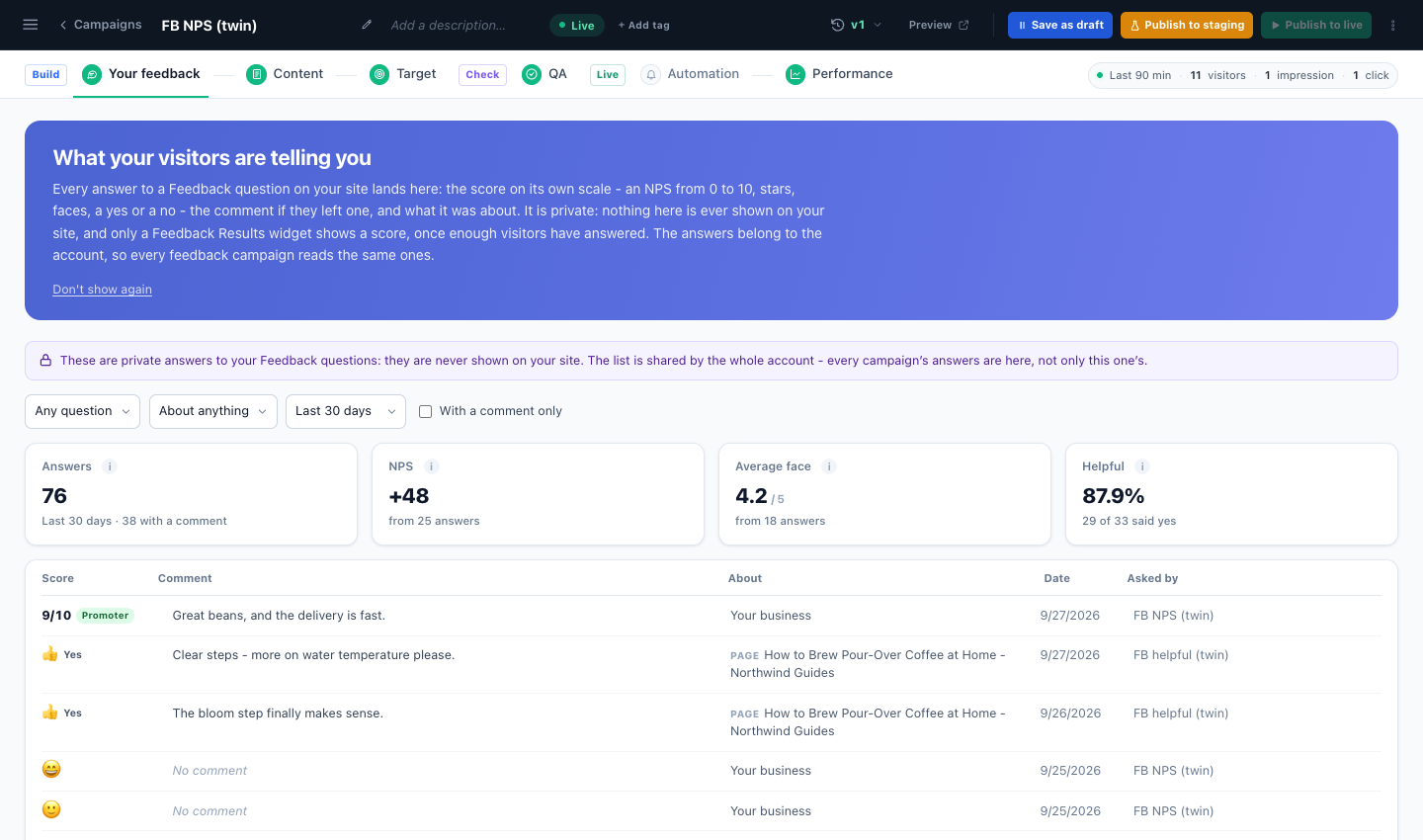
Your feedback is every answer the account has, from every feedback campaign: the score, the comment, when, what it was about, and which question asked it — with Answers, NPS, average and Helpful across the top. It is the same list as the Reviews page’s Feedback tab.
The Feedback action: one question
Add action → Feedback & surveys → Feedback. One question and an optional comment.
- Question kinds: stars (1–5), five faces, 0–10 (“How likely are you to recommend us?”), thumbs up / down, “Was this helpful?” yes / no, and Pick a reason — up to six reasons of your own, one tap each (see Reason answers).
- About: your business, a product (the one on the page, or one they bought — which one and when is the Which product and when step), or the page.
- Designs: NPS Bar, Was This Helpful? (saves the answer on the click; a comment updates it), How Was Your Visit? (five faces in a slide-in), Post-Purchase Satisfaction and Why Did You Return It? (the reason a product came back).
- Steps: the design, Which product and when (for a question about one of their purchases — see Asking about a purchase), Placement, Trigger & Frequency, Where the feedback goes (Save as feedback, Email me, a webhook, your integrations, a goal, profile fields), and Thank-you email.
Or build a page or popup of your own with the Canvas, under the design pictures, opens the Canvas Builder.
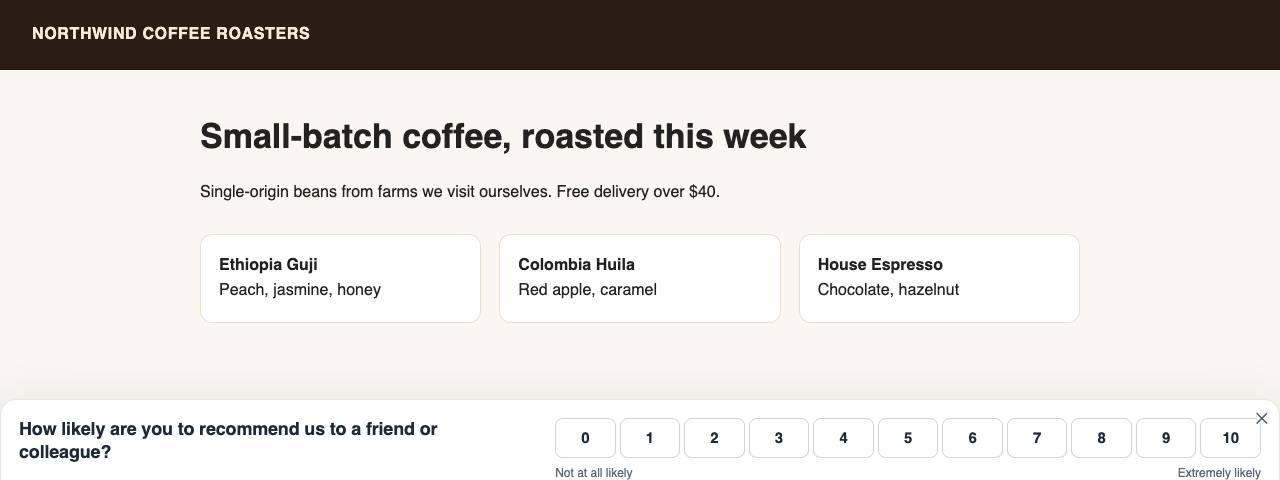
Each question keeps its own answers. A visitor who answers again replaces their earlier answer.
Answers on the visitor’s profile
With profile fields on, each answer also sets Gave feedback, Feedback rating, Last feedback date, NPS score and NPS group — promoter (9–10), passive (7–8) or detractor (0–6). Use them in targeting rules: thank your promoters, or win back a detractor.
Reason answers
A Pick a reason question — set under the design’s Question Type, with its words in Reason 1 to Reason 6 — asks why, not how much: “Why did you return it?”, with It didn’t fit, Not as described, Arrived damaged and the like. A reason carries no score: the NPS and the averages never count it, and Only when… offers no condition on it. It is private feedback like any other, kept with the product it was about.
- Your feedback and the Reviews page’s Feedback tab filter them under Reasons, and count them in a Reason answers tile once there are any.
- The report’s Why they said so shows each reason’s share against the period before, and the products they named.
- Email me, Slack, a webhook, Zapier and your CRMs get
reason: It didn’t fitwhere they would get a score.
For returns — the Why Did You Return It? design and When it was returned — see Asking about a purchase.
Feedback Results: show the score
Add action → Feedback & surveys → Feedback Results shows the score on your site:
- Found This Helpful — “92% of readers found this page helpful”.
- Visitor Rating Badge — “4.6 out of 5 from 1,203 visitors”.
- Product Satisfaction — for the product on the page.
- NPS Badge — only if you choose to show your NPS.
Choose which question (all of this kind, or one), the scope (your business, the product on the page, or this page) and the Minimum Answers — 20 by default. Below it, nothing is shown. Comments are never shown.
The Feedback report
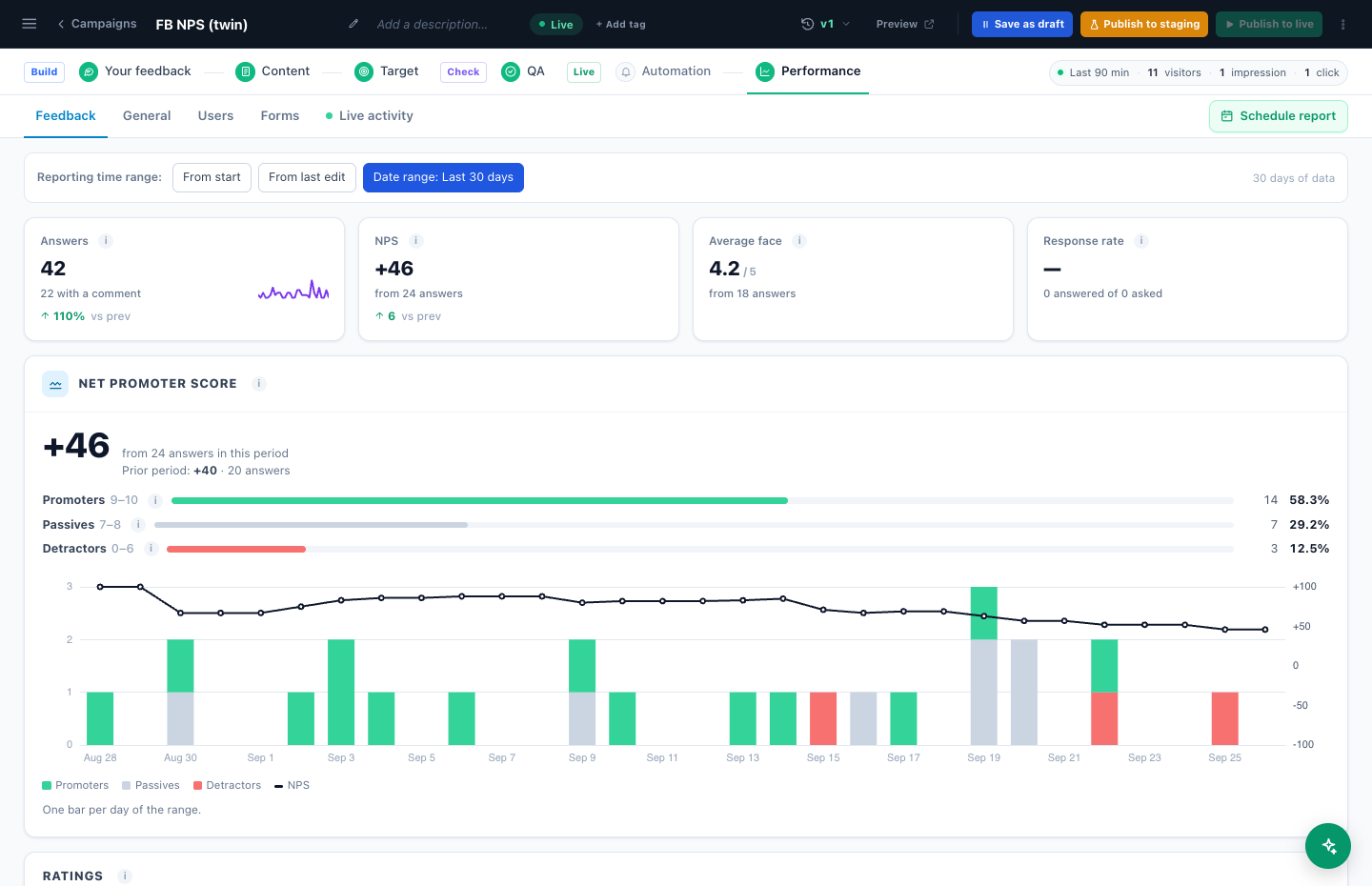
Performance → Feedback: the NPS for the period and over time, with promoters, passives and detractors (a dashed line marks 0); average stars and faces; “said yes” by page and by product; the response rate (visits the question was shown in, against visits with an answer); and the latest comments. See all opens the answers on the Reviews page’s Feedback tab, filtered to this campaign. A campaign with a reason question also shows Reason answers and Why they said so.
Related
- Surveys — when one question is not enough
- The thank-you email
- Asking about a purchase — ask why a product came back
- Reports — how the numbers are counted, and when they arrive
- Troubleshooting — Feedback Results shows nothing