
Personyze must not touch a visitor’s device before they consent. There are two ways to guarantee that, and you want one of them — set it in Tracking Code → Privacy & compliance, or with the Consent mode switch on Settings → Data & privacy → What we collect. Under both, nothing is stored and no request is sent before consent.
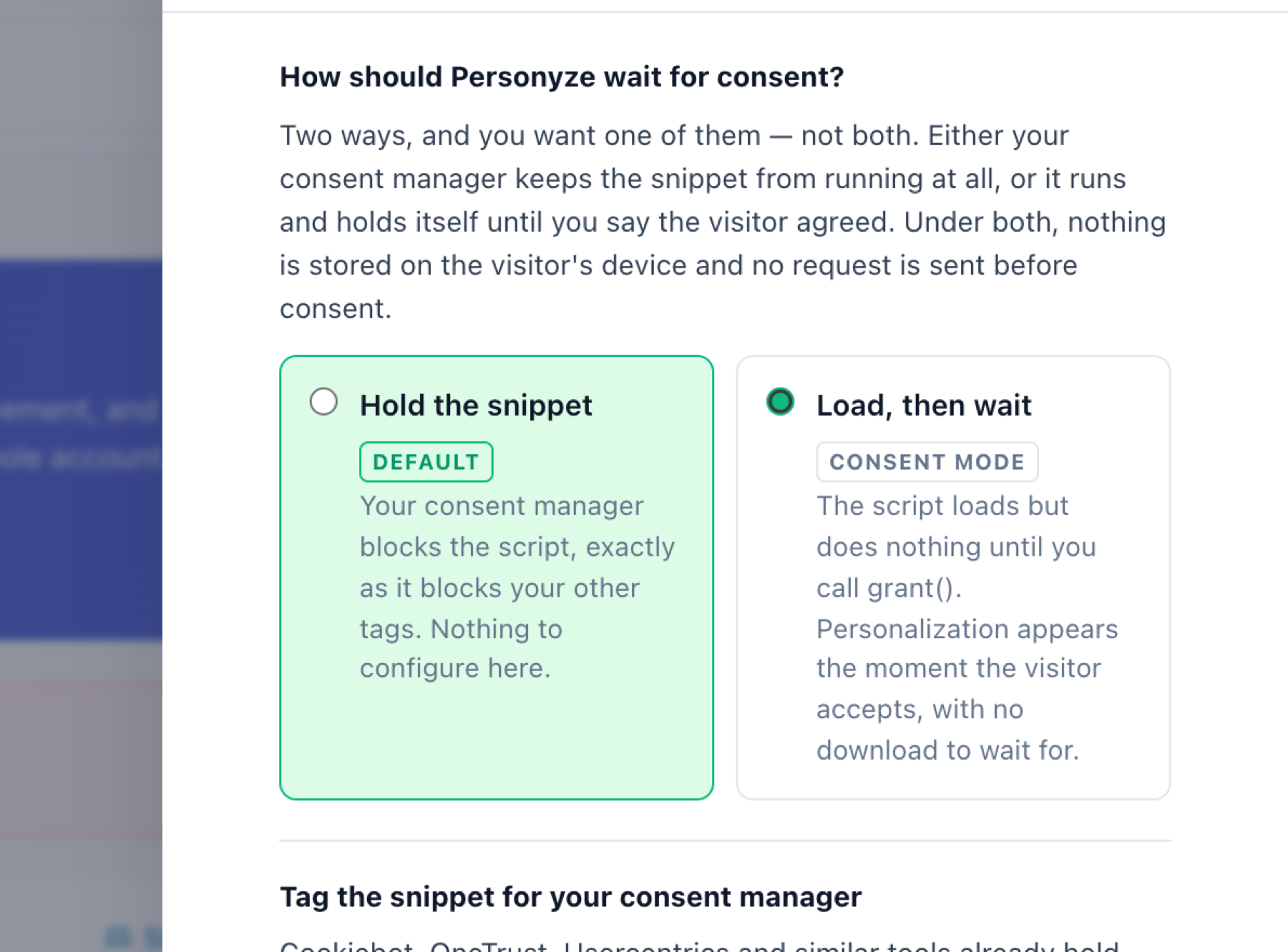
The two modes
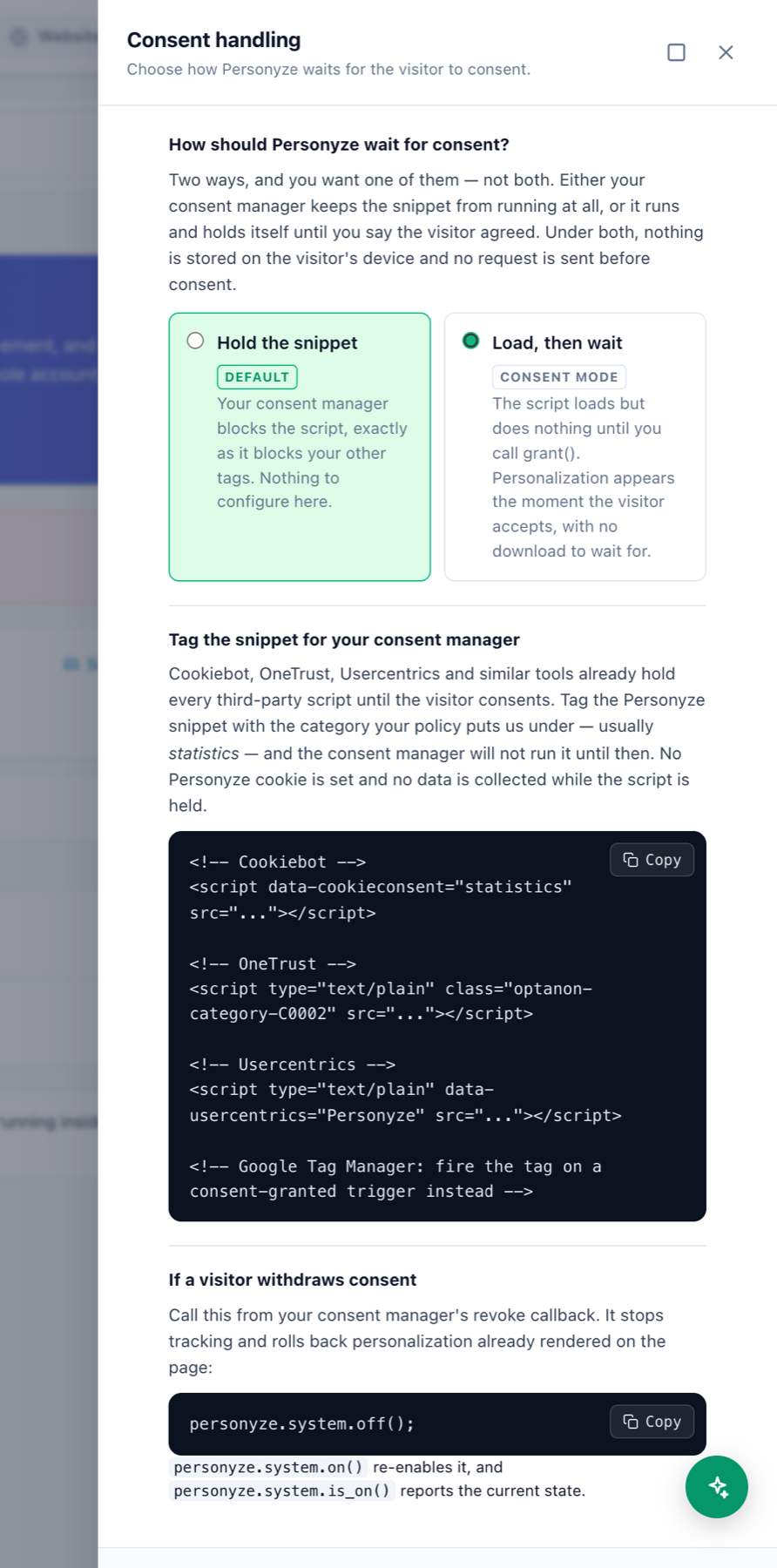
- Hold the snippet (default, recommended) — your consent manager blocks the Personyze script exactly as it blocks your other tags, until the visitor accepts. Nothing to configure in Personyze; you just tag the snippet (below).
- Load, then wait (consent mode) — the script loads but does nothing until you call
grant(). Personalization then appears the instant the visitor accepts, with no download to wait for. Choose this when you’d rather have Personyze already loaded than block it.
What “does nothing” means, precisely. Before consent resolves: no cookie read, no cookie written, no storage access, no network request. The hold sits above the opt-out check — because reading a cookie to decide whether to run is itself access to the visitor’s device.
Default mode — tag the snippet for your consent manager
Cookiebot, OneTrust, Usercentrics and similar tools already hold every third-party script until the visitor consents. Tag the Personyze snippet with the category your policy puts it under — usually statistics — and the consent manager won’t run it until then. No Personyze cookie is set and no data is collected while it’s held. The panel’s Consent handling drawer has copy-ready snippets for Cookiebot, OneTrust, Usercentrics, and Google Tag Manager.
Consent mode — “Load, then wait”
Turning it on is two steps — and skipping the second takes your site dark:
- Pick Load, then wait in Tracking Code → Privacy & compliance, or switch on Consent mode on Settings → Data & privacy → What we collect. Both are the same account setting, and both ask before switching it on.
- Re-copy the tracking code from Get tracking code and deploy it. The snippet now carries an extra argument to
setup()that puts the library in consent mode.
Wire your consent manager
From your consent manager’s callback, call one of:
_S_T.consent.grant();   // consent covers personalization — run normally
_S_T.consent.deny();    // it does not — stay off
Call it again whenever the visitor changes their mind; calling grant() twice is harmless. The Consent handling drawer ships copy-ready adapters for IAB TCF v2.2 (__tcfapi) and Google Consent Mode v2 — take those rather than retyping them.
There’s deliberately no single “is there consent?” helper. Which purposes count as permission to personalize is your reading of your own policy — a default buried in the library would be Personyze deciding it for you.
If the consent manager never answers
If neither grant() nor deny() is ever called — a consent manager that fails to load — Personyze gives up after a timeout (3 seconds by default) and stays off. It’s a safety net for a broken CMP, not a delay: a returning visitor’s consent manager answers from its own storage within a frame or two.
If a visitor withdraws consent
From your consent manager’s revoke callback, call the opt-out API — it stops tracking and rolls back personalization already rendered on the page:
personyze.system.off();   // stop & roll back
personyze.system.on();    // re-enable
personyze.system.is_on();  // current state
Two things to know
- The page renders unpersonalized while waiting for consent. Personyze won’t hide it — hiding the page would hide the consent banner the visitor has to answer. So the hide-on-load snippet variant is unavailable under consent mode, and the panel stops offering it.
- Consent mode is not a substitute for a consent manager. It’s how Personyze waits for one.
Related
- Personyze client-side cookies — what’s stored, including the
stat_track_offopt-out cookie. - GDPR compliance & opt-out — the
off()/on()/is_on()API. - Data & privacy settings — the Consent mode switch on What we collect, beside the other settings for what the tracking code collects.
- Suggest settings for my site — suggests privacy settings for your visitors’ countries. Where they call for consent, it lists it as a step to take yourself; it never switches consent mode on.