
Each campaign with a review widget or form, a Feedback question or a Survey gets its own tab on its Performance step. This article is how those numbers are counted, and when they arrive.
Performance → Reviews
On any campaign with a review widget or form — and first on a Reviews & Testimonials campaign.
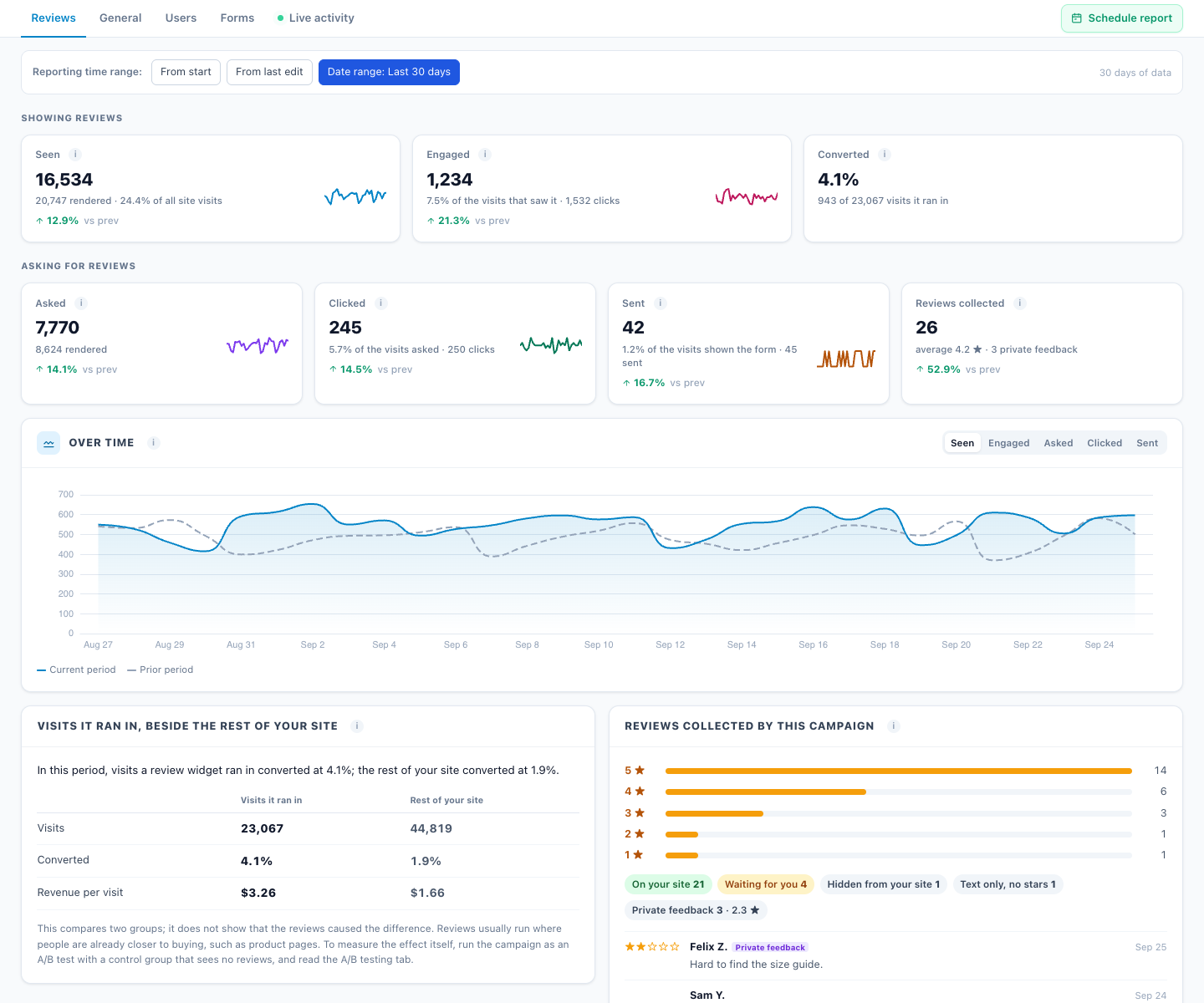
| Tile | What it counts |
|---|---|
| Seen | Visits in which a review widget was confirmed on screen — not just loaded. |
| Engaged | Visits with a click in it. |
| Converted | Visits it ran in that reached a goal. |
| Asked / Clicked | Ask for a Platform Review buttons shown, and clicked. |
| Sent | Review Form submissions. |
| Reviews collected | How many, the average, stars 5→1, how many are published, waiting or hidden, and the latest reviews. |
- Visits it ran in, beside the rest of your site compares conversion and revenue per visit. It is a comparison, not proof: reviews usually run where people are already closer to buying. To measure the effect itself, run the campaign as an A/B test with a control group.
- New reviews on your review platforms in the same period are shown for context. They are not credited to the campaign.
Performance → Feedback
The NPS and scores, answers and response rate, and the latest comments — see Feedback & NPS.
Performance → Surveys
Respondents, response rate, the funnel, results per question and by segment, and CSV export — see Surveys.
The campaigns list
Campaigns → Reviews & surveys shows the three campaign types together, with Shown, the response rate (and how many were collected) and a score: the average stars, the NPS, or the respondents.
When the numbers arrive
- At once: reviews, feedback answers and survey totals.
- An hour or three later: views, clicks, response rate and conversions are added when the account’s statistics are next processed, which runs every one to three hours. The screens say “usually within one to three hours”.
Related
- Show Reviews
- Feedback & NPS
- Surveys
- Troubleshooting — numbers that look low