
The Address check finds the addresses in a campaign’s audience that are not likely to take mail, before you send to them. Every address it rates low is skipped by all your campaigns, so it never bounces — and fewer bounces keep the rest of your email out of spam folders.
It is a card on an email campaign’s QA step, on the Sample recipients tab. The card says: “Amazon checks whether each recipient’s address is likely to take mail. Addresses rated low are skipped by every campaign, so they do not bounce. Each address is checked once in 6 months.”

High, Medium and Low
Each address gets one of three ratings. Only Low is skipped.
| Rating | What it means | Sent? |
|---|---|---|
| High | Likely to take mail. | Yes |
| Medium | Probably fine, with less certainty. | Yes |
| Low | The mailbox does not seem to exist, the domain takes no mail, or the address is malformed. | No — skipped by every campaign |
Run it
The card counts the campaign’s recipients and how they are rated, for example “12,783 recipients with an address · High: 11,049 · Medium: 1,423 · Low, skipped: 155 · 46 not checked yet”.
- Press Check N addresses. N is the addresses not checked yet; once there are none the button reads All addresses checked.
- While it runs the card shows Checking… X of Y. Stop ends the run; what was checked is kept.
- When it is done: “N addresses checked. N rated low will be skipped.”
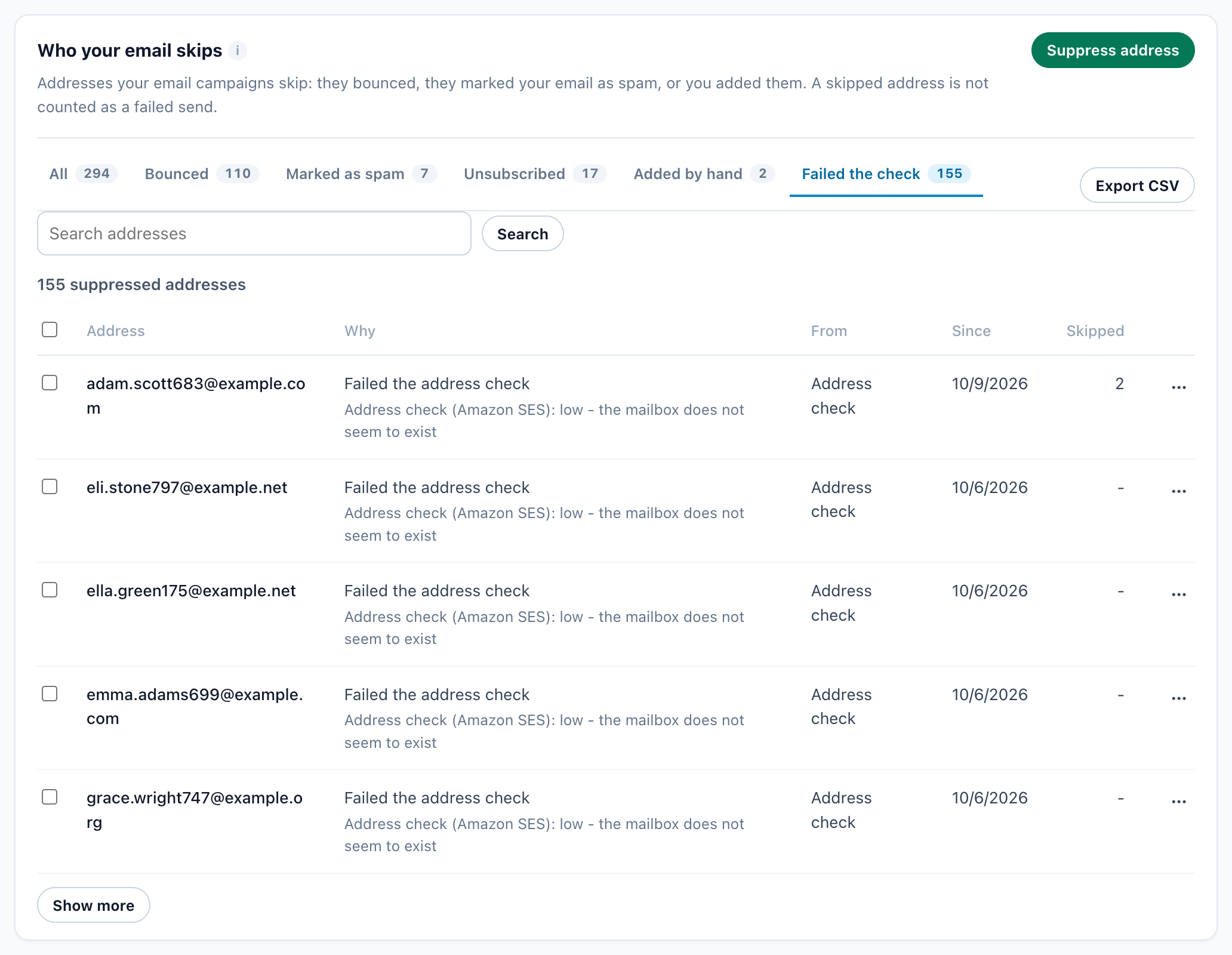
See the ones rated low opens Bounces & spam on its Failed the check tab.
What happens to a low address
- It goes on Bounces & spam as Failed the address check, with the reason, and every campaign skips it.
- If you know the address is good, take it off there like any other: its ⋯ menu, Remove.
- Every result is kept for 6 months, so an address is not checked again in that time — not by this campaign, and not by another one.
Who can run it
The card shows on two kinds of account: a paying plan (Starter and up) that has the Email sending add-on — included, bought or on its free trial — and a Free account that bought the add-on. A Free account on the trial, or given the add-on at no charge, does not see it. Each address checked counts toward the add-on’s monthly email allowance; the current terms are on the Add-ons page.
Messages you may see
| Message | What to do |
|---|---|
| “The address check is not ready for this account yet. Nothing was checked or charged.” | Try again later, or ask support. |
| “A check of this campaign is already running – in another tab, or by someone else.” | Wait for that run to end; its results appear here too. |
| “Amazon asked us to slow down. Run it again in a minute – what was checked is kept.” | Press the button again in a minute. It carries on with the addresses still due. |
Related
- Bounces & spam — who your email skips, and taking an address off
- The Email sending add-on — plans, the trial and the email allowance
- Email deliverability — your bounce and complaint rates against the safe lines
- Choosing who receives an email