
A great lead form does two things most forms don’t: it adapts to who’s filling it in, and it routes the lead straight into your sales motion. This recipe uses your ABM data to personalize the form by company and industry, then pushes the submission to your CRM and notifies the account owner.
Video: Account-based marketing: one campaign, the accounts you want (4:40) — it plays at the top of Use Case: Target Visitors from Specific Companies (ABM).
The path at a glance
- Identify the company from ABM data.
- Adapt the form by industry with variations.
- On submit, route to the CRM and notify sales.
- Measure and refine.
1. Identify the company
Connect an ABM source — Clearbit, ZoomInfo or Leadfeeder — so Personyze knows the visitor’s company and industry before they type. Store them as profile attributes and pre-fill the company field. See also targeting companies (ABM).
2. Adapt the form by industry
Use content variations inside the form action to change the form by what you know — the fields, the dropdown options, and the headline all shift per industry:
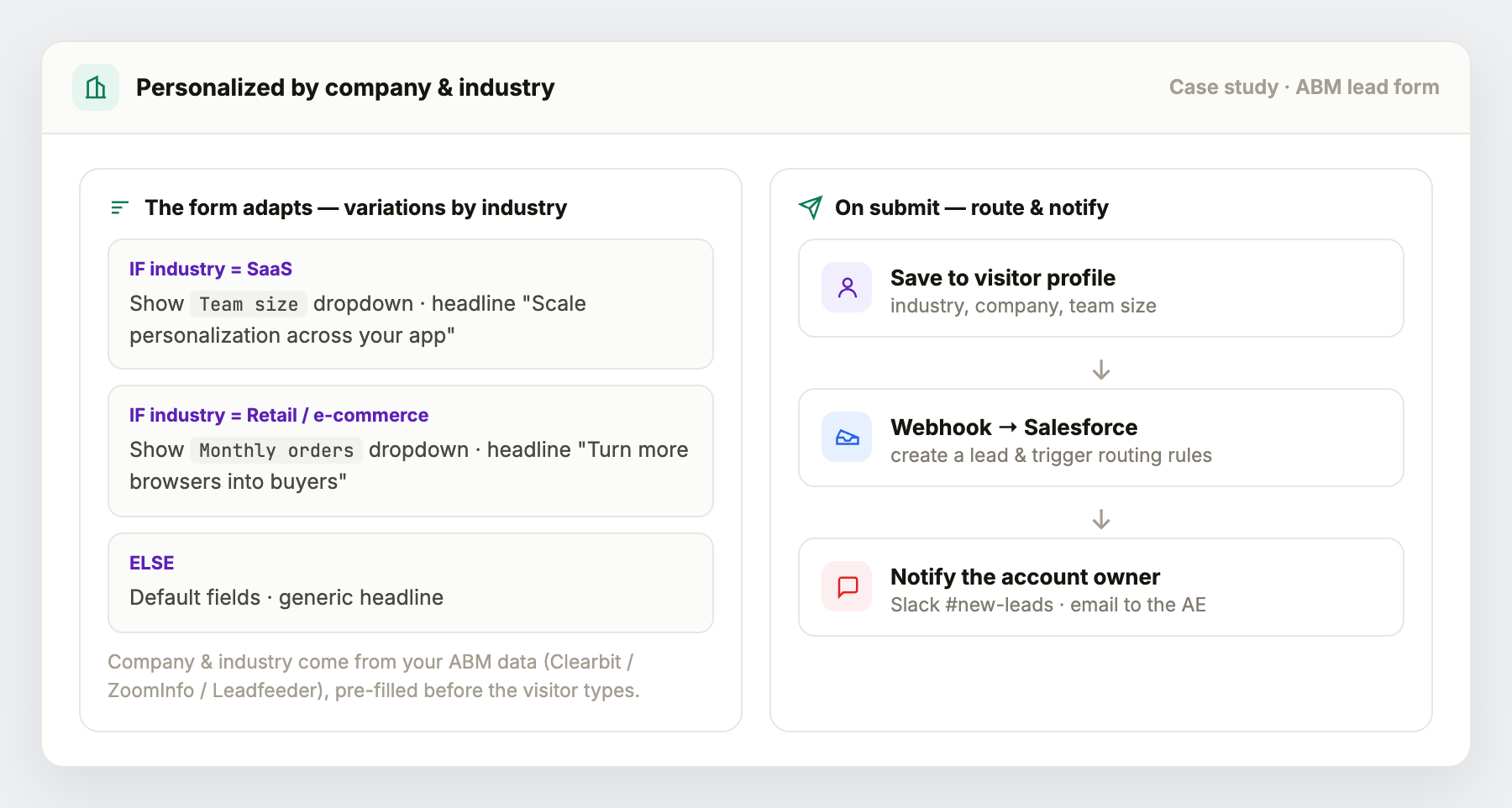
- SaaS → a Team size dropdown and a headline about scaling in-app.
- Retail / e-commerce → a Monthly orders dropdown and a conversion-focused headline.
- Everything else → your default fields and copy.
Because company and industry are pre-filled, a known visitor often only has to confirm and submit.
3. On submit — route and notify
Set the form’s on-submit actions to:
- Save to the visitor profile — industry, company, team size, everything captured.
- Straight into your CRM — add Salesforce as a destination on the form’s Where the data goes step to create or update the Lead, or POST the lead into another CRM such as HubSpot via a webhook (or Zapier/Make) to create the record and trigger your routing rules.
- Notify the account owner — a second webhook or the forward-to-email option pings the right AE (Slack #new-leads, or email), so a high-fit lead gets a human fast.
4. Measure
Add a form-submit goal, and compare industry variations to see which framing converts best.
Variations
- Named-account VIP — for target accounts, skip the form almost entirely (pre-fill everything) and lead with “Book time with your account team.”
- Progressive profiling — ask one extra qualifying field each return visit instead of a long form up front.
- Tiered routing — route enterprise-fit leads to sales and smaller ones to a self-serve flow.