
Part of the AI assistant.
AI Chat → Settings → Knowledge is what the assistant is allowed to answer
from. If a question is not covered there it says so rather than guessing — which is the difference between a
useful assistant and an apologetic one.
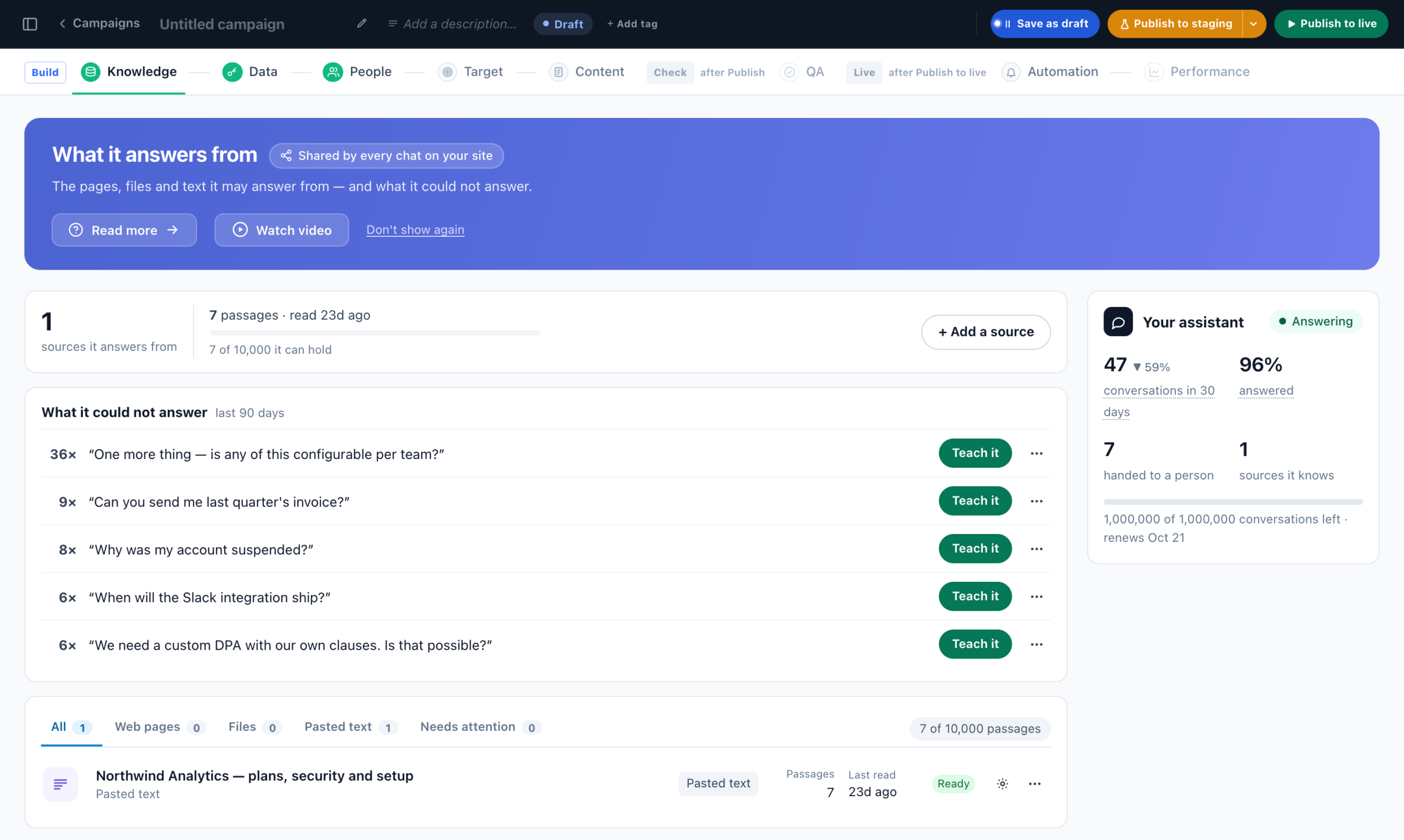
The Knowledge screen
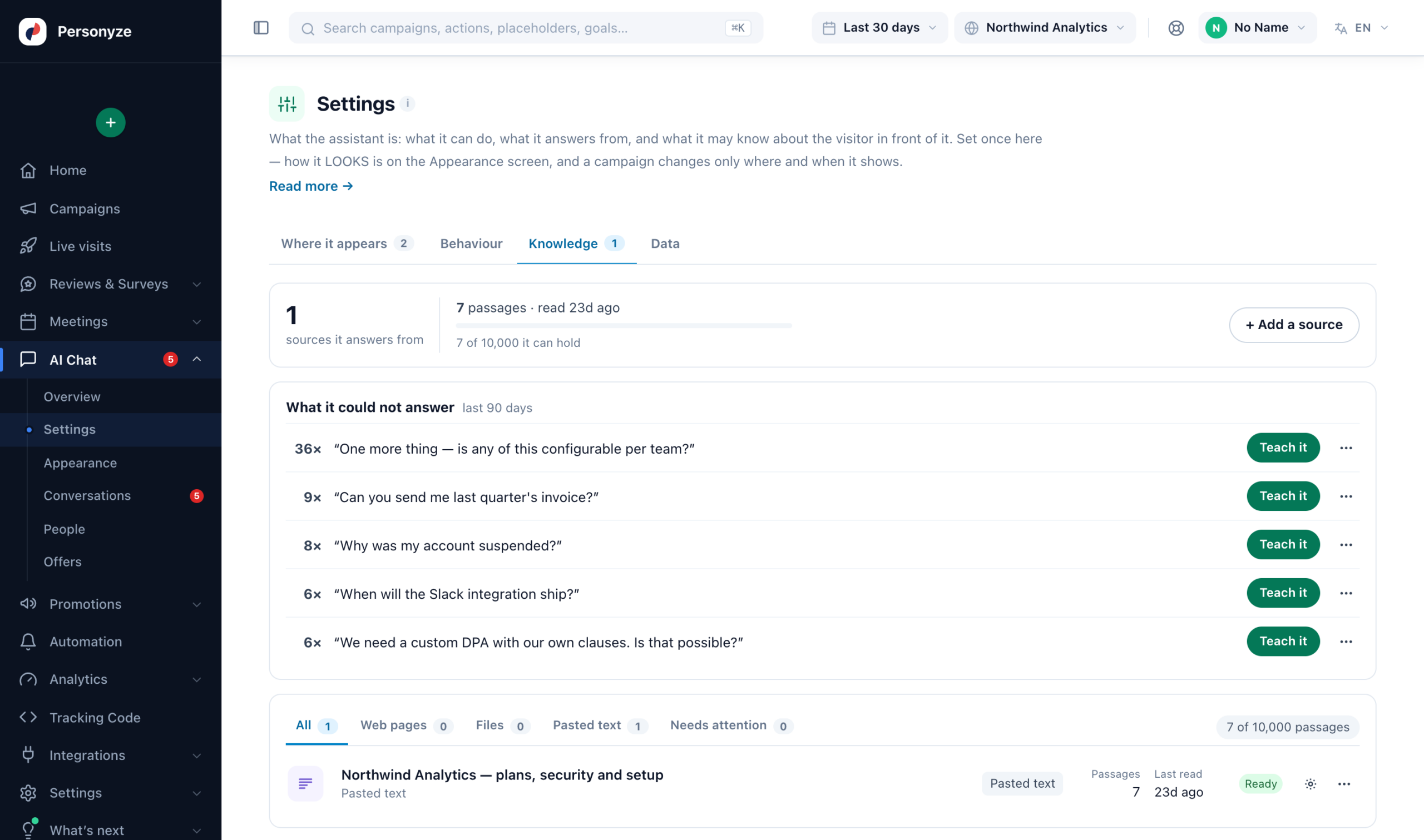
The same screen is the Knowledge step of an AI Search & Chat campaign. From the top:
- A headline — how many pages or sources it answers from, when they were read, and how full the storage is — with Add a source and Re-read every page.
- What it could not answer — the questions of the last 90 days your sources did not cover, most asked first. Teach it opens the answering form right there, with the question filled in.
- Sources — a row each, under the tabs All, Web pages, Files, Pasted text and Needs attention, with its state, its passages and when it was Last read. Re-read and Remove are under ⋯.
A new account starts on one box, What should it answer from?, with its site’s address: Read my whole site reads every page it can find. One web page, a file or pasted text is one click away.
Adding a source
- Web page — one address.
- Whole site — a start address. Personyze looks for a sitemap first and falls back to the links
on that page, reading up to the limit you set. Pages appear below as they finish, and you can remove any you did not
want. - File —
.txt,.md,.csv,.html. - Pasted text — for anything that lives nowhere else.
.txt or .md, put it on a web page and add the address, or paste the text in. A markdown FAQkeeps its questions as headings, which is what makes an answer findable.
Pages in another language are fine. The assistant tells which language your sources are written in and searches them in it, then answers in the visitor’s language — Spanish help pages still answer an English question.
Reading what happened
Every source shows a state — Ready, Reading, Queued or
Failed — and how many passages it produced. A passage is one findable chunk; a
source that read successfully but produced none is a page that was mostly navigation.
You can re-read one source or all of them, which is what you do after editing the underlying page.
The storage limit
An account can hold a fixed number of passages. The meter on the Knowledge screen tells you where you are:
- Normally it simply reports “{used} of {cap} passages stored.”
- Past four-fifths it warns you are close to the limit and suggests removing sources you do not need, or
asking us to raise it. - Full, it says so plainly: nothing further is read until you remove some.
already stored keeps answering. A source that straddles the limit is truncated to what fits rather than refused.
A trial or a plan without the module has a much smaller allowance than an entitled account. Support can raise either.
Tags
A tag on a source is what lets one placement answer from a narrower shelf than another — a box beside one
product line reading a different set from the one on your support pages. Tags are applied here, and chosen per placement
in the action.
The action editor flags it in amber, but only if somebody opens it.
Turning failures into pages
Conversations → What it could not answer lists the questions your sources did not cover,
most-asked first. Each row has an Answer it button that drops you into the form here with the question
already filled in. It is the shortest path from “it does not know” to “it does”.