
An action is one change Personyze makes for a visitor. A campaign decides who gets it
and when; this section is what. Everything that alters a page — rewriting a headline, adding a
popup, dropping in a recommendation strip, putting a booking calendar on your pricing page — is an action, and
they are all built the same way.
Four videos: the actions themselves, then three use cases built with them, start to finish:
Adding an action, editing it on the preview, and choosing where it appears.
A Pages visited rule, an inline banner, a new placeholder picked on the home page, and the banner as that shopper sees it.
An ad-campaign source rule, and an announcement bar in a slot the site already has.
After a second article, a lead form placed below the article text, and where the answers go.
They fall into five kinds.
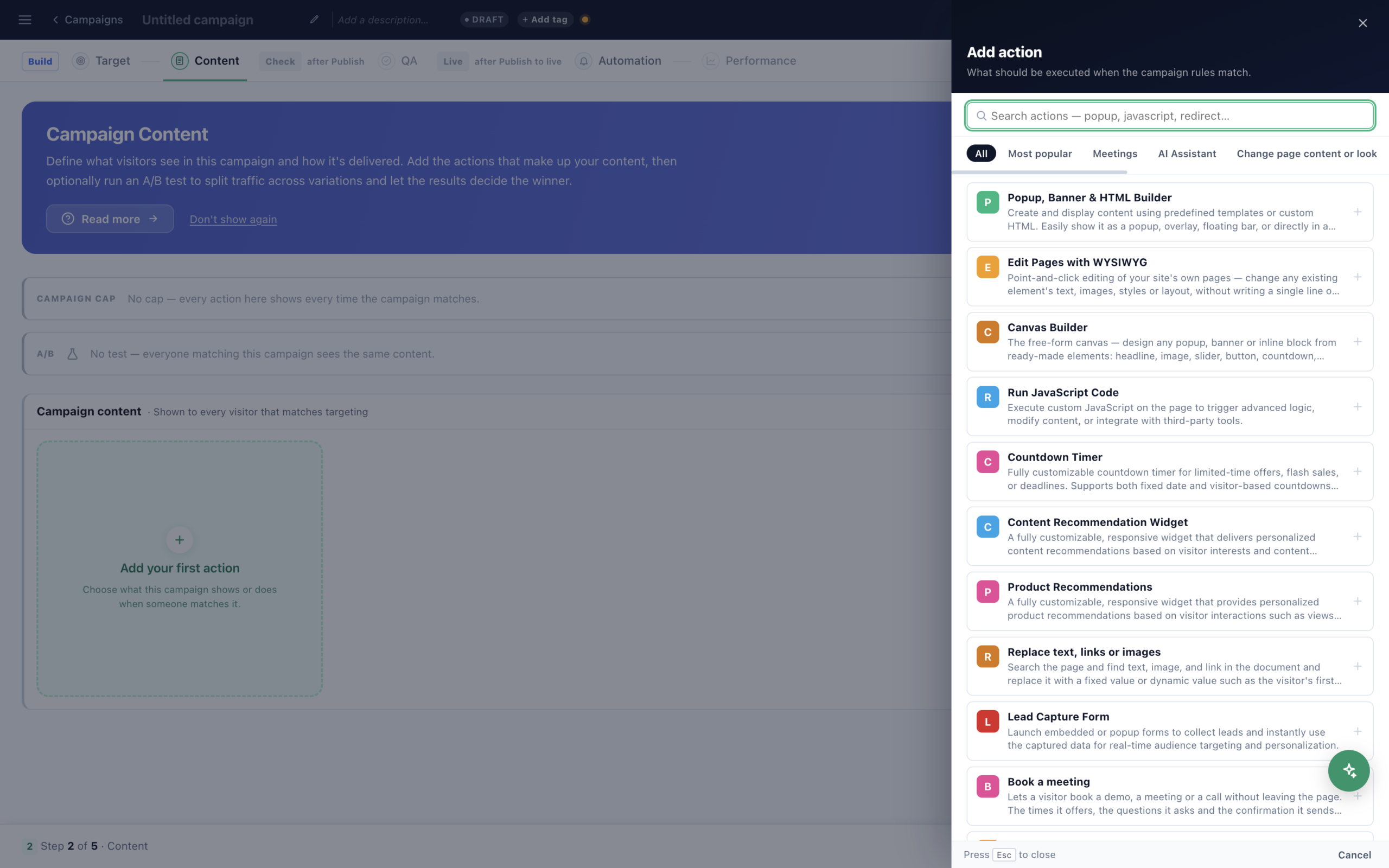
1 · Change what is already on the page
No new content — your own page, altered for the people you choose.
- Live (WYSIWYG) editor — Point at any element on your real site and change it: text, images, styles, layout. Everything is recorded as a reviewable change; nothing is written back to your site.
- Advanced functions — The expressions and helpers available inside any action.
2 · Add something that was not there
- Popup & banner — The workhorse — modals, bars, corners, slide-ins, and every trigger including exit intent on mobile.
- Canvas Builder — Assemble the design from elements — headline, image, countdown, form, recommendation strip, FAQ, spin wheel — instead of editing a finished template.
- Lead form — Fields, pre-filled values, and exactly where the submission goes.
- Countdown timer — Urgency counted down to a real moment.
- Template Gallery — 31 ready-made designs to start from, grouped by what they do.
3 · Recommend something
The recommendation actions are content actions like any other — they render into a page and are edited in the
same editors. What is behind them (the catalog, the algorithm, the filters) lives in
Recommendations.
- Product recommendations action — The widget itself — layout, how many, what each card shows.
- Content recommendation action — The same for articles and other content.
- Widgets & add-ons — add-to-cart on hover, bundle totals, social proof, auto-applied coupons.
4 · Let the visitor do something
- Book a meeting — A working calendar on the page — hosts, availability, meeting types, reminders. The booking lands wherever your leads land.
- AI chat and AI ask box — the assistant, placed like any other action.
- Web push opt-in — The prompt that collects subscribers.
- Notify Me — A button next to Add to Cart: visitors ask to be told when a sold-out product is back or its price drops, by email, browser notification or on your site.
5 · Change something without showing anything
- JavaScript — When the change is not a piece of content.
- Redirect to URL — Send an audience somewhere else entirely.
- Server-side decision — Ask the engine over HTTP and render the answer yourself, before the page reaches the browser.
- Webhook — Tell another system that this visitor matched.
The action list also carries Image, Replace text (find-and-replace across a page),
Storage and Send event. They work the way the others do — pick the action, fill
the form, target the campaign — and pages of their own are on the way.
Storage and Send event. They work the way the others do — pick the action, fill
the form, target the campaign — and pages of their own are on the way.
Where it goes on the page
- Placeholders — Mark a spot on your page once, then aim any action at it by name.
- Content placements — Embedding content inside an existing page.
- Where content shows — Placement, triggers and timing.
- Frequency caps — Left alone, a popup shows on every page load, for ever. This is how you say enough.
Making one design do several jobs
- Content Editor & Variations — the editors, dynamic variables, split cases, conditional content, the template language.
- Dynamic variables — “Welcome back, {{first_name}}” — visitor data inside any text.
- Split cases — Two versions of one design, tested against each other.
- Languages — one campaign in every visitor’s language: a version of the words per language, by the page’s address or the browser’s language, with Translate with AI.
Every action needs somewhere to appear before it can go live. An action with no placement and no popup position is
blocked at publish rather than failing silently on the site — if a campaign will not publish, this is usually
why.
blocked at publish rather than failing silently on the site — if a campaign will not publish, this is usually
why.