
Recommendations pick, for each visitor, the items from your catalog they are most likely to want next. The engine learns from two things: your catalog (what you sell or publish, with its prices, stock and categories) and visitor behaviour (what people view, add to cart and buy, or read). A widget on your site, an email, an app or a JSON response then shows the picks.
On personyze.com: AI product and content recommendations →
This page walks the whole path in order and links the detailed guide for every step. It ends with the checks for a widget that shows nothing. Budget about an hour for a first working setup.
Two short walkthroughs: what to show each visitor, and what to show each reader.
The Cross-Sells algorithm on product pages, how many to show, a fallback, a title, and a new placeholder under the product details.
The Visitors Who Read This Also Read algorithm on article pages, how many to show, a fallback, a title, and a new placeholder after the article text.
Video: Recommendations in depth: algorithms, filters, fallbacks and titles (4:17) — it plays at the top of Setting Recommendation Fallbacks.
Video: Content recommendations in depth: boosts, filters, fallbacks and titles (4:16) — it plays at the top of Recommendation Algorithms — What Each One Picks.
On this page
- The journey, in order
- Which algorithm for which page
- Designs
- “My widget shows nothing”
- Measure
- Related
The journey, in order
Each stage depends on the one before it. An algorithm can only rank what your catalog holds, and it only learns from the events your site sends. Get the data right and the rest are choices.
Before you start
- The tracking tag must be on your site. It is the first row a recommendation campaign checks, Site tracking installed. Without it there is no behaviour to learn from and no visitor to show anything to. See Installing Personyze — Any Website, Shopify, WordPress, GTM & More.
- Recommendations must be switched on for the account. Settings → Recommendation setup only appears in the menu while E-commerce recommendations (products) or Content recommendations (articles) is on, under Settings → Site profile → Activated features.
1. Get your data in
Your catalog lives under Settings → Recommendation setup → Product Catalog (or Article Catalog). Import a file, add a feed that keeps it in sync, or let your platform do it: the Shopify app syncs your catalog when you install it, and on WooCommerce the WordPress integration’s Product recommendations switch does the same. Or connect your store by API under Settings → Integrations → Sync my store — Shopify, Magento, WooCommerce or BigCommerce — which also brings your past orders in as purchase history.
Then set up the three product events under Product Tracking: viewed, added to cart and purchased. If your site already sends GA4 ecommerce events through Google Tag Manager, tick Track ecommerce events from the dataLayer automatically in the Personyze tag and those events are used. Past orders give the engine a head start, and manual links let you decide pairs yourself.
Nothing set up yet? A recommendation campaign’s Catalog and Product events steps say what is missing for that campaign and open a guided setup in place: where your products are (your store, a feed, reading your site, a file or SFTP), and how your site tells Personyze what shoppers do (Google Tag Manager, reading your pages, or your developer), checked live event by event.
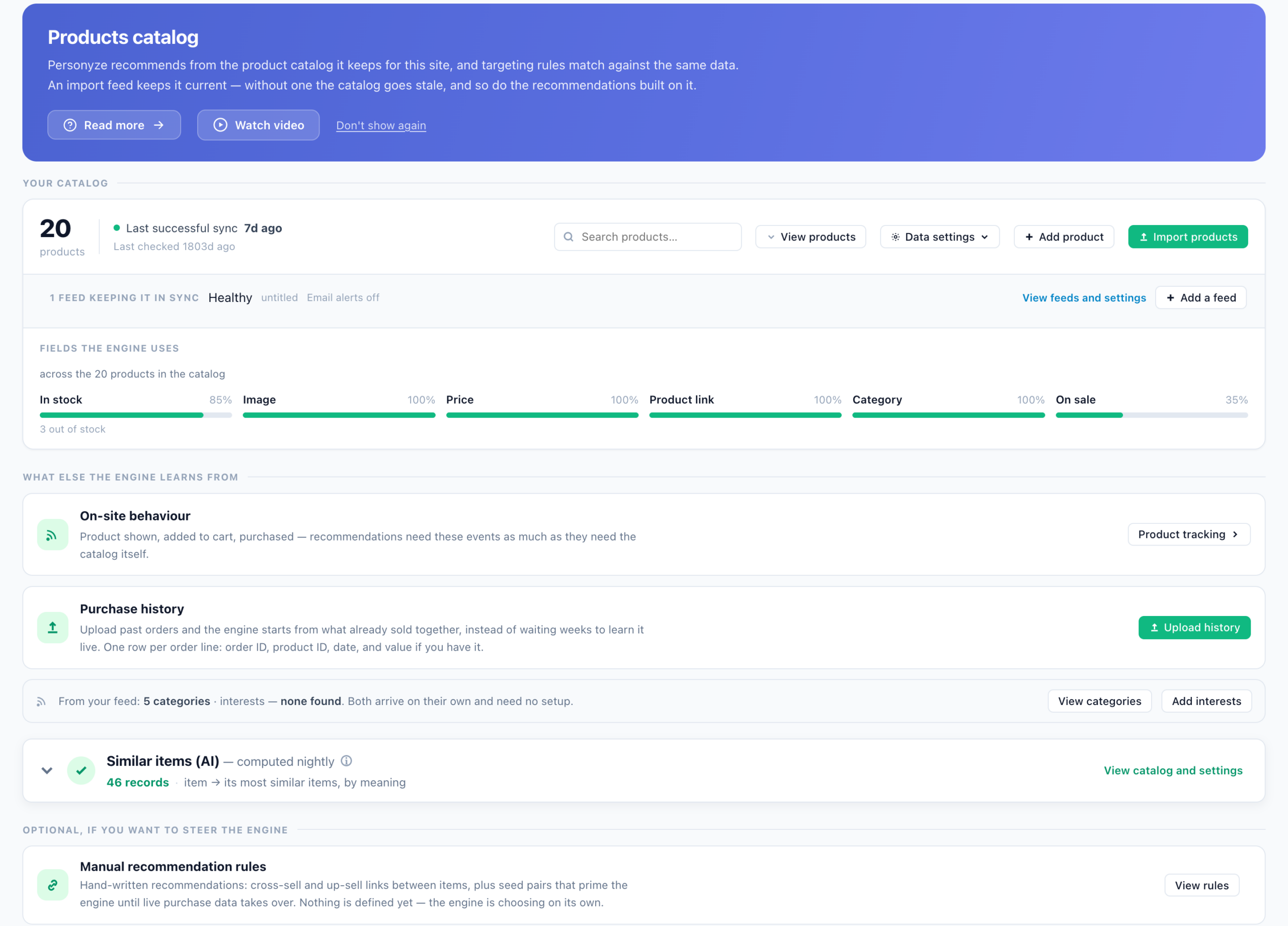
- Setting the Product / Content Feed for Recommendations: the catalog, its feeds, and the fields the engine reads.
- Uploading Feeds & Data Files (Catalog, Interests, Content, Users): the import itself, column by column.
- Product Interaction Tracking: View, Add to Cart, Purchase: the three events, plus categories and interests.
- Interests for Recommendations: tag items and visitors with interests, and recommend by them.
- Uploading Past/Offline Transactions for Product Recommendations: Upload history, so the engine starts from what already sold together.
- Managed Cross-Sells & Up-Sells: hand-written cross-sell and up-sell links, and seed pairs.
On a platform? Guide to Install Personyze on a Shopify Store and Tracking Shopify E-commerce Events with Personyze · WordPress Plugin — Connect, Feed and Personalize a WordPress Site · Google Tag Manager.
2. How it picks
The algorithm decides what goes in the widget for each visitor. In the picker you choose the page first, because the same algorithm anchors to something different on each: the item being viewed on a Product page, the cart on the Cart page. Then you narrow the result with filters, and give it fallbacks for when it comes back short.
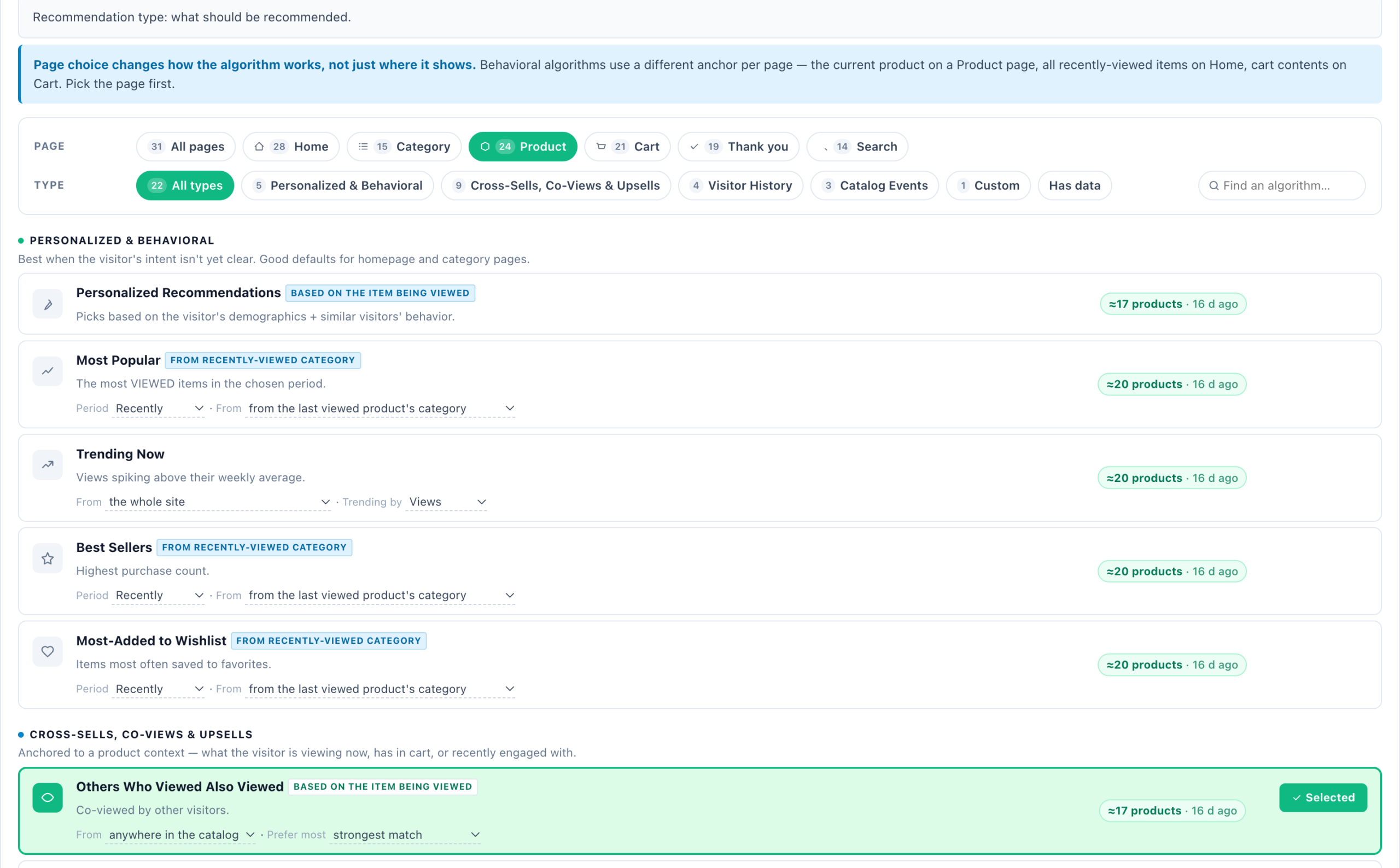
- Recommendation Algorithms — What Each One Picks: every card, and what it needs before it can return anything.
- Category & Interest Recommenders — Recommend a Section, Not an Item: recommend a section of the site instead of a single item.
- Tuning the Engine — Score Blend & Presets: the account-wide weights under every widget.
- Match the Visitor — Put What Fits Each Visitor First: the brands, sizes, authors or prices in each visitor’s own history first.
- Setting Filters On Recommendations: skip what the visitor already has, restrict the catalog, custom rules.
- Setting Recommendation Fallbacks: what fills the widget when the main algorithm runs short.
3. Build the widget
Go to New campaign → Product Recommendations, or Content Recommendations for a content site, which follows the same path with the Article Catalog and Article Tracking. The campaign takes you through Catalog, Product events (Content events for articles), Content, Target, QA, Simulator, Automation and Performance. Beside it, the Campaign readiness panel scores the tag, the catalog, the events and the engine as you go. The Content step is where you pick a design and an algorithm. The Simulator runs that algorithm for one visitor, one item or someone with no history, before anyone sees it. For several recommendations in one place — tabs or sections, each with its own algorithm — use the Multi-Recommendation Widget.
- Product Recommendations Wizard: every step for products.
- Content Recommendations Wizard: the same for articles.
- Multi-Recommendation Widget — Several Recommendations in Tabs or Sections: For you, Best sellers and New in in one widget, from a ready-made set.
- Canvas Builder — Design Popups, Banners & Inline Blocks from Elements: offered last in the action list, for recommendations inside a designed popup or banner.
4. Designs & add-ons
Every design is a template you pick in the Content step and then adjust: layout, colours, and which catalog fields each card shows. The gallery below links every one. Two add-ons work with the product designs:
- Quick Add to Cart Button for the Recommendation Widget: visitors add to cart straight from the widget. It is set up under Product Tracking → Product Added to cart, in the Quick add to cart box.
- Set Social Proof Widget: the names behind “just bought” come from the User name for social proof widget row in Product Tracking.
Bundles are designs too: Buy Together — Bundle Builder with Live Total and Bought Together — Classic Strip with Total Price Box. The bundle price they show comes from your catalog; any discount itself must be applied by your store.
5. Outside your site
The same engine can answer where Personyze does not draw the widget: in an email opened in any email platform, as JSON your own code renders, or in a mobile app. Each is a campaign type of its own, such as Get Code for Emails: Product Recommendations, JSON API — Product Recs and Product Recs for Apps, with a Content version of each. All of them start from the same Catalog and Product events steps.
- Recommendations Outside Your Site: Apps, JSON & Email — Where to Start: which one to use.
- Email, with the picks made when the email is opened: Open-Time Email Recommendations — Embed in Any ESP · Embed Content Recommendations in 3rd-Party Emails
- JSON: JSON API — Product Recommendations · JSON API — Content Recommendations
- Apps: Product Recommendations for Mobile Apps · Content Recommendations for Mobile Apps
6. Measure
Once it runs, the campaign’s Performance step and four Analytics screens show what the widget earned and what the engine learned. See Measure below.
Which algorithm for which page
Pick the page first, then the algorithm. These are good first choices, each with a fallback for when it comes back short. Add the fallback in the editor’s Output card, under Fallback algorithms → Add fallback. Every card, and what it needs, is in Recommendation Algorithms — What Each One Picks.
| Page | Start with | Fallback |
|---|---|---|
| Home | Personalized Recommendations | Most Popular or Trending Now |
| Category | Best Sellers from the category being viewed (needs category tracking) | Most Popular, site-wide |
| Product | Others Who Viewed Also Viewed, or Cross-Sells | Similar Items (AI), once switched on |
| Cart | Cross-Sells for Last Item Added to Cart | Cross-Sells (for the whole cart) |
| Thank you | Last Bought Item: Those Who Bought This Also Bought | Cross-Sells (for the whole order) |
| Search results | Matches Their Search | Most Popular |
For articles the pages are Home Page, Category Page, Article Page and Search Page. Start with Content Recommended for You on the home page, and Visitors Who Read This Also Read on an article page, with Similar Content (AI) as its fallback.
Designs
Every recommendation design has its own page with its settings. Pick one in the campaign’s Content step; the demo items it shows while you design are replaced by your own catalog on the site.
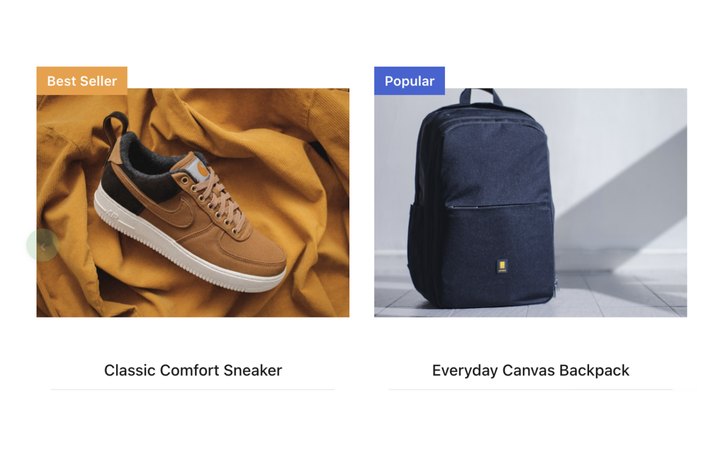
The all-round carousel or multi-row grid: badges, ratings, stock and Add to Cart, recoloured by one Style accent.
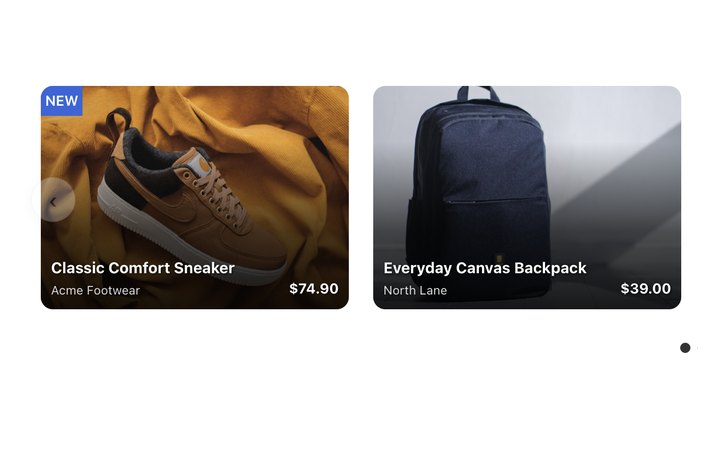
Photo-led cards with the name and price laid over the image.
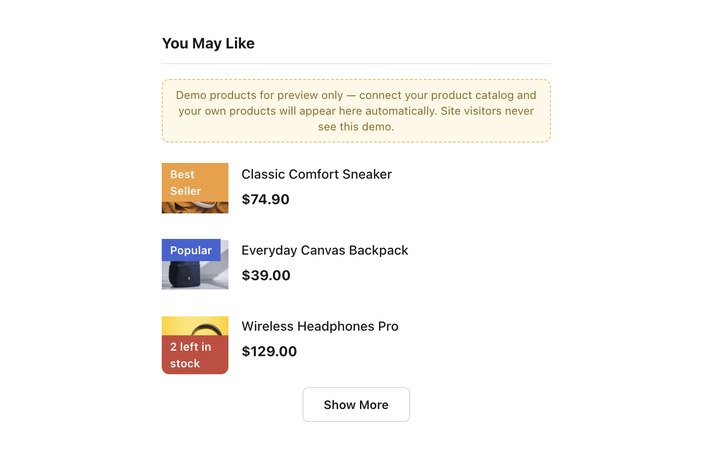
Stacked rows for sidebars, narrow columns and cart pages.
Clean clickable cards in a row, a list or a compact strip, each with its own Add to Cart.
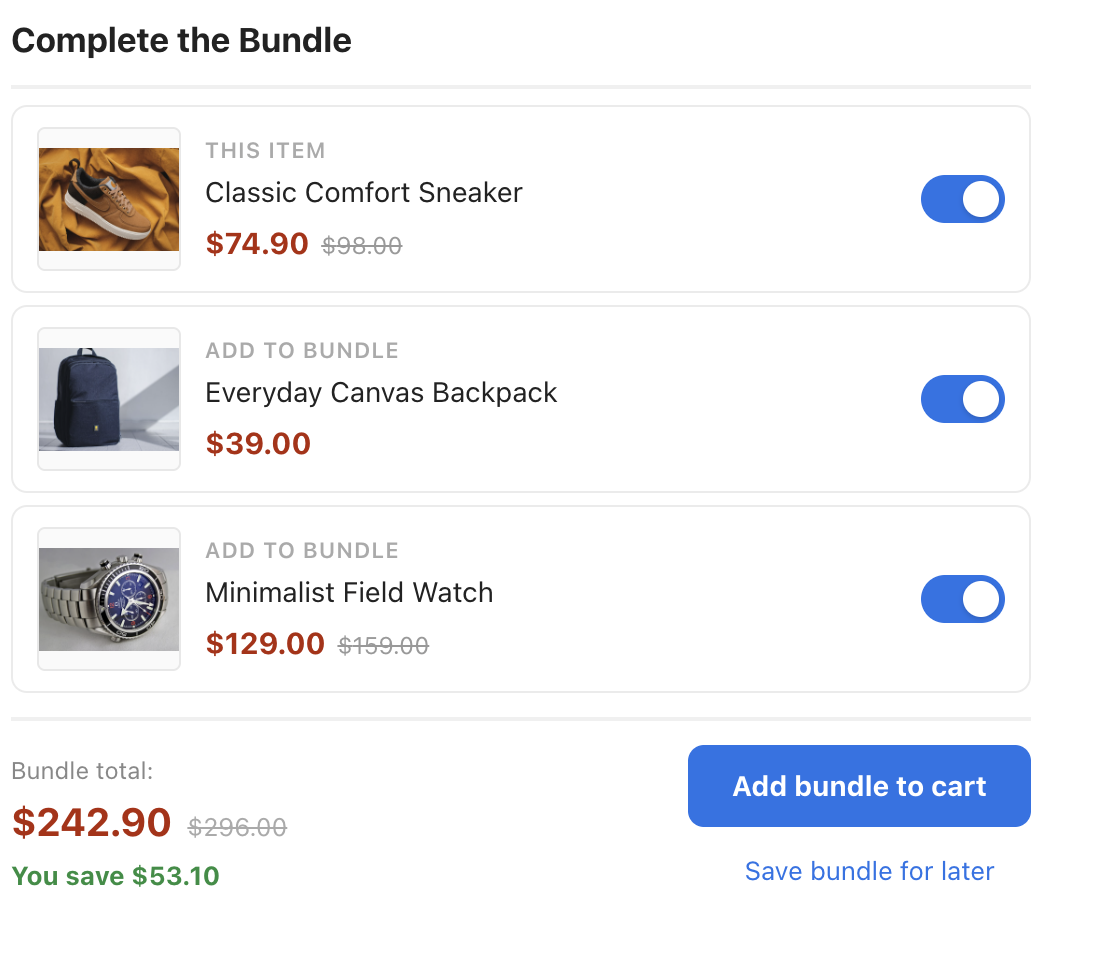
The item plus add-ons, each with a toggle that updates the bundle total as you go.
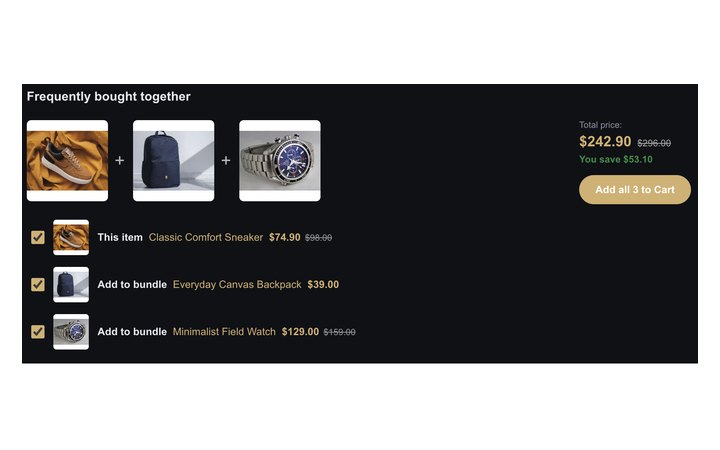
A photo strip joined by plus signs, a total price box and a checkbox list.

Recommended articles as a slider, a card row, a list or a compact strip.
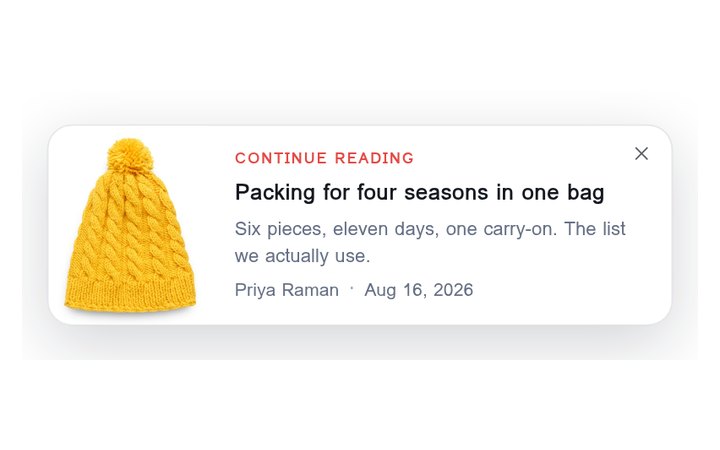
A slim panel that slides in mid-article with the next thing to read.
Two more: Product Magazine — Lead Product, Grid or List, one big lead product with the rest beside it or under it; and the Multi-Recommendation Widget, whose gallery has ready-made sets of tabs or sections and nine designs for the strip.
“My widget shows nothing”
A recommendation needs a catalog, events, an algorithm with something to say, and a place on the page to render. When one is missing, the panel says which in its own words. Work down the list: the first checks are the most common. If the whole campaign is not showing, not only its recommendations, start with Troubleshooting: A Campaign Isn’t Showing.
- No catalog. The Campaign readiness panel says “No catalog yet. Upload one and Personyze has your products to recommend.” and cards in the algorithm picker carry Needs a product feed (Needs an article catalog for content). If your catalog has items but a card says Not built for the current catalog yet, the last recommendation build ran before they arrived: “Recommendations rebuild automatically every few hours.” A feed that stopped updating shows here too: the Product catalog row says when your products were last refreshed. Fix it in Setting the Product / Content Feed for Recommendations.
- No interactions arriving. Readiness says “No product interactions arriving yet.” If views and carts arrive but purchases do not, it says “Purchased is not arriving.” Each picker card names what it is missing: Needs product-view tracking, Needs add-to-cart tracking, Needs purchase tracking, Needs wishlist tracking, Needs category tracking, Needs interest tracking or No traffic data yet. Under Settings → Recommendation setup → Product Tracking, an event that is wired up but has never arrived reads Never received, and one nobody set up reads Not set up. Switch on Has data in the picker to see only the algorithms that can already return something. Fix it in Product Interaction Tracking: View, Add to Cart, Purchase.
- Still collecting. Events arrive, but there is not enough behaviour yet. The Recommendations ready row says “Still collecting data.” until the engine has built something, then “The engine has built N recommendation sets, last refreshed …” A pair of items is only used once enough visitors back it: that floor is Minimum users behind a recommendation, under Settings → Site profile → Recommendations. To skip the wait: “Upload historical data to expedite that, or set a manual list as the starting point.” See Uploading Past/Offline Transactions for Product Recommendations and Managed Cross-Sells & Up-Sells.
- The algorithm needs something this visitor does not have. Recently Viewed has nothing for a first visit, and a cart cross-sell has nothing before an add-to-cart. The Simulator step shows it: “Nothing to show. This widget runs Recently Viewed and has no fallback, so for this subject the campaign would render nothing here at all.” A short result reads “This widget has 8 slots and the algorithm returned 3.” Fix: add a fallback, or switch on Fill empty cells, which tops a short result up with the most popular items and then the catalog. Fill empty cells is off by default for widgets on your site, and off means “Only what the recommendation actually returned is shown. If it returns nothing, the block is empty.” See Setting Recommendation Fallbacks.
- The widget only runs where its anchor exists. When an algorithm recommends from something that just happened, the editor keeps the widget to the pages where it did. Under Where it is allowed to run, Limit to pages / devices is set to one of five shared page groups: Product viewed on this page, Product added to cart on this page, Article viewed on this page, Article commented on this page or Searched on this site. The note beside it says so: “Set automatically: the algorithm recommends from the product view that just happened, so the widget only runs on pages where that view exists.” If that page never reports the event, the widget never runs there. Fix: make the page send it (check 2), or choose All pages and give the widget a fallback, since where there is nothing to recommend from, only its fallbacks fill it. See Anchored algorithms gate themselves in the Product Recommendations Wizard (and in the Content Recommendations Wizard for articles).
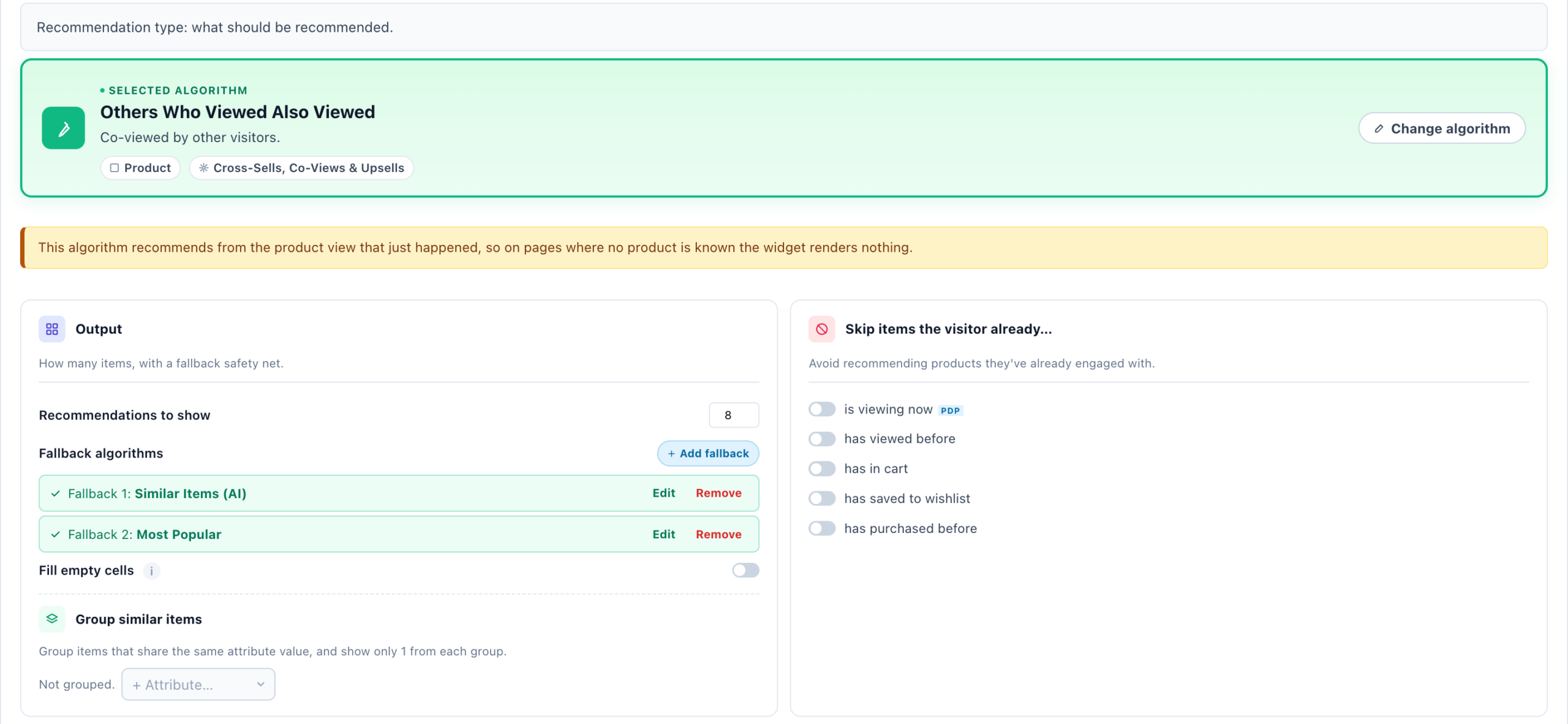
- Filters or sort too narrow. Every restriction removes items: Skip items the visitor already…, Restrict the catalog and your custom filter rules. Out-of-stock items are excluded automatically. Match visitor’s gender and Match visitor’s age need a gender or age field in your feed and the same on the visitor’s profile. A sort the account has no data for says so under Sort by: “This account has no data for this sort yet, so the widget would show nothing. Recently added to catalog works without any.” The What this widget recommends rail beside the editor’s step 1 shows which filter empties the pool. Loosen one thing at a time and run the Simulator again. See Setting Filters On Recommendations.
- No place for it on the page. Open your page from the campaign’s QA step (Preview it yourself, with Show the QA bar on the page ticked). The QA bar says what became of each action. No placeholder for it on this page means the placement matched nothing on that page. Its placeholder is on the page; it had not run 2 seconds in means the spot exists but the widget did not run in time. Fix the placement in Content Placement — Placeholders; every way to check is in Testing & QA — Every Way to Check a Campaign Before It Ships.
- The recommendation came back empty, or was held back. The same bar says Its recommendation came back with no items when the algorithm, filters and fallbacks together returned nothing: go back to checks 3 to 6. Other lines mean it was held back on purpose: Held back by a campaign frequency cap, This browser was told not to show it again, Already run on this page view, or Its presenting rules skipped it this time. See Frequency Caps — How Often a Visitor Sees It.
- The IDs in your feed and your tracking do not match. The catalog’s Internal ID must equal the product ID your site sends with its events. If it does not, behaviour never joins the catalog, and the engine learns pairs for products nobody viewed. When you import, Which column is your Internal ID? checks each column against what your site sends, and a column marked none of these values appear in what your site sends is the wrong key. Afterwards, Analytics → Product analytics → Recommendation Sets shows whether the engine has sets for your real products: check it before blaming the algorithm.
- Similar Items (AI) is not switched on. The Similar Items (AI) and Similar Content (AI) cards serve nothing until the account computes them. Switch it on in Product Catalog → ⋯ More options → Similar items (AI) — semantic similarity from your catalog text, or under Settings → Site profile → Recommendations. One switch covers both catalogs, and “after activation, the first pass runs within a day.”
- The widget shows, but Performance shows zero. Figures are counted after a visit ends: “Performance data appears about an hour after the first matching session ends.” To see it working now, open Live visits and watch your own visit: see Live Activity — Visitors on Your Site in Real Time.
Measure
A recommendation campaign’s Performance step opens on its Recommendations tab: what the widget earned, and its funnel from shown to purchased. For every campaign at once, use the four screens under Analytics → Product analytics. Articles have the same screens under Analytics → Content analytics. What every figure counts is in Performance Metrics: Product and content recommendations.
| Screen | What it answers |
|---|---|
| Recommendations | How the widgets perform: shown, viewed, clicked, added to cart, purchased, and the revenue they earned. |
| Recommended Items | Which items each widget put in front of people, and how each one did. |
| Recommendation Sets | What the engine learned per product: the items it pairs with, and how strongly. |
| Trending Report | Which products are gaining or losing momentum, site-wide. |
Related
- Setting the Product / Content Feed for Recommendations
- Product Interaction Tracking: View, Add to Cart, Purchase
- Recommendation Algorithms — What Each One Picks
- Product Recommendations Wizard
- Content Recommendations Wizard
- Recommendations Outside Your Site: Apps, JSON & Email — Where to Start
- Performance Metrics — Every Number in Personyze, and How to Read It
- Testing & QA — Every Way to Check a Campaign Before It Ships
- Troubleshooting: A Campaign Isn’t Showing
- Troubleshooting: The Tracker Isn’t Firing