
Two urgency popup templates built on one system: Flash Sale Countdown announces a sale with a live countdown and a product row, and Cart Exit — Timer + Coupon catches visitors abandoning a cart with their own product, a countdown, and a copy-to-clipboard discount code. Both share the same Style Accent presets, the full Personyze timer designer, and the demo-products preview system, so everything on this page applies to both unless a section says otherwise.
Style Accents
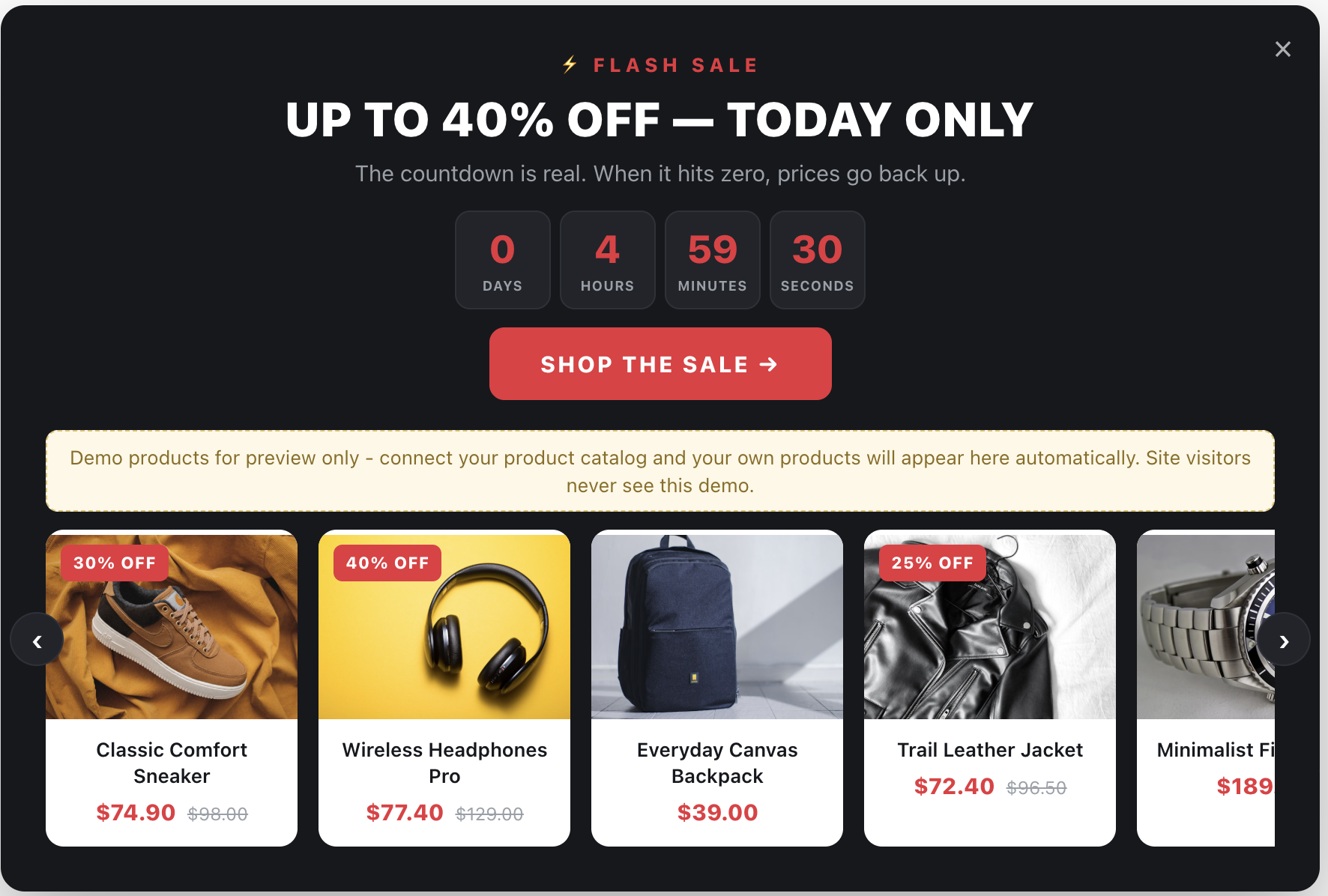
The first setting in each template is Style accent — one dropdown that recolors the entire popup:
- bold — dark background with red accents (the default)
- light — the same layout on white
- gold — dark premium with gold accents
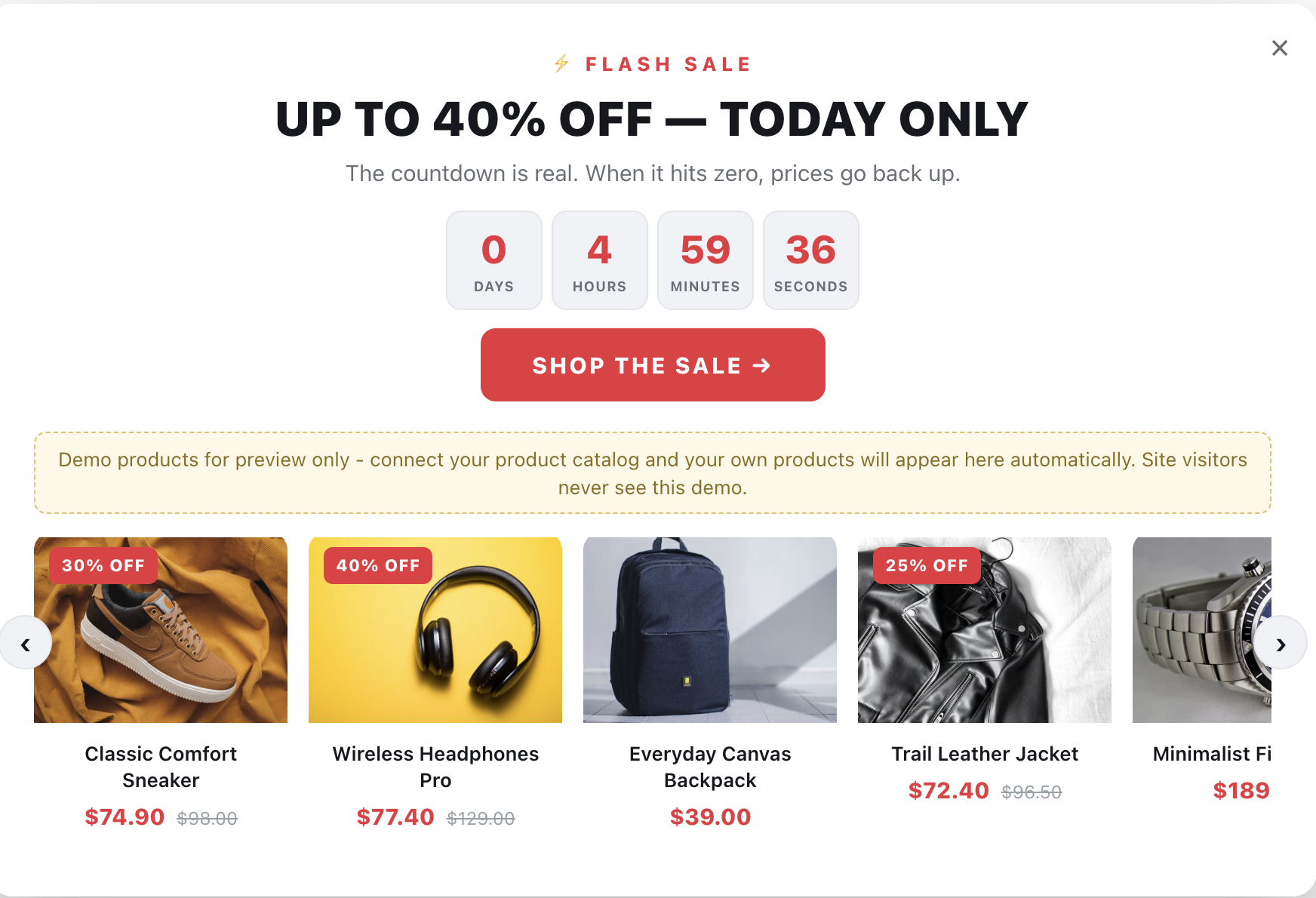
- ocean — white with blue accents
The accent drives every colored element at once — banner, timer boxes and numbers, coupon border, buttons, badges, and sale prices — and keeps working even after you customize individual elements, because all default styles reference the accent colors rather than hard-coding them. Pick the accent first, then fine-tune whatever you like.
The Countdown Timer
Both templates use the full Personyze timer designer:
- Fixed end date — counts down to a specific date and time with a timezone; the natural choice for a real sale.
- Per-visitor (cookie-based) — each visitor gets their own window starting from their first view, e.g. “your discount expires in 15 minutes”. Recommended for cart recovery, with configurable restart.
- Restart every time — restarts on each view; mostly for testing and evergreen urgency.
Boxes, numbers, and the DAYS / HOURS / MINUTES / SECONDS captions are all styled from the menu. By default the boxes sit side by side with no separator; the Separator character field lets you add a colon or any character between them. You can also define what happens when the timer reaches zero — a time-up message or a follow-up action — so an expired popup never shows a dead timer.
Demo Products — Preview Only
While designing, before a product catalog is connected, the templates show demo content with a notice banner: Flash Sale renders six sample product cards, and Cart Exit renders a sample cart product. Demos appear only in the Personyze editor and on preview links; the moment your catalog returns real products — or, for Cart Exit, the visitor has a live cart item — the real data takes over. Regular site visitors never see the demo.
Flash Sale Countdown
Structure, top to bottom: eyebrow label (“⚡ FLASH SALE”), headline (“UP TO 40% OFF — TODAY ONLY”), sub-line, countdown, CTA button, and a horizontally scrolling product row. The row is populated by whichever algorithm you attach — for this template, an algorithm filtered to discounted products works best, so the popup shows items actually in the sale. Cards show the product photo, an automatic “X% OFF” badge (with a minimum-discount threshold), the title, and sale pricing with strikethrough. Scroll arrows appear on desktop and hide automatically on touch devices, where the row swipes.
Trigger advice: show once per visitor per sale, schedule the action to the sale window, and skip pages already dedicated to the sale.
Cart Exit — Timer + Coupon
Structure: a full-width banner strip (“YOUR DISCOUNT EXPIRES IN”), the countdown, then two columns — the visitor’s cart product on a white card (image, title, sale pricing), and the message side: headline, sub-line, the dashed coupon box, the CTA, and a “No thanks” dismiss link.
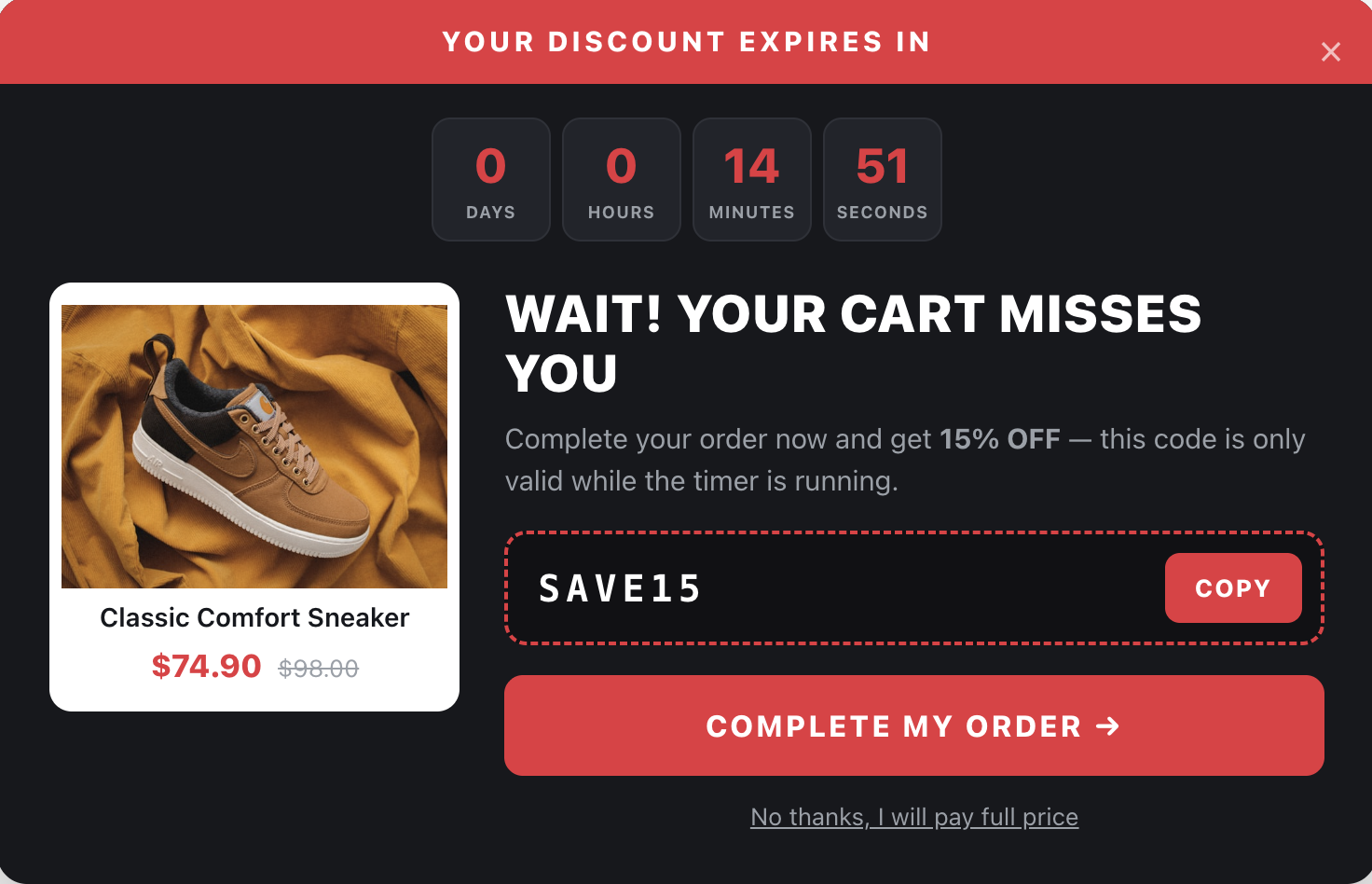
The coupon: whatever code you enter is displayed in the box and copied to the visitor’s clipboard when they press Copy, with a “Copied!” confirmation. The popup displays the code — it does not apply the discount by itself. The code must exist in your store, and if your platform supports discount-applying links you can put one on the CTA button so the discount applies on click.
The cart product is the visitor’s most recent cart item, pulled from the interactions Personyze tracks on your site.
Trigger advice: exit intent on desktop, conditioned on a non-empty cart, capped at once per session. Mouse-based exit intent does not exist on touch devices — on mobile use a timed or scroll trigger instead. Both the dismiss link and the corner × use the standard do-not-show-again behavior.
FAQ
Does the accent setting overwrite my custom styles? No. It changes the shared color palette; element-level styles you edit are kept, and any of your styles that reference the accent colors follow the preset automatically.
What happens when the timer reaches zero? Configurable in the timer designer: show a time-up message or trigger a follow-up action. Per-visitor countdowns can also restart after a period you choose.
Does the Copy button apply the discount? No — it copies the code. The code must be valid in your store; use a discount-applying URL on the CTA for auto-apply.
Which product shows if the cart has several items? The most recent cart item — the one the visitor interacted with last.
Can the Flash Sale row show only discounted items? Yes — attach an algorithm filtered to products with an active discount; the row displays whatever the algorithm returns.
Do visitors ever see the demo content? No. Demos render only in the Personyze editor and preview links, and only when there is no real data.