
Klaviyo runs your email and SMS flows; Personyze knows what every visitor does on your site. Connected, the audiences Personyze builds become fuel for Klaviyo: matched visitors flow into Klaviyo lists, and campaign activity lands as events on their profiles — so a welcome series, winback or nurture flow can react to on-site behaviour like “visited the pricing page twice, has an email, hasn’t purchased.”
Installing the integration
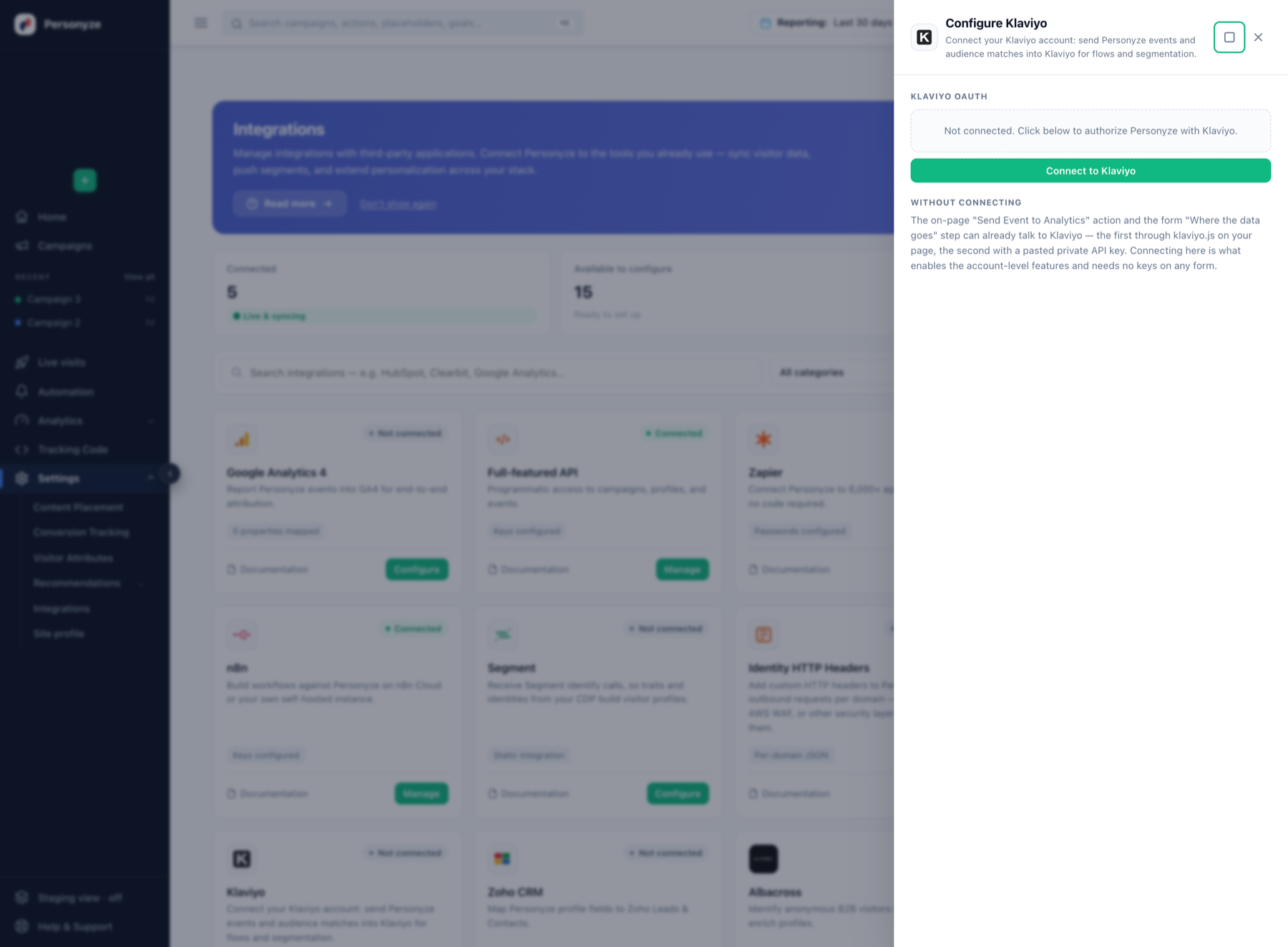
- In the Personyze panel go to Settings → Integrations, open the Klaviyo card and click Connect to Klaviyo.
- A popup opens Klaviyo’s consent screen. Approve the requested scopes:
accounts:read— a single connection-test call when you connect.lists:read,lists:write,profiles:read,profiles:write— the “Add to Klaviyo List” automation.events:write— the “Send Event” automation.
- The popup shows Access granted and the drawer shows Connected. You’re done — no API keys, nothing to rotate.
Use 1 — add matched audiences to a Klaviyo list
- In Klaviyo, create (or pick) a list and note its six-character list ID — open the list under Lists & Segments and copy the ID from the URL.
- In Personyze, create an Automation campaign (Campaigns → New → Automation) and define the audience — any rules you like: pages visited, products viewed, CRM fields, “has an email address”.
- Add the action Add to Klaviyo List and paste the list ID. Publish.
- As users match the audience, their profiles appear in the Klaviyo list — upserted by email and deduplicated by Klaviyo, so re-matching never creates duplicates. Matching runs about every 20 minutes; the campaign’s QA step has a Check now button to run it immediately.
Hang your Klaviyo flow off that list, and Personyze’s on-site segmentation drives it.
Use 2 — send events onto Klaviyo profiles
- In the same (or any) automation, add Send Event to Analytics (Automation) and tick Klaviyo.
- Name the event — e.g.
Personyze Audience Matched— and optionally add properties. Property values can draw on the person’s Personyze profile (industry, lifecycle stage, any custom field) and live campaign metrics. - When the automation fires, the event appears on the matched profile’s activity feed in Klaviyo — ready to trigger flows or build segments on.
Also works without connecting
- On-page events — the regular (on-site) Send Event to Analytics action can send Klaviyo onsite events through
klaviyo.json your page, no account connection needed. - Lead-capture forms — a Personyze form’s Where the data goes step can post each submission to Klaviyo as a
Personyze Form Submittedevent on the profile matching the submitted email (this legacy path uses a private key you enter yourself, with Events write access; forms without an email field are skipped).
Connecting through OAuth is what enables the account-level automations above, with no keys on any form.
Disconnecting
Settings → Integrations → Klaviyo → disconnect (or Revoke access in the connection popup). All API calls stop immediately; reconnecting restores them. Klaviyo keeps its own record of installed apps — to remove it there too, go to Settings → API keys & apps in Klaviyo and uninstall Personyze.
Security notes
Authorization uses OAuth 2.0 authorization code with PKCE (S256). Access and refresh tokens are stored server-side only and never exposed to the browser; refresh tokens rotate on every refresh.
Troubleshooting
- Profile doesn’t appear in the list — the person must have an email address on their Personyze profile (that’s the key Klaviyo upserts on). Check the list ID is the six-character one from the URL, and use the QA step’s Check now rather than waiting for the ~20-minute cycle.
- Event doesn’t show — events attach to the matched profile; confirm the same person exists in Klaviyo (the list action creates them, so run it first or together with events).
- Drawer says not connected after approving — the popup verifies the grant with one
GET /api/accounts/call; if your Klaviyo user lacks permission to install apps, the grant fails there. Reconnect with an owner/admin Klaviyo login.
Related
- Campaign targeting — the audience rules automations run on.
- Google Analytics integration — the same event action can report to GA4, Segment, Tealium and the GTM data layer.
- Send Event to Analytics — every destination the same action can reach, and what each one needs.
- ActiveCampaign integration — the same action again, on its Automation version only: it tags a contact rather than sending an event.