
Leadinfo is a B2B tool that identifies the company behind an anonymous visit. Personyze reads that result into the visitor’s profile, so the company can be used anywhere profile data is used — targeting rules, on-site personalization, email and reports.
How this integration differs from the others
Every other company-identification tool in Personyze — Albacross, Leadfeeder, Clearbit, LeadRebel, ZoomInfo — works server-side: Personyze calls the vendor with the visitor’s IP address and an API key you pasted in.
Leadinfo works browser-side, and that is why there is no key to enter:
- Leadinfo publishes no public API — their own help centre says so, and they offer no webhooks.
- The endpoint their script calls identifies whoever is calling it. Asked from our servers it would answer with our company, on every single visit.
So Personyze does the only thing that can work: it reads the answer the Leadinfo script has already placed on the page, in the visitor’s own browser, and stores it on the profile.
What you need first
- A Leadinfo subscription.
- The Leadinfo tracking script installed on your site — their code, added directly to the page or through Google Tag Manager. Personyze does not install it for you, and without it there is nothing to read.
Turning it on
- In Personyze go to Settings → Integrations.
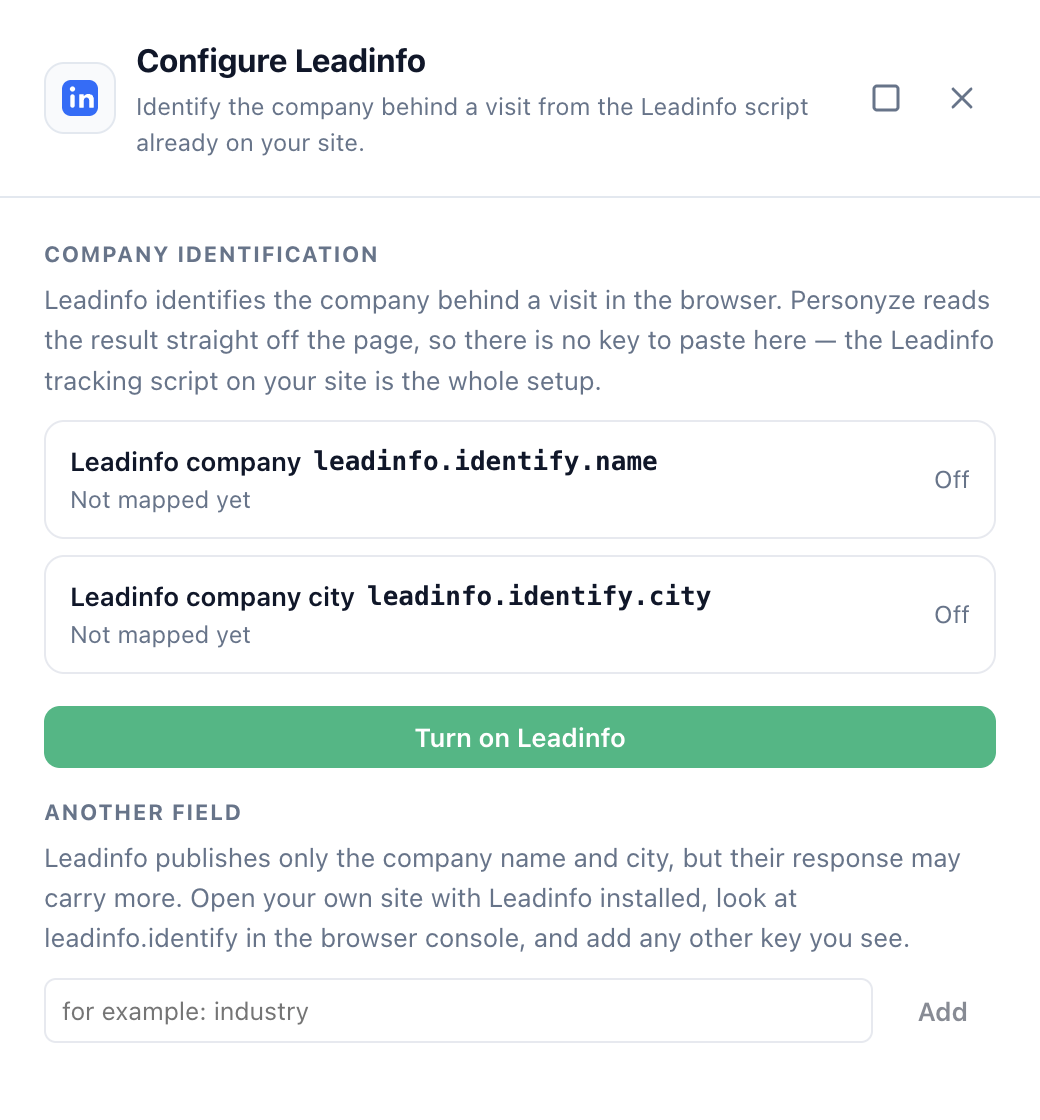
- Find the Leadinfo tile and click Configure. A drawer opens on the right.
- Click Turn on Leadinfo.
That is the whole setup. There is no key and nothing to configure — the button creates the visitor attributes and the containers that fill them, and they start collecting on the next page view.
Once it is on, each field shows a green check and the attribute it writes into:
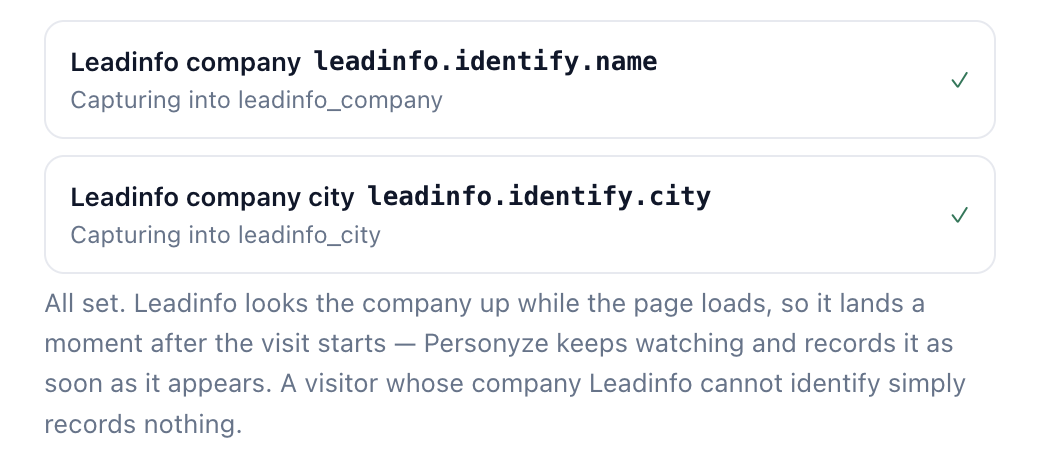
The containers and attributes it creates are ordinary ones — you will find them under Settings → Visitor Attributes, and you can pause or edit them there like any other.
What you get
Two fields by default, the two Leadinfo documents:
- Leadinfo company — the company name, stored in
leadinfo_company - Leadinfo company city — the company’s city, stored in
leadinfo_city
Their response often carries more than that, but the rest is not published, so Personyze does not guess at it. To add a field you can see on your own site: open one of your pages with Leadinfo installed, type leadinfo.identify in the browser console, and look at what comes back. Any other key in that object can be added from the same drawer — type the key under Another field and click Add.
When the company arrives
Leadinfo looks the company up while the page is loading, so it is not there in the first instant of the visit — it appears a moment in. Personyze keeps watching the page and records the company as soon as it lands, normally within the same page view. You do not need the visitor to click anything or move to a second page.
Visitors with no company are normal
Most visits will record nothing at all, and that is correct: home broadband and mobile connections do not resolve to a company. Leadinfo returns no match, and Personyze records no value rather than an empty one.
This matters in one place. When a rule excludes visitors by company — “everyone except Acme”, “not from our own company” — switch on Only match after a value is recorded on that rule. Without it, “we don’t know yet” counts as “doesn’t match”, and the campaign will also match the majority of visitors whose company was never identified. The toggle appears on the rule card as soon as you set it to Exclude.
Using the data
Targeting
The Leadinfo fields appear in the User CRM/ABM/Profile rule in any campaign’s audience, alongside your CRM fields. For example:
- Leadinfo company is one of your target-account list — a named-account experience for anonymous traffic (see Target visitors from specific companies)
- Leadinfo company city is a city you are running an event in — a local invitation
- Leadinfo company is your own company, as an Exclude rule, so internal traffic never sees the campaign
Content
Use the company name inside a headline or a CTA the same way as any other profile field, through CRM variables in the content editor — “Welcome back, Acme.” Give every variable a fallback, because most visitors have no company.
Reports and Live visits
The fields show up on the visitor’s profile in Live visits, which is also the quickest way to confirm the integration is working: open a session that came from a company network and look for the Leadinfo attributes on it.
If nothing is being recorded
- Check the script is really on the page. Open your site and type
leadinfo.identifyin the browser console. If that is undefined, the Leadinfo script is not loading on that page — that is a Leadinfo installation question, not a Personyze one. - An empty array is a non-match, not a fault.
leadinfo.identifyanswering[]means Leadinfo did not recognise that connection. Test from a company network rather than from home. - Check the attributes are active. Under Settings → Visitor Attributes, the two Leadinfo entries should be on. If someone paused them, the drawer will offer Turn on Leadinfo again.
- Give it the page view. The company lands part-way through the first page load; a rule evaluated at the very start of that load may run before Leadinfo has answered.